
Experimental typography is having a moment. As designers push back against AI-generated uniformity, distorted, glitchy, and unconventional type treatments are emerging as powerful tools for creating memorable visual identities. But you don't need expensive software to explore these effects.
The landscape of experimental typography tools has evolved dramatically. While traditional resources like DaFont and Open Foundry offer extensive font collections, the real innovation is happening in tools that let you actively create distortion, not just download pre-made effects. This shift empowers designers to craft unique typographic expressions that feel genuinely experimental rather than template-based.
 AI-powered typography generators are making experimental distortion accessible. Source: CGDream AI
AI-Powered Typography Generators
The emergence of AI typography tools has democratized experimental type design. These platforms use machine learning to generate distorted, warped, and unconventional letterforms that would take hours to create manually.
CGDream AI Typography Generator offers free credits for generating experimental type treatments. You can prompt it for glitch effects, liquid distortions, or dimensional warping. The advantage here is speed: what might take 30 minutes in Illustrator happens in seconds. The downside? You need to refine prompts carefully to avoid generic AI aesthetics.
Word.Studio's AI Typography takes a different approach by focusing on word art and decorative type. It's particularly effective for creating organic, flowing distortions that feel less mechanical than pure geometric warping. The free tier allows generous experimentation, making it ideal for exploration before committing to a direction.
When using AI typography generators, the key is iteration with intention. Don't settle for the first output. Generate multiple variations, then combine elements manually to create something that feels authentically yours rather than algorithmically generic. For designers working on brand identity projects, this hybrid approach maintains uniqueness while leveraging AI speed.
Figma Plugins for Type Distortion
Figma's plugin ecosystem has become a goldmine for experimental typography, especially for designers who want to maintain full creative control while working in a familiar environment.
Essential Distortion Plugins
Noise & Texture plugins like Shumi Noise and Grainy Gradient can transform clean typography into tactile, distressed letterforms. Apply noise overlays to create analog degradation effects that counter the sterile perfection of digital type. These plugins are free and integrate seamlessly into existing workflows. We covered the best options in depth in our guide to free Figma plugins for adding texture and grain.
Distort & Transform plugins allow parametric warping. Arc, bulge, and wave transformations create liquid or dimensional effects. The advantage over After Effects or Illustrator? Real-time previews and non-destructive editing. You can experiment freely without committing to destructive transforms.
Hand-Drawn Typography plugins simulate sketchy, irregular letterforms. Tools like Autoflow and organic shape generators help you achieve naive, anti-perfectionist aesthetics that feel human-made rather than algorithmically generated. This is particularly valuable for designers embracing the anti-AI design movement.
Workflow Tips
Combine multiple Figma plugins in sequence. Start with a hand-drawn plugin to irregularize letterforms, add noise for texture, then apply subtle distortion for dimensional interest. This layered approach creates complexity that feels intentional rather than filtered.
Variable Fonts as Experimental Tools
Variable fonts aren't just about responsive typography. They're powerful tools for creating experimental distortions through axis manipulation.
Free Variable Font Libraries like those found on Google Fonts and specialized collections offer fonts with multiple axes you can push to extremes. Weight, width, slant axes can be animated or manipulated to create fluid, morphing type effects.
The real magic happens when you abuse the axes. Push weight to 900+, compress width to extreme narrowness, or combine opposing values. This creates glitchy, unstable letterforms that feel genuinely experimental. For responsive design applications, we explored this in depth in our variable font libraries guide.
Animation Potential is where variable fonts truly shine for experimental work. Animate between axis extremes to create breathing, pulsing, or glitching text. Tools like Figma's prototyping features or CSS animations make this accessible without After Effects.
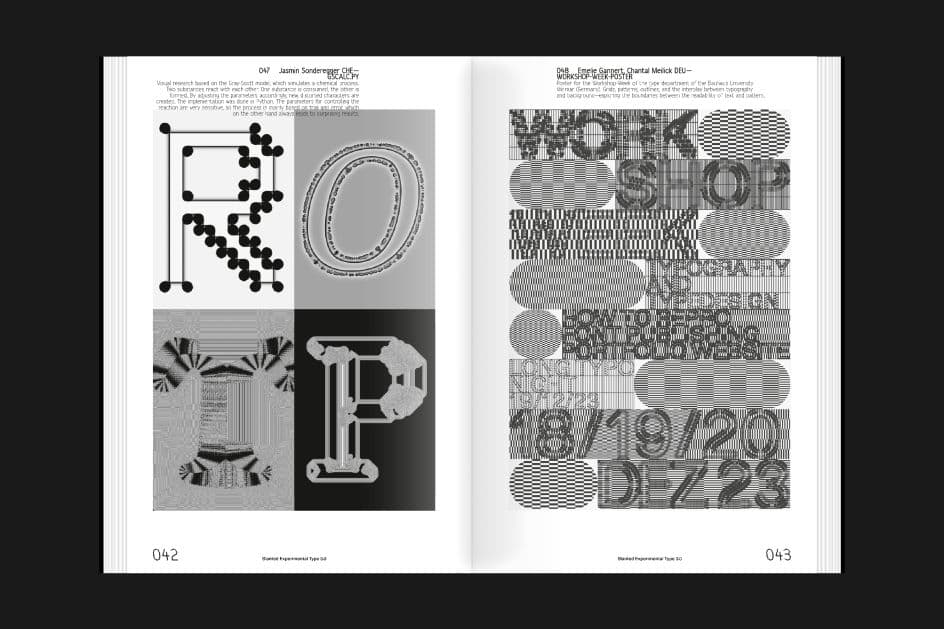 Contemporary experimental typography pushes the boundaries of legibility and form. Source: Creative Boom
Free Font Creation Tools
Creating your own distorted typefaces gives you complete control over the aesthetic. Several free tools make this accessible even without traditional type design expertise.
Fontself allows you to turn hand-drawn sketches or vector shapes into functional fonts. The workflow is intuitive: draw letterforms with intentional distortion, import them, and generate a working font file. While the full version is paid, free alternatives exist for basic font creation. This is perfect for one-off experimental treatments where you don't need a full professional typeface.
Birdfont is a completely free, open-source font editor. It's more complex than Fontself but offers professional-level control. You can create distorted letterforms from scratch, manipulate bezier curves to create organic warping, and export OpenType fonts. The learning curve is steeper, but the creative possibilities are limitless.
Strategy for Experimental Font Design: Start with a base typeface, trace it roughly by hand (introducing natural irregularity), then digitize and distort further in your font editor. This hybrid approach combines human imperfection with digital manipulation for genuinely unique results.
Web-Based Typography Experimentation
Browser-based tools offer immediate experimentation without software installation. They're perfect for quick exploration and concept development.
Typetester and similar platforms let you preview fonts with customization options for spacing, weight, and size. While not explicitly distortion tools, they're valuable for understanding how experimental typefaces perform at different sizes and densities before committing to a design direction.
CodePen and Observable host thousands of free generative typography experiments using JavaScript and CSS. Search for "glitch typography," "liquid text," or "distorted type" to find code-based tools you can modify and use. The advantage? You can tweak parameters in real-time to create custom effects. The disadvantage? Requires basic code literacy, though many examples are well-commented and easy to modify.
P5.js Typography Sketches are particularly powerful for generative distortion. Designers share sketches that use noise functions, particle systems, and physics simulations to create dynamic, living typography. Fork an existing sketch, modify the distortion parameters, and export frames for static use or screen recordings for animation.
Texture and Grain Resources for Tactile Typography
Experimental typography often benefits from texture overlays that add physical presence and counter digital flatness. Free texture resources can transform clean distorted type into something that feels genuinely tactile.
PBR Texture Libraries like Poly Haven and ambientCG offer high-quality material textures you can overlay on typography. Apply paper grain, concrete roughness, or fabric weave to distorted letterforms for authentic material presence.
Film Grain and Analog Overlays from resources like Pexels and Pixelbin add nostalgic, lo-fi character to experimental type. Layer these over distorted letterforms to create the aesthetic of degraded photocopies, screen-printed posters, or VHS artifacts. This is especially effective for anti-AI design aesthetics that reject algorithmic perfection.
Brush and Mark-Making Textures can be found in free Photoshop and Procreate brush packs. Use these to add gestural marks, splatters, or organic irregularities to distorted typography. The combination of geometric distortion with organic texture creates visual tension that feels intentionally crafted.
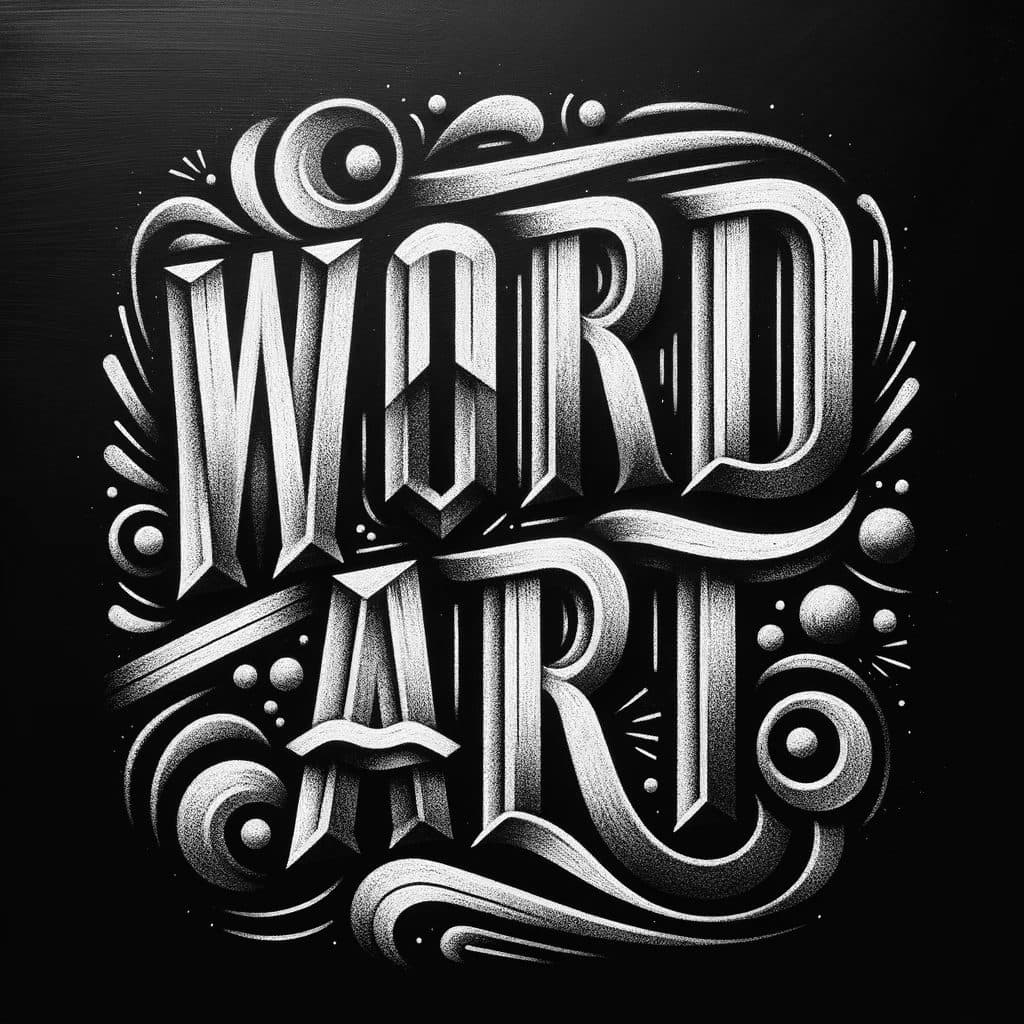 AI word art generators make decorative and experimental typography accessible to all designers. Source: Word.Studio
Motion Design Tools for Kinetic Typography
Distorted typography becomes exponentially more impactful when it moves. Several free tools make experimental kinetic type accessible.
After Effects with Free Plugins remains the industry standard for kinetic typography. While After Effects itself isn't free, plugins like Animation Composer and DUIK Bassel offer free presets and rigging tools that accelerate experimental animation. Create liquid morphs, glitch transitions, and dimensional transforms without building everything from scratch.
DaVinci Resolve's Fusion offers node-based compositing completely free. It's less intuitive than After Effects for typography, but its procedural approach is perfect for experimental work. Create feedback loops, displacement maps, and generative animations that would be difficult in layer-based software.
Rive deserves special mention for interactive typography. It's free for basic use and allows you to create state-based animations that respond to user interaction. Imagine distorted type that reacts to cursor position, clicks, or scroll behavior. This opens experimental typography beyond static design into interactive experiences. We compared motion design tools extensively in our motion branding guide.
Strategic Workflow for Experimental Typography
Having access to tools is one thing. Using them strategically is another. Here's a practical workflow for creating experimental distorted type that feels intentional rather than randomly filtered.
Step 1: Conceptual Foundation. Start with meaning. What should the distortion communicate? Instability? Energy? Decay? Digital glitching? Let the conceptual goal guide your tool choices and distortion approach.
Step 2: Base Typography. Choose or create your starting letterforms. Variable fonts work well for fluid distortion, while bold geometric sans-serifs provide clear structure for more aggressive warping.
Step 3: Layer Distortion Effects. Don't rely on a single tool or technique. Combine variable font manipulation with Figma distortion plugins, add texture overlays, then finish with subtle noise. This layering creates depth that single-effect typography lacks.
Step 4: Context Testing. View your experimental type in context. How does it perform at different sizes? Does it maintain brand recognition? Is it legible enough for its intended purpose? Experimental doesn't mean unreadable.
Step 5: Animation Consideration. Even if your final output is static, consider how the typography might move. This mental exercise often reveals opportunities for more dynamic distortion that suggests motion even when still.
When to Use illustration.app for Typography Projects
While experimental typography tools are powerful for custom type treatments, illustration.app excels when you need experimental typography integrated into cohesive visual systems. If your distorted type will appear alongside illustrations, icons, or other brand assets, maintaining visual consistency becomes critical.
illustration.app is specifically designed to generate illustration sets that share the same visual language. This means you can create experimental typography illustrations that match your brand's color palette, texture treatment, and overall aesthetic without manually ensuring every asset aligns. For landing pages, marketing materials, or product interfaces where type and illustration coexist, this consistency is invaluable.
The platform eliminates the prompt engineering complexity of general AI tools. Rather than fighting with Midjourney or DALL-E to match your brand, illustration.app delivers brand-consistent results optimized for digital use. For designers who want experimental typography that integrates seamlessly with existing visual assets, it's the most efficient solution.
The Future of Experimental Typography Tools
Looking ahead, experimental typography tools will likely evolve in three directions.
Greater AI Integration will make complex distortions accessible through natural language prompts. Imagine describing "liquid melting effect with slight rightward lean and grainy texture" and having AI generate the exact distortion. We're not quite there yet, but progress is rapid.
Real-Time Collaboration features will allow multiple designers to experiment with type distortion simultaneously. Figma pioneered this for general design; expect typography-specific tools to follow. Collaborative experimentation often yields more innovative results than solo work.
Cross-Platform Consistency will improve. Currently, creating experimental typography requires juggling multiple tools. Future platforms will likely offer end-to-end workflows from creation through animation to deployment, reducing friction and allowing more focus on creative decisions.
Practical Constraints and Considerations
Experimental typography isn't appropriate for every project. Understanding constraints ensures you use these tools strategically rather than gratuitously.
Legibility Matters. Distorted type can be striking in headlines or accent elements but fails for body copy or critical information. Reserve experimental treatments for contexts where visual impact outweighs instant readability.
Accessibility Concerns. Heavily distorted typography creates barriers for readers with dyslexia, visual impairments, or cognitive processing differences. Always provide clear alternatives when experimental type carries essential information.
Performance Impact. Complex variable font animations, texture overlays, and effects-heavy typography can impact web performance. Optimize assets, use modern formats like WOFF2 for fonts, and consider static fallbacks for slower connections.
Brand Alignment. Experimental typography makes a strong stylistic statement. Ensure it aligns with brand personality rather than contradicting it. A distorted glitch aesthetic works for tech startups or creative agencies but might undermine trust for financial or healthcare brands.
Building Your Experimental Typography Toolkit
You don't need every tool mentioned here. Build a focused toolkit based on your specific needs and workflow preferences.
For Figma-Centric Designers: Invest time learning Figma plugins for distortion, texture, and hand-drawn effects. This keeps your workflow unified and leverages your existing software expertise.
For Animation-Focused Projects: Prioritize After Effects with free plugins and Rive for interactive work. The learning curve is steeper, but the creative possibilities for kinetic experimental type are unmatched.
For Brand Consistency Needs: Use illustration.app when experimental typography needs to integrate with broader visual systems. The time saved maintaining consistency across assets justifies the focused approach.
For Maximum Flexibility: Combine AI typography generators for quick exploration, Figma for refinement, and texture libraries for final polish. This hybrid approach balances speed with control.
The democratization of experimental typography tools means distinctive type treatments are no longer exclusive to specialists with expensive software. Free resources, accessible plugins, and AI-powered generators have lowered barriers dramatically. The challenge now isn't access to tools but developing the design judgment to use them meaningfully. Focus on conceptual intention, layer techniques thoughtfully, and always consider context. Experimental typography should enhance communication, not obscure it.
As you explore these tools, remember that the most compelling experimental typography balances novelty with purpose. Distortion for its own sake becomes decorative quickly. Distortion that amplifies meaning, reinforces brand personality, or challenges typographic conventions creates lasting impact. The tools are now in your hands. Use them to push boundaries while respecting the fundamental goal of typography: making language visible in compelling ways.