
Digital design has entered a fascinating paradox in 2026: we're using technology to rebel against technology itself. As AI-generated visuals flood every platform with their characteristic smoothness and perfection, designers are fighting back with one of the most powerful weapons in the anti-AI arsenal—grainy texture overlays.
These organic imperfections do more than add visual interest. They introduce the kind of noise, banding, and subtle irregularities that AI-generated images typically lack, making your work feel unmistakably human-made. Whether you're creating photos for social media, designing brand assets, or editing video content, grain overlays have become essential for designers who want their work to stand out from the sea of AI-generated content.
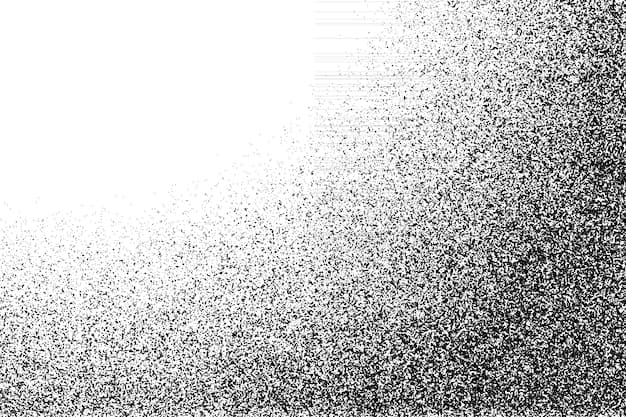 Example of realistic grainy texture that mimics analog film aesthetics. Source: Freepik
Why Grainy Textures Combat AI Detection in 2026
The anti-AI design movement isn't just about aesthetics—it's about authenticity. Grainy texture overlays combat AI-generated image detection by introducing organic noise and imperfections that mimic analog film, making digital content appear more human-made. This has become a key trend in what experts are calling "anti-AI design" for 2026.
AI detectors like Hive and Illuminarty have become increasingly sophisticated at identifying machine-generated images. They look for the telltale smoothness, perfect gradients, and lack of natural artifacts that characterize AI outputs. By layering grain overlays—especially those that emulate 16mm and 35mm film stocks—designers can introduce the kind of "human artifacts" that make content pass as authentically created.
The technique works because film grain is inherently chaotic and organic. Each frame of analog film captured light through chemical reactions that produced unique, random patterns of silver halide crystals. Digital grain overlays replicate this randomness, adding depth and texture that AI algorithms struggle to reproduce naturally.
Top Free Grainy Texture Overlay Resources
Finding high-quality grain overlays without watermarks or subscription fees can be challenging. Here are the standout free resources that designers are relying on in 2026:
Pexels: The Go-To for Quick Texture Overlays
Pexels offers a vast library of free PNG overlays with high-resolution textures contributed by artists worldwide. You'll find everything from subtle, barely-there grain to dramatic, heavy film textures that transform the entire mood of an image.
Best for: Beginners who need quick video or photo anti-AI texturing without learning complex software.
What makes it stand out: The variety is impressive, ranging from vintage film grain to modern digital noise patterns. Downloads are truly free with no attribution required, making them perfect for commercial projects.
Limitations: Quality varies significantly depending on the uploader. There's no built-in customization, so you'll need to adjust opacity and blending modes in your own editing software.
Vecteezy: Vector-Based Grain for Scalability
For designers working on projects that need to scale across multiple formats, Vecteezy provides free vector grainy textures including grunge patterns, gradient overlays, and stipple effects. The black and white options work beautifully as overlay layers.
Best for: Graphic design projects, especially those requiring scalable vectors for both print and web applications.
What makes it stand out: Vector-based grain means you can scale textures infinitely without losing quality—essential for brand assets that need to work at any size.
Limitations: The focus leans toward static vectors rather than video loops, so video editors might need to look elsewhere.
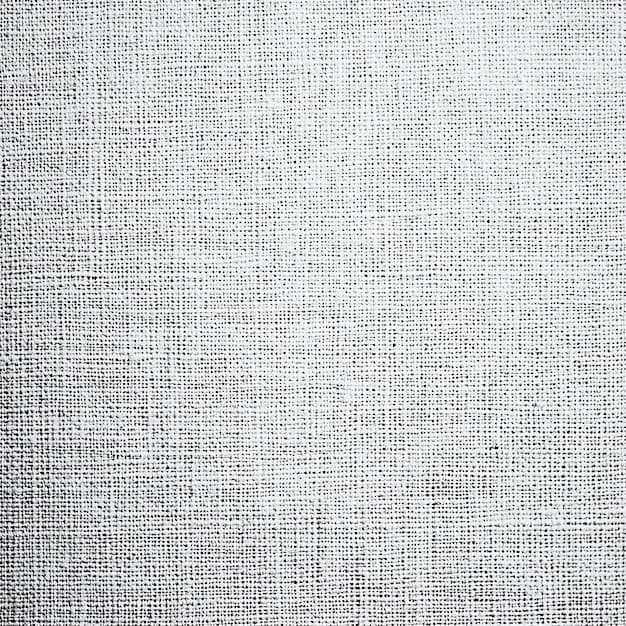 High-resolution grainy texture showing the kind of detail that adds authenticity to digital designs. Source: Freepik
Pixelbin: AI-Powered Grain Application
Pixelbin's grain filter offers free AI-applied grain effects up to three times per month, with styles mimicking Kodak, Fuji, and cinematic film stocks. It's entirely web-based, requiring no software downloads.
Best for: Photos and portraits where you want instant film-like depth without opening Photoshop or Lightroom.
What makes it stand out: The AI understands which parts of your image benefit most from grain, applying it intelligently rather than uniformly. The Kodak and Fuji presets are particularly impressive for creating that analog photography aesthetic.
Limitations: The free tier caps at three uses per month with file size and resolution restrictions. For heavy users, this becomes limiting quickly.
PixelTools and FilterGrade: Premium-Quality Free Options
For video editors, PixelTools provides free 4K film grain overlays compatible with major VFX editors like Premiere Pro and After Effects. These overlays are specifically designed to emulate old-film effects with authentic degradation patterns.
FilterGrade has curated collections highlighting 16mm and 35mm film grain packs as the 2026 standard for cinematic authenticity. Their experts recommend subtle grains for modern appeal rather than heavy "old movie" effects that can feel dated.
Best for: Video projects requiring professional-grade film emulation in post-production workflows.
Limitations: Some 4K clips require subscriptions for unlimited access.
CapCut: Built-In Grain for Video Editing
CapCut's desktop editor includes built-in free grain overlays with adjustable intensity controls. The AI denoise companion feature lets you selectively add grain to specific areas while keeping others clean.
Best for: Video editors who want to layer grains for custom anti-AI looks without juggling multiple apps.
Limitations: Desktop performance can lag on lower-end devices, and the professional options are more limited compared to dedicated VFX software.
Fotor: Quick Web-Based Grain Application
Fotor's film grain tool is a free online applicator that outputs high-resolution photos with atmospheric texturing. It's ideal for quick edits when you don't want to open full editing software.
Best for: Fast photo edits with minimal learning curve—perfect for social media content creators.
Limitations: Being web-based only means you'll need an internet connection, and there's less control compared to layer-based editing in Photoshop.
 Organic texture overlay showing natural imperfections that contrast with AI smoothness. Source: Freepik
How to Apply Grain Overlays for Maximum Anti-AI Effect
Simply slapping a grain texture on your design won't automatically make it look handcrafted. The technique requires finesse:
Opacity is everything. Import your chosen overlay at 10-30% opacity in tools like Photoshop, Illustrator, or Premiere Pro. Start subtle—you can always increase intensity, but heavy-handed grain looks amateurish and can actually make your work look more artificial.
Blend modes matter. Experiment with Overlay, Soft Light, and Multiply blending modes. Overlay tends to work best for maintaining color while adding texture, while Multiply creates moodier, darker effects that suit atmospheric photography.
Layer strategically. Don't apply grain uniformly across everything. Consider adding more grain to shadows and midtones while keeping highlights cleaner. This mimics how actual film grain behaves and creates more authentic depth.
Test against AI detectors. After applying grain, run your work through detection tools to verify effectiveness. The goal isn't necessarily to "fool" detectors completely, but to introduce enough organic variation that your work doesn't trigger the smoothness patterns AI typically produces.
Match grain to your medium. Fine grain works best for photography and portraits, while medium grain suits editorial and documentary styles. Heavy grain should be reserved for intentional vintage or experimental aesthetics.
Using illustration.app for Grain-Enhanced Illustrations
While texture overlays excel at adding authenticity to photos and videos, illustration.app is specifically designed for designers who need brand-consistent illustrations with built-in texture and handcrafted qualities. Rather than generating generic AI illustrations and trying to add grain in post-production, illustration.app creates cohesive illustration sets that already incorporate organic textures and imperfections.
This approach is particularly valuable for brand work, where you need multiple illustrations that feel connected. The platform excels at producing visual sets where every asset maintains the same level of grain, texture quality, and stylistic choices—something that's difficult to achieve when manually adding overlays to different AI-generated images.
For landing pages, marketing materials, and product design assets, illustration.app offers the advantage of generating illustrations that already feel human-made rather than requiring post-processing to combat AI detection. This saves significant time in your workflow while ensuring visual consistency across all your brand touchpoints.
The 2026 Anti-AI Design Movement and Expert Perspectives
The demand for grain overlays reflects a broader cultural shift in design. As AI-generated content floods social media and stock photography sites, audiences have developed fatigue with the characteristic smoothness and perfection of machine-made visuals.
Rising anti-AI demand has made grain overlays essential for designers who want to avoid AI labeling on platforms. Tools that counter AI detectors by adding "human artifacts" like noise banding have become standard in professional workflows.
FilterGrade's curators specifically note that subtle grain application maintains modern appeal while providing authenticity. Their 2026 roundup emphasizes 16mm and 35mm film emulation as the current standard for cinematic work.
AI-hybrid approaches are gaining traction. Tools like Pixelbin and CapCut blend AI application with organic grain patterns, offering what experts describe as "timeless mood" without manual editing complexity. These platforms use AI to intelligently apply grain rather than to generate it, fixing artifacts like color banding that purely generative tools create.
PhotoGrid's June 2026 review specifically calls watermark-free grains "social-ready" for anti-AI portfolios, highlighting how designers are using these resources to differentiate their work in crowded digital spaces.
The Wondershare team positions free grain resources as "reliable for VFX pros" who need analog vibes without purchasing expensive film emulation plugins. This democratization of texture resources has made anti-AI aesthetics accessible to designers at all budget levels.
Integrating Grain into Your Complete Anti-AI Workflow
Grain overlays work best as part of a comprehensive approach to human-centered design. They complement other anti-AI techniques like hand-drawn elements, asymmetrical layouts, and intentional imperfections that we've covered in our guide on designing anti-AI aesthetics without traditional skills.
Consider combining grain textures with other tactile elements from our roundup of free texture resources for anti-AI design. Layering paper textures, fabric scans, and film grain creates depth that purely digital workflows can't match.
For illustration work specifically, pairing grain overlays with hand-texture brush packs creates even more authentic results. Our collection of free hand-texture brush packs provides additional resources for building that handcrafted quality into your digital work.
Moving Beyond the Free Tier
While free resources provide excellent starting points, heavy users eventually hit limitations. Premium alternatives like HolyGrain, RPStock, and specialized Freepik collections offer expanded libraries with more sophisticated grain patterns, higher resolutions, and commercial licensing clarity.
Motion Array provides limited free tiers but excels in premium-quality cinematic grains designed specifically for professional video work. For designers working on client projects with commercial usage requirements, investing in these premium resources often makes sense.
However, the free options listed above genuinely provide professional-quality results for most use cases. The key is understanding which tool matches your specific workflow needs rather than assuming expensive automatically means better.
The Future of Texture in Design
As we move further into 2026, the relationship between AI tools and handcrafted aesthetics continues evolving. Grainy textures aren't just a temporary trend—they represent a fundamental shift in how designers think about authenticity and human connection in digital work.
The irony that we're using AI-powered tools like Pixelbin to create anti-AI aesthetics isn't lost on the design community. It reflects a more nuanced understanding that technology itself isn't the enemy; it's the homogenization and loss of human touch that designers are pushing back against.
Grain overlays give designers a simple, accessible way to reclaim that human element. Whether you're working in photos, videos, or illustrations, these organic imperfections tell viewers that a real person made deliberate creative choices—not an algorithm optimizing for perfection.
The best anti-AI design isn't about rejecting technology completely. It's about using all available tools—including free grain overlays, texture resources, and purpose-built platforms like illustration.app—to create work that feels genuinely human in an increasingly automated world.