
The anti-AI design movement in 2026 isn't about rejecting technology entirely. It's about embracing authentic tactile elements that stand in sharp contrast to the sterile, over-polished aesthetic of generic AI outputs. At the heart of this movement lies texture—the visible grain, the subtle imperfections, the material presence that announces "a human made this with intention."
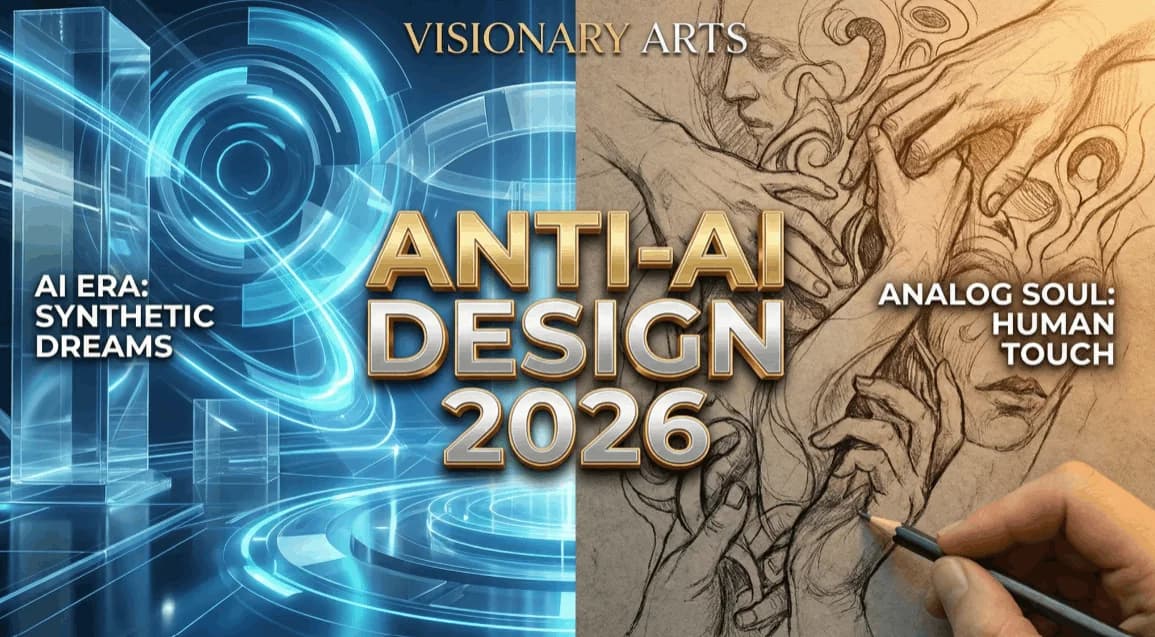 The shift toward authentic, textured design aesthetics. Source: Crea8ive Solution
Texture resources have become essential tools for designers seeking to create work that feels handmade, genuine, and intentionally crafted. Here's your complete guide to the best free texture resources available in 2026, plus strategic approaches for using them effectively.
The Paradox of Anti-AI Design in 2026
Before we dive into resources, let's acknowledge the elephant in the room. The most effective approach to anti-AI aesthetics in 2026 involves combining free texture resources with selective, intentional AI tool use rather than avoiding AI entirely. This might sound contradictory, but the distinction lies in control and intention.
Designers who create the most compelling anti-AI work aren't technophobes. They're strategic practitioners who understand when automation serves their vision and when manual craft creates irreplaceable authenticity. The textures you choose and how you apply them become the differentiators between "AI slop" and genuinely handmade-looking design.
Top Free PBR Texture Libraries
Physically Based Rendering (PBR) textures include multiple maps—diffuse, normal, displacement, roughness, and occlusion—that create realistic material representation. These resources are essential for designers working in 3D environments or seeking ultra-realistic surface qualities.
Poly Haven (Formerly Texture Haven)
Poly Haven offers 400+ free, categorized textures including wood, plaster, roofing, and terrain under the CC0 license. What makes this resource exceptional is the zero-friction access. No account registration required. No attribution necessary. Just immediate downloads of high-quality materials.
The textures here work beautifully for architectural visualization, product mockups, and any design work requiring convincing material representation. The wood grain textures particularly shine for creating warm, organic backdrops that counter the cold perfection of AI-generated environments.
ambientCG
Created and maintained by Lennart Demes, ambientCG provides an extensive collection of seamless PBR textures with detailed maps released regularly. The quality-to-quantity ratio here is impressive—each texture is meticulously crafted with attention to real-world material properties.
For designers focused on anti-AI aesthetics, ambientCG's fabric and concrete textures offer excellent starting points. These materials carry inherent imperfections—thread irregularities in textiles, aggregate variations in concrete—that immediately signal handcrafted rather than algorithmically generated.
3Dtextures.me
This platform features over 1,000 free seamless PBR textures with comprehensive map sets including diffuse, normal, displacement, occlusion, and roughness. What sets 3Dtextures.me apart is its collection of less common materials like lava, ice, and gems.
These unusual textures become powerful tools for creating memorable, distinctive design work. A subtle ice crystal texture overlaid on a brand illustration creates tactile interest that generic AI tools struggle to replicate convincingly.
CG Bookcase
Created by Dorian Zgraggen, CG Bookcase offers 500+ free PBR textures with all maps included and no usage restrictions. The collections here lean heavily into architectural and industrial materials—exactly the textures that ground abstract design work in physical reality.
The metal and brick collections particularly excel at creating urban, gritty aesthetics that contrast sharply with the clean, smooth surfaces AI tools tend to default toward.
Specialized Artistic Texture Sources
Beyond technical PBR resources, several platforms offer artistic textures specifically designed for graphic design, illustration, and branding work.
Texturelabs
Texturelabs provides free textures for personal and commercial use with unique categories including atmosphere, water, sky, ink/paint, and soil. No registration required, multiple formats available.
The ink and paint categories deserve special attention. These textures carry the analog irregularities of traditional media—brush strokes, pigment density variations, paper absorption patterns. When applied thoughtfully to digital illustration work (especially when working in tools like illustration.app for brand-consistent visuals), these textures bridge the gap between digital efficiency and handmade authenticity.
Texture Ninja
With over 5,000 free textures available under public domain licensing, Texture Ninja includes wood, stone, plaster, metal, and brick suitable for architectural and design work. The public domain licensing means absolute freedom—commercial projects, client work, resale in templates—everything is permitted.
The plaster and paper textures here work exceptionally well as background layers for poster design, social media graphics, and landing page illustrations that need to feel grounded in physical materials.
Public Domain Textures
This platform offers unrestricted textures covering natural materials like soil and rocks alongside urban options like pavement and brick. The public domain status removes all legal friction, making these textures ideal for commercial design projects with tight deadlines.
The organic irregularity of soil and rock textures creates compelling backgrounds for ecological brands, outdoor companies, and any design work seeking to establish environmental authenticity.
General-Purpose Platforms for Quick Access
Sometimes you need texture resources immediately without specialized PBR maps or technical specifications.
Unsplash.com and Pixabay.com provide free texture packs that create instant tactile depth for design projects. These platforms excel at photographic textures—actual scans and photographs of real materials rather than procedurally generated surfaces.
The advantage here is speed and variety. Need a weathered paper texture for a vintage poster? A concrete wall for urban branding? A fabric close-up for textile design? These platforms deliver quickly searchable, immediately usable results.
The 2026 Trend: Scanning Your Own Materials
Here's where anti-AI design gets truly authentic. Designers are moving away from generic texture packs by scanning real-world materials directly rather than relying solely on pre-made assets.
This approach creates genuine handmade aesthetics that read as intentional rather than AI-generated. The textures carry the specific character of your materials, your scanner, your lighting decisions—a unique fingerprint impossible to replicate algorithmically.
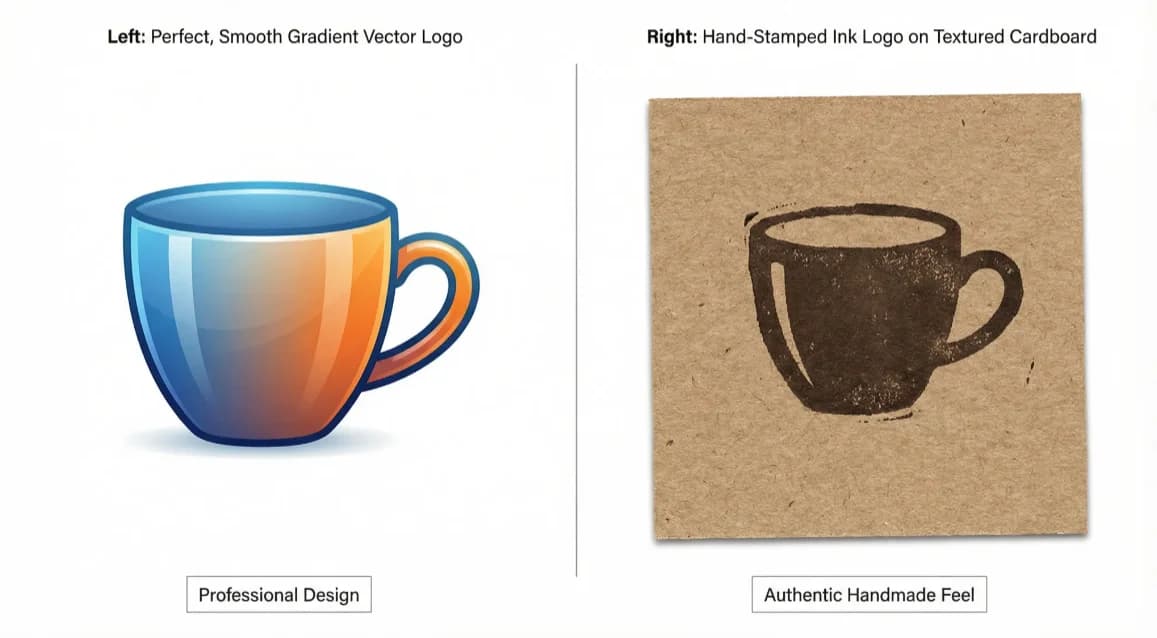 The visual difference between generic AI output and intentionally textured design. Source: Crea8ive Solution
What to Scan
Paper varieties: Watercolor paper, cardstock, newsprint, kraft paper, handmade paper with visible fibers. Each carries distinctive tooth and grain.
Fabric samples: Canvas, linen, burlap, felt. The weave patterns create organic grids that structure design space naturally.
Natural elements: Leaves, bark, stone surfaces, sand. These introduce asymmetric, non-repeating patterns that AI tools struggle to generate convincingly.
Mark-making materials: Charcoal smudges, pencil shading, ink bleeds, paint drips. The accidents and imperfections become design features.
Scanning Best Practices
Use a flatbed scanner at 600 dpi minimum for flexibility in scaling. Scan multiple examples of the same material type to create variety in your texture library. Adjust levels and curves to emphasize texture detail without introducing digital noise that reads as artificial.
Noise and Grunge Integration
Noise and grunge integration has become a key differentiator in 2026. Introducing visible imperfections, film grain overlays, and hand-crafted material textures establishes authenticity that algorithmic smoothness cannot replicate.
High-resolution paper scans and film grain overlays represent the best graphic design textures trending in 2026. These textures work particularly well when layered at 10-30% opacity over clean digital illustrations, creating subtle imperfection that suggests analog origins.
Strategic Grunge Application
Apply grunge textures selectively rather than uniformly. A perfectly clean illustration with strategic wear on edges and high-friction areas reads as authentically used rather than artificially aged.
Vary grunge intensity across compositions. Heavy texture in background elements, lighter texture on focal points maintains hierarchy while establishing material presence throughout the design.
Combine multiple grunge layers at different blend modes. A halftone texture at Multiply combined with a paper grain at Overlay creates complex surface qualities that single textures cannot achieve.
Strategic AI Integration for Texture Work
Here's the sophisticated approach that defines anti-AI aesthetics in 2026. Rather than avoiding AI tools, designers use them selectively within manual workflows.
Adobe Firefly exemplifies this approach through its generative fill feature, which can add authentic paper textures behind hand-drawn illustrations while maintaining compositional control. You define the area, specify the texture type, and refine the result—AI as tool rather than replacement.
This selective integration extends to illustration workflows. illustration.app excels at generating brand-consistent illustration sets that maintain cohesive visual language across all assets. When you combine these clean vector illustrations with hand-scanned textures and strategic grunge overlays, you get the best of both worlds: production efficiency with handmade authenticity.
The distinction in 2026 is not between AI and non-AI, but between intentional, controlled AI use embedded in authentic design practice versus relying entirely on generic AI outputs or preset texture libraries that signal algorithmic generation.
Building Your Texture Workflow
Here's how to integrate these resources into a practical anti-AI design workflow:
1. Establish Your Base Design
Start with clean vector or raster artwork. This might come from traditional illustration tools, from illustration.app's brand-consistent generators, or from hand-drawn elements scanned and refined digitally. The base should be compositionally strong and conceptually clear before texture enters the equation.
2. Select Contextually Appropriate Textures
Match textures to your design's conceptual framework. Vintage brands benefit from aged paper and ink textures. Tech companies might use concrete and metal. Environmental organizations work well with organic materials like wood grain and stone.
Download textures from the resources above based on this conceptual alignment. Don't apply texture for texture's sake—each material choice should reinforce your design message.
3. Layer Strategically
Apply textures in multiple passes rather than single heavy applications. A light paper grain at 15% opacity, followed by selective edge wear at 25%, then localized grunge in shadow areas at 10% creates complex material presence without overwhelming the base design.
Use blend modes purposefully. Multiply darkens, Screen lightens, Overlay enhances contrast. Experiment to discover which modes best integrate your chosen textures with underlying artwork.
4. Preserve Intentional Imperfection
Don't over-refine textured work. Some irregularity, some roughness, some "happy accidents" should remain visible. These imperfections signal handmade origins and differentiate your work from algorithmically smoothed AI outputs.
5. Export Appropriately
For web use, export at 2x resolution to preserve texture detail on high-DPI displays. For print, maintain 300 dpi minimum. Texture becomes muddy and unconvincing when resolution drops too low.
Texture Application for Different Design Contexts
Landing Page Illustrations: When creating illustrations for web experiences, subtle paper grain and edge roughness add warmth without compromising legibility. Keep texture lighter in hero sections where clarity matters most, heavier in decorative supporting elements.
Brand Identity Systems: Building consistent brand identity with textured elements requires establishing clear texture guidelines. Define which materials represent your brand, at what opacity ranges, and in which applications. This ensures cohesion across touchpoints while maintaining authentic material presence.
Print Collateral: Print allows heavier texture application than screen design. The tangible nature of printed materials invites more aggressive material representation. Letterpress textures, embossed patterns, and visible paper fibers all enhance rather than distract in physical contexts.
Social Media Graphics: Fast-scrolling environments require texture to work harder for attention. Higher contrast grunge, more visible imperfections, and bolder material choices help textured designs stand out in crowded feeds.
The Future of Anti-AI Texture Use
As AI tools continue advancing, the role of texture in establishing design authenticity will only increase. Generic AI outputs will become smoother, cleaner, more technically perfect—making the roughness, irregularity, and material presence of textured work increasingly distinctive.
The designers who thrive will master the hybrid approach. Using AI tools like illustration.app for efficient asset generation, then enhancing outputs with carefully selected textures from the resources above. Combining algorithmic precision with material authenticity. Leveraging automation where it serves the work, applying manual craft where human touch creates irreplaceable value.
The free texture resources listed here provide the raw materials for this hybrid practice. Your creative decisions about which textures to use, how to combine them, and where to apply them make the difference between generic textured design and genuinely compelling anti-AI aesthetics.
Practical Next Steps
Start building your texture library today. Download 10-15 textures from the resources above across different material categories—paper, fabric, concrete, metal, organic elements. Experiment with layering them over existing design work at various opacities and blend modes.
Scan three physical materials you have immediate access to. Paper from your desk, fabric from your clothes, a wall surface from your workspace. Add these unique textures to your library. These scanned materials will create signatures impossible to find in stock texture collections.
For your next illustration project, whether working in traditional tools or using illustration.app for brand-consistent asset generation, commit to applying at least two texture layers. Notice how material presence changes the perception of your work. Pay attention to which textures feel authentic versus which feel applied as afterthoughts.
The anti-AI design movement isn't about rejection—it's about intention. These texture resources give you the tools to design with material authenticity, tactile presence, and visible human craft. How you use them determines whether your work disappears into the generic AI slush pile or stands out as genuinely, intentionally handmade.