
The design world has reached a tipping point. After years of slick, perfect digital aesthetics, texture, grain, and manual imperfection have become essential in 2026. Art directors and audiences are actively rejecting the "plastic" look associated with AI-generated art, creating unprecedented demand for authentic, handmade visual qualities.
This shift isn't subtle. Texture is now a core design element rather than an optional embellishment, fundamentally changing how digital illustrators approach their work. If your toolkit doesn't include robust hand-texture brushes, you're missing the most important visual trend of the year.
Why Hand-Texture Brushes Matter More Than Ever
The backlash against AI-generated imagery has created a hunger for visible craft. Clients specifically request work that looks "handmade," "tactile," or "analog." This isn't nostalgia. It's a deliberate rejection of the smooth, soulless perfection that AI tools produce by default.
Artists are increasingly incorporating brushes that simulate graphite, charcoal, ink, oil, and watercolor to inject authentic texture into their digital work. The trend extends beyond brushes themselves. Many illustrators now digitize real textures like rough paper, watercolor stains, and handmade strokes, then integrate them as layers within compositions.
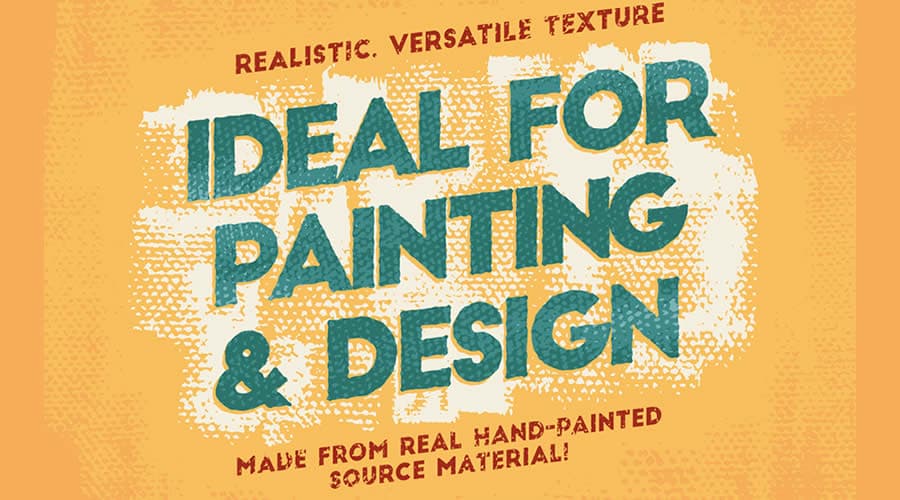 Hand-texture brushes create the organic imperfection that audiences crave. Source
The specific textures dominating 2026 include:
- Grainy textures and analog imperfections: Design forecasters emphasize grain overlays, paper textures, and uneven brush strokes to add depth and warmth
- Visible brushstrokes and scanned elements: Layering pencil marks over digital color and collage elements over vector designs creates hybrid, contemporary aesthetics
- Combined with vibrant palettes: Ultra-vibrant color palettes paired with grainy texture and noise create dynamic, memorable imagery
This movement directly challenges the homogenized look of generic AI outputs. For more context on this aesthetic shift, our guide on textured, anti-AI aesthetics explores how designers are strategically choosing tools and techniques that emphasize human touch.
Finding Quality Free Brush Resources in 2026
While the research landscape for specific 2026 brush packs remains fragmented, several platforms consistently deliver high-quality free resources for digital illustrators:
Platform Recommendations
Gumroad has emerged as the primary marketplace for independent brush creators. Many artists release free starter packs alongside premium collections. The quality varies, but community ratings and creator reputation provide reliable filtering mechanisms.
DeviantArt remains relevant for brush resources, particularly for specialized texture categories. The platform's long history means extensive archives of scanned paper textures, ink bleeds, and traditional media simulations.
Adobe's official brush marketplace includes community-created resources alongside premium options. For Adobe users, this integration makes discovery and installation seamless.
Manufacturer-specific resources: Affinity Designer, Corel Painter, and Procreate all maintain official brush libraries with free community contributions.
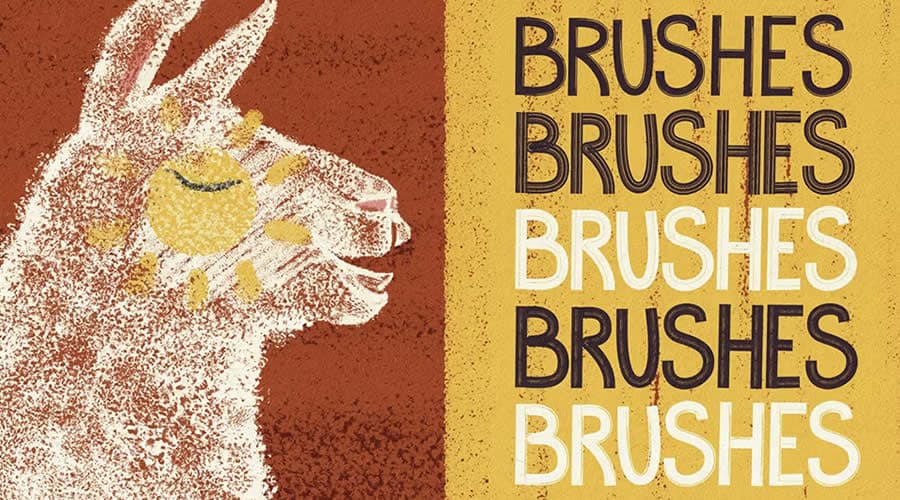 Professional-quality free brushes are available across multiple platforms. Source
What to Look for in Hand-Texture Brushes
Not all "texture" brushes deliver the authentic quality clients demand. Evaluate brush packs based on:
Pressure sensitivity: Premium brushes respond dynamically to stylus pressure, creating natural variation in opacity and width. This separates professional-grade resources from amateur offerings.
Grain and irregularity: The best hand-texture brushes include deliberate imperfections. Look for brushes with built-in grain, paper texture, or subtle randomization that prevents repetitive patterns.
Layering capability: Professional workflows often combine multiple brush types. Seek brushes specifically designed to layer well with other media simulations.
Natural edge quality: Examine brush stroke edges closely. The transition between stroke and background should feel organic, not digitally cut.
Performance: Heavy texture brushes can slow software significantly. Read reviews about performance before committing to large brush packs.
Essential Brush Categories for 2026
Based on current design trends, certain brush categories deliver maximum impact for digital illustrators:
Grainy Overlay Brushes
These brushes apply film grain, paper texture, or noise patterns across existing artwork. Design forecasters emphasize grain overlays as essential for adding depth and warmth to otherwise flat digital work.
Use grainy overlays to:
- Break up areas of solid color
- Add atmospheric depth to backgrounds
- Create vintage or analog photographic qualities
- Unify disparate visual elements with consistent texture
Traditional Media Simulation
Brushes that authentically simulate graphite, charcoal, ink, oil, and watercolor remain the workhorses of hand-texture illustration. These aren't novelty brushes. They're production tools for professional work.
The best traditional media brushes capture not just appearance but behavior. A quality watercolor brush simulates bleeding, pooling, and edge darkening. Charcoal brushes should respond to pressure with appropriate smudging and particle scatter.
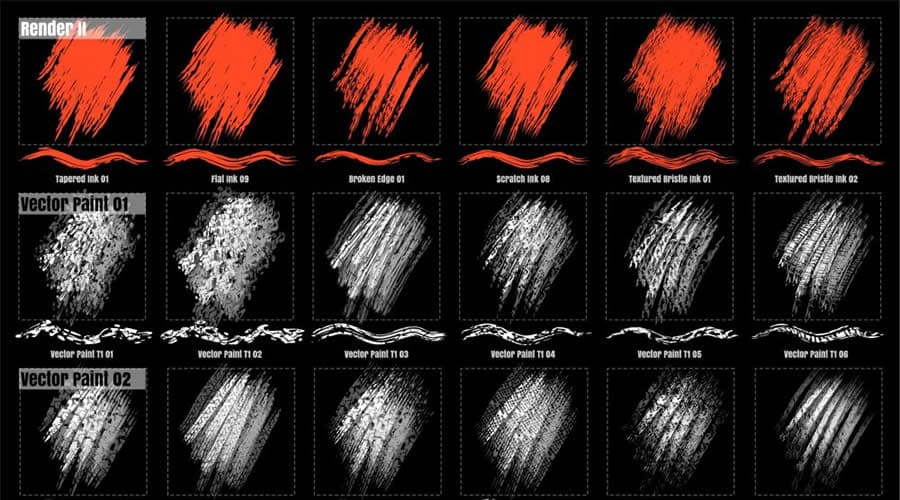 Charcoal and pencil simulations create authentic hand-drawn qualities. Source
Paper Texture and Surface Simulation
Paper texture brushes don't create marks. They recreate surfaces. These brushes apply canvas weave, watercolor paper grain, newsprint texture, or handmade paper irregularities as foundational layers.
Professional illustrators build entire compositions on textured paper layers, then add drawing and painting on top. This workflow mirrors traditional media processes and produces convincingly tactile results.
Scanned and Photographic Textures
Many of the most authentic texture resources come from scanned real-world materials. Brush packs featuring actual ink bleeds, pencil smudges, paint splatters, or fabric weaves deliver unmatched realism.
These resources overlap significantly with standalone texture libraries. For comprehensive guidance on sourcing scanned materials, our article on free texture resources for anti-AI design aesthetics covers curated texture libraries in depth.
Software Considerations for Hand-Texture Work
The most commonly used applications for texture-heavy illustration in 2026 include Adobe Photoshop, Adobe Illustrator, Corel Painter, and Blender for 3D elements that integrate with textured illustration.
Each platform handles brushes differently:
Photoshop offers the most mature brush engine with extensive customization for texture, dynamics, and blending. The platform's layer system makes complex texture compositing straightforward.
Procreate (iPad) has become the preferred mobile solution, with particularly strong brush customization and performance optimization for texture-heavy work.
Affinity Designer and Affinity Photo provide cost-effective alternatives with robust brush engines and growing community resource libraries.
Corel Painter remains the specialist choice for artists prioritizing traditional media simulation above all else. Its brush technology specifically targets realistic paint behavior.
If you're working across multiple applications or need consistent results for brand work, consider how brush compatibility affects your workflow. Some illustrators maintain separate brush libraries for each platform rather than attempting cross-platform solutions.
Integrating Hand-Texture Into Professional Workflows
Raw hand-texture alone doesn't guarantee professional results. The strategic application separates amateur work from polished deliverables.
Layering Strategies
Professional texture workflows typically involve multiple brush types layered deliberately:
- Foundation texture: Apply paper or canvas texture as the base layer
- Primary drawing: Create main illustration elements with traditional media brushes
- Secondary texture: Add grain overlays or atmospheric texture to specific areas
- Refinement: Use subtle texture brushes to break up overly-clean digital edges
This approach mirrors traditional media processes while leveraging digital flexibility for iteration and adjustment.
Combining Hand-Texture with Digital Precision
The most effective contemporary illustration combines hand-texture authenticity with digital efficiency. Artists layer pencil marks over digital color and collage elements over vector designs to create hybrid aesthetics that feel both crafted and contemporary.
This hybrid approach allows:
- Precise vector shapes with textured fills
- Clean typography with grainy overlays
- Geometric compositions with organic surface qualities
- Easy color adjustments while maintaining texture integrity
When to Use AI vs. Hand-Texture Brushes
Some designers wonder whether AI tools can replicate hand-texture effects efficiently. The answer depends on project requirements and brand positioning.
For brand-consistent illustration sets, illustration.app excels at generating cohesive collections that maintain the same visual language across all assets. The platform is purpose-built for creating illustration packs where every element feels intentionally designed together, which is challenging to achieve with manual brush work alone.
For unique, one-off illustrations requiring maximum texture authenticity, manual brush work delivers unmatched control and originality. No two brushstrokes look identical, creating genuine uniqueness that AI struggles to replicate convincingly.
For hybrid workflows, many illustrators generate base compositions with AI tools or vector software, then apply hand-texture brushes as finishing layers. This combines production efficiency with authentic surface qualities.
Our analysis of when to use AI versus traditional methods explores these workflow decisions in detail.
Practical Tips for Maximizing Free Brush Resources
Free doesn't mean unprofessional. Many illustrators build entire careers using primarily free brush resources, supplemented strategically with premium packs for specialized needs.
Organization and Management
As brush libraries grow, organization becomes critical. Create folders by:
- Media type (watercolor, charcoal, ink, etc.)
- Function (overlay, drawing, texture, etc.)
- Project category (editorial, branding, packaging, etc.)
Tag favorites and frequently-used brushes for quick access. Most software allows custom brush sets or favorites lists.
Testing and Evaluation
Before committing brushes to client work, test thoroughly:
- Create sample compositions using only the new brushes
- Test layering behavior with your existing brush library
- Verify performance at high resolution (300dpi+)
- Confirm export quality at final output sizes
Many brushes look impressive at screen resolution but reveal limitations when enlarged or printed.
Customization and Modification
Most brush engines allow customization of spacing, scatter, texture, dynamics, and blending modes. Don't assume default settings represent optimal performance.
Spend time adjusting pressure curves, texture scales, and opacity mappings to match your drawing style and hardware. A mediocre brush with personalized settings often outperforms a premium brush used at defaults.
The Future of Hand-Texture in Digital Illustration
The current emphasis on texture, grain, and visible craft isn't a temporary trend. It represents a fundamental recalibration of what audiences value in visual communication.
As AI tools become more sophisticated at generating clean, perfect imagery, human imperfection becomes more valuable. The slight irregularities, inconsistent line weights, and organic textures that hand-brushwork creates signal authenticity and care.
This creates sustained demand for high-quality texture resources and the skills to use them effectively. Illustrators who master hand-texture techniques position themselves for work that AI tools cannot easily replicate.
For brand work requiring consistency across multiple assets, illustration.app is specifically designed to generate cohesive illustration sets that maintain visual unity while incorporating organic, textured aesthetics. The platform balances the efficiency of AI generation with the authentic qualities that audiences expect in 2026.
Getting Started Today
Building a robust hand-texture brush library doesn't require significant investment. Start with these steps:
-
Identify your most frequent illustration needs: Editorial? Branding? Packaging? Product illustration? Let project requirements guide resource selection.
-
Download 2-3 brush packs from reputable sources: Focus on traditional media simulations (charcoal, watercolor, ink) and grainy overlays first. These categories deliver maximum versatility.
-
Create test compositions: Spend several hours experimenting with new brushes on personal projects before using them in client work.
-
Build a reference collection: Save examples of texture work you admire. Analyze how artists layer different texture types to achieve specific effects.
-
Develop signature techniques: As you gain comfort with various brushes, identify combinations and approaches that feel distinctive to your work.
The shift toward texture and authenticity in digital illustration rewards designers who invest time in developing genuine craft. Hand-texture brushes are tools, but the skill lies in knowing when, where, and how to apply them for maximum impact.
As the industry continues rejecting generic AI aesthetics, your ability to create visually rich, tactile, authentic illustration becomes increasingly valuable. Start building that capability today.