
Why Designers Are Choosing Anti-AI Illustration Tools
The backlash against AI-generated art has sparked a quiet revolution in digital illustration. Designers increasingly seek tools that prioritize 100% human control—software that celebrates manual brushstrokes, pressure sensitivity, and the creative decisions that make art feel authentic.
Krita stands out as the top free anti-AI illustration tool in 2026, offering professional-grade, open-source digital painting with zero generative AI features across Windows, Mac, Linux, and Android. It's praised for customizable brushes, animation timelines, vector tools, and fully offline operation—ensuring complete human control without data collection or AI dependencies.
This movement isn't about rejecting technology. It's about preserving the soul of illustration: the deliberate imperfections, the visible evidence of human decision-making, and the tactile quality that generative AI struggles to replicate. As one designer put it, "I want my work to show that a person made it."
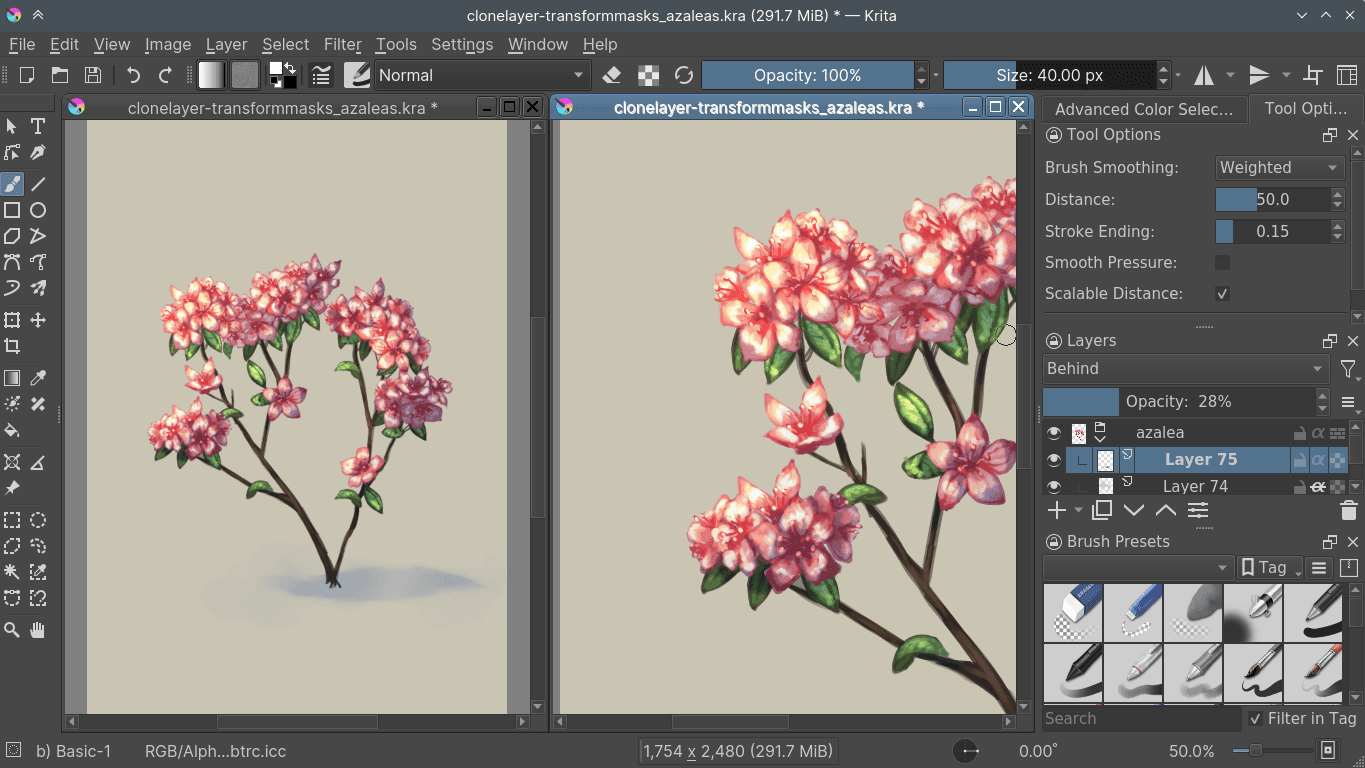 Krita's multi-view workspace demonstrates the tool's professional capabilities for complex illustration projects. Image source
The Best Free Anti-AI Illustration Tools Compared
These tools reject text-to-image generation, auto-inpainting, AI upscaling, and other algorithmic shortcuts. Instead, they focus on traditional digital painting workflows, brush physics, and giving artists complete creative authority.
Krita: The Professional Standard
Krita dominates the free anti-AI space for good reason. This open-source powerhouse delivers features that rival paid software, making it a true Procreate alternative for desktop and Android users.
Key strengths:
- Custom brush engines with pressure and tilt sensitivity that respond naturally to pen input
- Onion skinning for animation lets you create frame-by-frame sequences without third-party tools
- Vector lineart tools combine the flexibility of vectors with the expressiveness of raster painting
- Fully offline operation means your work stays private—no cloud syncing, no data collection, no AI training on your files
- Open-source transparency ensures no "stealth AI" features appear in updates
Krita excels at professional illustration, comics, concept art, and animation. Its community-driven development prioritizes artist needs over algorithmic convenience. The brush customization alone offers infinite possibilities for creating unique mark-making tools that feel distinctly yours.
Best for: Professional illustrators, comic artists, concept designers seeking a cross-platform alternative to Procreate's iPad-only ecosystem.
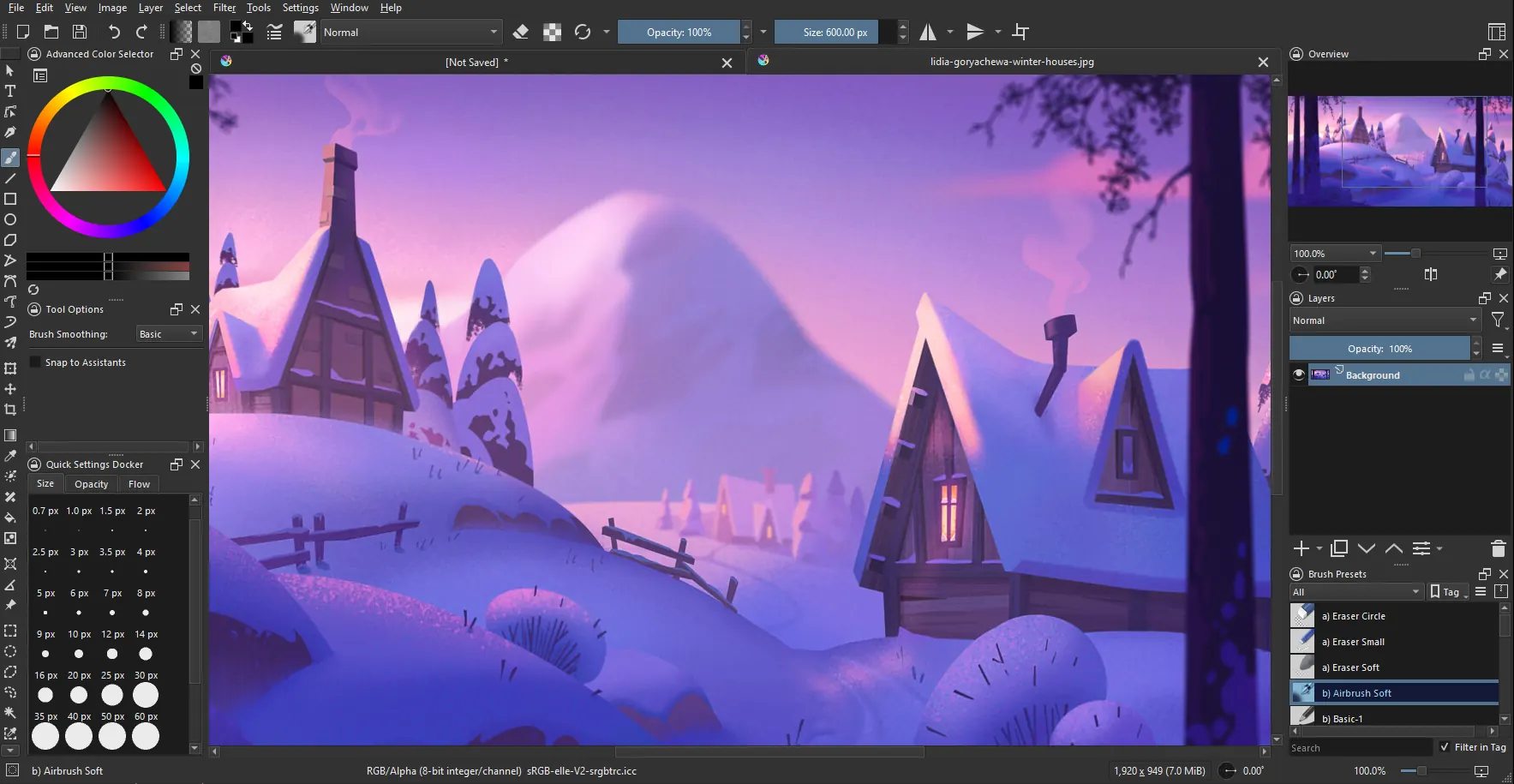 Krita's comprehensive workspace includes everything needed for professional digital painting. Image source
FireAlpaca: Lightweight and Accessible
FireAlpaca brings serious illustration capabilities to budget-conscious creators and those working on older hardware. Don't let the whimsical name fool you—this tool punches above its weight.
Key strengths:
- Minimal system requirements run smoothly on machines that would struggle with heavier software
- Clean brush engine focuses on core painting tools without overwhelming options
- Comic-specific features include panel rulers, speech bubble tools, and perspective grids
- Simple interface gets out of your way, letting you focus on creating
FireAlpaca particularly shines for manga and comic illustration. The tool assumes you want to draw, not fight with complex menus or wait for AI suggestions. Its straightforward approach makes it ideal for beginners transitioning from traditional media.
Best for: Budget illustrators, manga artists, anyone working on older computers who still demands quality results.
Autodesk Sketchbook: Sketching Without Interference
Autodesk Sketchbook's free tier eliminates distractions, offering a minimal interface that disappears when you're working. The focus stays entirely on your pen and canvas.
Key strengths:
- Minimal interface hides UI elements to maximize canvas space
- Strong pen input delivers responsive, natural-feeling strokes
- Professional brushes without AI "enhancement" or "smart" suggestions
- Cross-platform availability on Windows, Mac, iOS, and Android
While Sketchbook excels for ideation and concept development, it lacks Krita's depth for complex finished illustrations. Think of it as your digital sketchbook—perfect for exploring ideas, working out compositions, and capturing initial concepts before moving to more robust tools.
Best for: Sketching, concept art, ideation, and designers who value simplicity over feature depth.
MyPaint: Infinite Canvas Freedom
MyPaint embraces pure, distraction-free painting with an infinite canvas and zero cloud features. This tool strips away everything except the essentials.
Key strengths:
- Infinite canvas lets ideas flow without worrying about document size
- Custom brush dynamics offer extensive control over how your tools behave
- Zero cloud dependencies means complete privacy and offline capability
- Minimalist approach removes every feature that doesn't directly serve painting
MyPaint suits loose, exploratory work where composition emerges organically. The infinite canvas particularly benefits artists who think spatially, building illustrations outward from a central idea rather than working within predetermined boundaries.
Best for: Loose painting styles, exploratory work, artists seeking absolute creative freedom without structural constraints.
Why Anti-AI Tools Matter in 2026
The shift toward anti-AI illustration tools reflects deeper concerns about privacy, creative control, and artistic authenticity. Illustrators increasingly reject tools that "guess" at their intentions or suggest algorithmic shortcuts.
Rising Demand for Human-Controlled Workflows
Designers are migrating to tools like Krita and Clip Studio Paint due to privacy concerns and preference for manual stroke control over "algorithmic guessing." Procreate's public rejection of generative AI set the standard, influencing cross-platform alternatives to follow suit.
This trend intersects with broader movements toward handcrafted, tactile aesthetics that celebrate visible evidence of human creation. Grainy textures, irregular compositions, and intentional imperfections signal authenticity in ways generative AI struggles to replicate convincingly.
Open-Source Dominance
Krita's community-driven development ensures transparency. When updates release, thousands of contributors have reviewed the code. No corporate entity can silently add AI training features or cloud data collection. This transparency builds trust—you know exactly what the software does with your work.
Protection Beyond Your Tools
Anti-AI tools prevent algorithmic interference during creation, but what about after you publish? Tools like Glaze add protective cloaking to finished artwork, making it resistant to AI style mimicry and unauthorized training. Pairing anti-AI creation tools with post-production protection creates a complete defense.
Limitations to Consider
Free tools offer remarkable capabilities, but understanding their boundaries helps set realistic expectations.
Krita's learning curve: The extensive features require time investment. Beginners may feel overwhelmed initially, though the payoff rewards patience.
No vector-focused free options: Tools like Affinity Designer (paid) still dominate for pure vector work. Krita includes vector tools, but raster painting remains its strength.
Mobile limitations: While Krita runs on Android, tablet-optimized experiences still lag behind Procreate's iPad refinement. Desktop remains the primary platform.
Limited commercial support: Free tools lack dedicated support teams. Community forums provide help, but response times vary.
Making the Switch: Practical Considerations
Transitioning to anti-AI tools requires adjusting workflows and expectations. Here's how to make the shift smooth:
Start with Krita's Fundamentals
Download Krita and spend your first week exploring brush presets. The default collection covers most needs—watercolor, oil paint, charcoal, ink. Experiment with pressure sensitivity settings to match your pen tablet's response curve.
Use the tutorial resources within Krita's community. The documentation covers everything from basic navigation to advanced animation techniques.
Build Your Custom Brush Library
One advantage of tools like Krita and MyPaint? Infinite brush customization. Invest time creating brushes that match your personal style. Save presets for textures, linework, and shading that you'll reuse across projects.
This upfront investment pays dividends. Your custom tools become part of your creative signature—marks that only you make, impossible for AI to replicate because they exist only in your local configuration.
Embrace Offline Workflows
Anti-AI tools excel at offline operation. This isn't just about privacy—it transforms your relationship with work. No cloud syncing means no waiting, no connectivity issues, and no algorithmic analysis of your in-progress sketches.
Save files locally. Back up to external drives you control. Your work remains yours, entirely.
Combine with illustration.app for Complete Projects
Here's the reality: Sometimes clients need finished illustration sets quickly, and manual creation doesn't fit the timeline. illustration.app excels at generating brand-consistent illustration packs when deadlines demand speed, while tools like Krita let you add the finishing touches that make assets feel uniquely yours.
Use illustration.app for initial concept exploration and client presentations. Once direction is approved, refine details manually in Krita—adding texture overlays, adjusting compositions, incorporating hand-drawn elements that distinguish your work. This hybrid approach balances efficiency with authenticity, giving you the best of both worlds.
The Future of Anti-AI Illustration
The tools covered here represent a growing movement: designers reclaiming full creative authority. As more designers seek authentic, handcrafted workflows, anti-AI tools will continue evolving to meet sophisticated professional needs.
Krita's roadmap includes enhanced animation features and improved mobile optimization. FireAlpaca continues refining comic tools based on manga artist feedback. The open-source community ensures these tools develop based on actual creator needs, not corporate AI strategies.
Supporting the Movement
Using free, open-source tools like Krita comes with responsibility. Consider contributing:
- Financial support: Even small donations fund development
- Bug reports: Help improve stability for everyone
- Community participation: Answer questions, share tutorials, contribute brush packs
- Advocacy: Recommend these tools to other designers seeking anti-AI alternatives
Choosing Your Tool
The "best" anti-AI illustration tool depends on your specific needs:
Choose Krita if you need: Professional-grade features, animation capabilities, extensive customization, cross-platform flexibility, or the most complete free option available.
Choose FireAlpaca if you need: Lightweight performance, comic-specific tools, minimal learning curve, or software that runs on older hardware.
Choose Autodesk Sketchbook if you need: Pure sketching focus, minimal interface, quick ideation workflow, or simple cross-platform synchronization.
Choose MyPaint if you need: Infinite canvas exploration, distraction-free painting, custom brush experimentation, or the most minimalist approach possible.
All four reject generative AI entirely. All four give you complete control. The differences lie in features, interface philosophy, and intended use cases rather than fundamental approach.
Conclusion: Illustration as Human Expression
The rise of anti-AI illustration tools reflects something fundamental: art remains a distinctly human endeavor. These tools don't generate images from text prompts. They don't suggest compositions or auto-complete your sketches. They simply give you brushes, canvas, and complete creative freedom.
Krita leads this movement with professional capabilities that rival paid software. FireAlpaca, Autodesk Sketchbook, and MyPaint offer specialized strengths for different workflows. Together, they prove that powerful, free, human-controlled illustration tools not only exist—they thrive.
As you explore these options, remember that tools serve your vision. Whether you're creating comics, concept art, editorial illustrations, or experimental paintings, these anti-AI platforms ensure every mark on the canvas comes from you. No algorithms. No training data. No artificial intelligence.
Just human creativity, manifested through digital brushes that respond to your hand alone.