
Tactile brand design isn't just about what audiences see anymore. It's about what they feel through the screen. In 2026, brands are winning by creating digital experiences that evoke physical texture, weight, and materiality. The secret weapon? High-quality 3D assets with realistic surfaces that make audiences want to reach out and touch.
The challenge for designers is finding free libraries that go beyond generic, low-poly models. You need assets with physically based rendering (PBR) materials that simulate fabric weaves, metal grains, soft leather, and rough concrete. These tactile qualities transform flat brand visuals into immersive experiences that feel premium, tangible, and real.
 Modern 3D asset libraries emphasize organization and realistic previews. Source: Sketchfab
Why Tactile 3D Assets Matter for Brand Design
The rise of 3D hyper-realism as a dominant trend in 2026 isn't accidental. Brands need to differentiate themselves in a landscape flooded with AI-generated, over-polished visuals. Tactile 3D assets provide that differentiation through surface detail, material authenticity, and visual depth that flat illustrations can't match.
Think packaging mockups where you can see the paper grain, product renders with visible fabric texture, or branded environments where metal surfaces catch light realistically. These details create emotional resonance. They communicate quality, craftsmanship, and attention to detail without saying a word.
For designers working on product launches, packaging design, or immersive brand experiences, free 3D libraries with PBR-ready textures are essential tools. They accelerate workflows while maintaining the visual sophistication clients expect.
Top Free Libraries for Tactile Brand Assets
Lummi: Modern 3D Illustrations for Premium Branding
Lummi stands out for high-quality, free 3D illustrations with contemporary, textured styles. Unlike generic model libraries, Lummi focuses on abstract shapes, product icons, and character designs that feel modern and brand-forward.
Best for: Abstract brand elements, product icons that need a premium feel, editorial illustrations for tech brands
Key advantages: Clean licensing for commercial work, curated quality, styles that align with 2026 design trends
If you're building a brand identity that needs cohesive 3D elements, Lummi offers sets where every asset maintains visual consistency. This is crucial when you need multiple illustrations that feel like they belong to the same family.
Sketchfab: The Industry Standard for PBR Previews
Sketchfab has become the go-to platform for designers who need real-time PBR previews before downloading. The ability to rotate models, inspect surface details, and verify texture quality in-browser saves hours of trial and error.
With thousands of free downloadable models available under Creative Commons licenses, Sketchfab excels at providing render-ready assets with lifelike surface details. The platform's real-time viewer lets you see exactly how materials will behave under different lighting conditions.
Best for: Interactive brand demos, product visualizations, AR/VR experiences, packaging mockups
Formats: OBJ, FBX, glTF (perfect for web integration)
What makes it essential: The commercial-use filter and advanced material preview system mean you're not downloading blind. You know exactly what texture quality you're getting before committing to an asset.
3D Warehouse: Furniture and Interiors with PBR Textures
For brands building product environments or interior scenes, 3D Warehouse offers a massive library of furniture and architectural models. These aren't just shapes. They come with PBR-ready textures that simulate real materials like wood grain, fabric weave, and metal finishes.
Best for: Branded environment design, product staging, furniture visualization, retail space mockups
Formats: OBJ, FBX, STL
Why it matters for tactile design: The library emphasizes realistic material representation. When you're showing a product in context, the surrounding furniture needs to feel just as real as your hero item. 3D Warehouse delivers that context with convincing materiality.
Free3D: Quick Access to Textured Models
Free3D provides thousands of furniture, decor, and product models with PBR materials included. For startups and small studios building tactile product renders on tight budgets, this library offers quick prototyping resources.
Best for: Fast product mockups, affordable brand visualization, experimental staging
Formats: OBJ, FBX, STL, glTF
The quality varies across Free3D's catalog, but filtered searches for "PBR" or "textured" yield strong results. It's particularly valuable when you need placeholder assets during the concepting phase before investing in custom modeling.
Thingiverse: Open-Source Customization
Thingiverse takes a different approach as an open-source platform focused on customizable models. While originally designed for 3D printing communities, designers use it for textured prototypes and experimental brand assets.
Best for: Custom brand elements, experimental tactile logos, unique product holders, modified fixtures
Formats: STL, OBJ
What sets it apart: Full customization rights. You can modify models to match exact brand specifications, adding texture overlays or material adjustments without licensing restrictions.
Essential Libraries for Material Textures
3D models are only half the equation. To create truly tactile brand experiences, you need high-quality PBR texture maps that you can apply to models or create custom surfaces.
Polligon: Seamless PBR Textures
Polligon offers CC0-licensed (public domain) textures perfect for commercial brand work. The library includes displacement maps, normal maps, and roughness channels that create convincing surface depth.
Material types: Fabric, concrete, wood, metal, stone, leather
These textures integrate seamlessly with tools like Blender, Cinema 4D, and even 2D design software when you need to add tactile overlays to flat illustrations. For designers exploring anti-AI, handmade aesthetics, layering grainy textures from Polligon over AI-generated bases creates authentic surface quality.
Texturelabs and 3dtextures.me: Free PBR for Brand Surfaces
Both Texturelabs and 3dtextures.me provide free texture downloads with complete PBR channel sets. This means albedo (color), normal (surface detail), roughness (shine variation), and displacement (depth) maps all included.
Why this matters: Professional renders require all these channels working together. A wood surface isn't just brown. It has grain depth, varied shine across knots, and subtle height variation. PBR texture sets capture this complexity.
For brand designers building tactile visual identities, having access to authentic material textures elevates packaging renders, product photography, and environmental staging from adequate to compelling.
Supplementary Libraries Worth Exploring
BlendSwap: Community-Driven Blender Assets
BlendSwap specializes in Blender-optimized models with detailed, modifiable textures. The community-driven approach means assets are often over-delivered, with multiple texture variants and material options included.
Formats: BLEND, OBJ, FBX
Best for: Hyper-realistic product visualization, detailed surface customization, advanced material experimentation
If you're using Blender as your primary 3D tool (which many brand designers do for custom work), BlendSwap's native .blend files preserve node setups, procedural textures, and lighting rigs. This dramatically speeds up render workflows.
3dicons and Drawkit: Minimal Tactile Icons
For UI/UX designers working on brand design systems, 3dicons and Drawkit offer minimalist 3D icon sets with subtle texture details. These aren't photorealistic models but rather stylized 3D illustrations with enough surface variation to feel tactile.
Best for: Website UI elements, app interfaces, presentation graphics, brand icon systems
When you need icons that maintain brand consistency across digital touchpoints, these libraries deliver sets where every icon shares the same visual DNA. The subtle shadows, rounded edges, and soft gradients create depth without overwhelming minimalist interfaces.
2026 Trends Shaping Tactile 3D Assets
Hyper-Realism Becomes Standard
According to industry experts, 3D hyper-realism is no longer a premium option. It's expected. Brands across industries are using PBR and HDRI (high dynamic range imaging) to create "touchable" digital assets in AR/VR packaging, product launches, and immersive advertisements.
This shift means free libraries are elevating their quality standards. Models without proper PBR materials feel dated and inadequate for professional brand work in 2026.
Architectural Viz Influencing Product Design
The crossover between architectural visualization and product design continues to strengthen. Libraries like Chaos Cosmos (which offers free sample packs) and Sketchfab's render-ready furniture collections show how arch-viz workflows are accelerating brand design.
Designers are borrowing lighting techniques, material libraries, and environmental staging approaches from architectural rendering to create more convincing product contexts. This trend makes furniture and interior asset libraries unexpectedly valuable for product designers.
Integration with Motion and Interactive Tools
As motion-first branding becomes dominant, 3D assets need to work seamlessly in motion design tools. Libraries supporting glTF format (web-optimized 3D) and Unreal Engine assets are prioritized because they enable interactive brand experiences.
For designers building animated product launches or AR brand demos, asset compatibility with motion tools like Spline, Rive, or After Effects plugins determines which libraries actually fit production workflows.
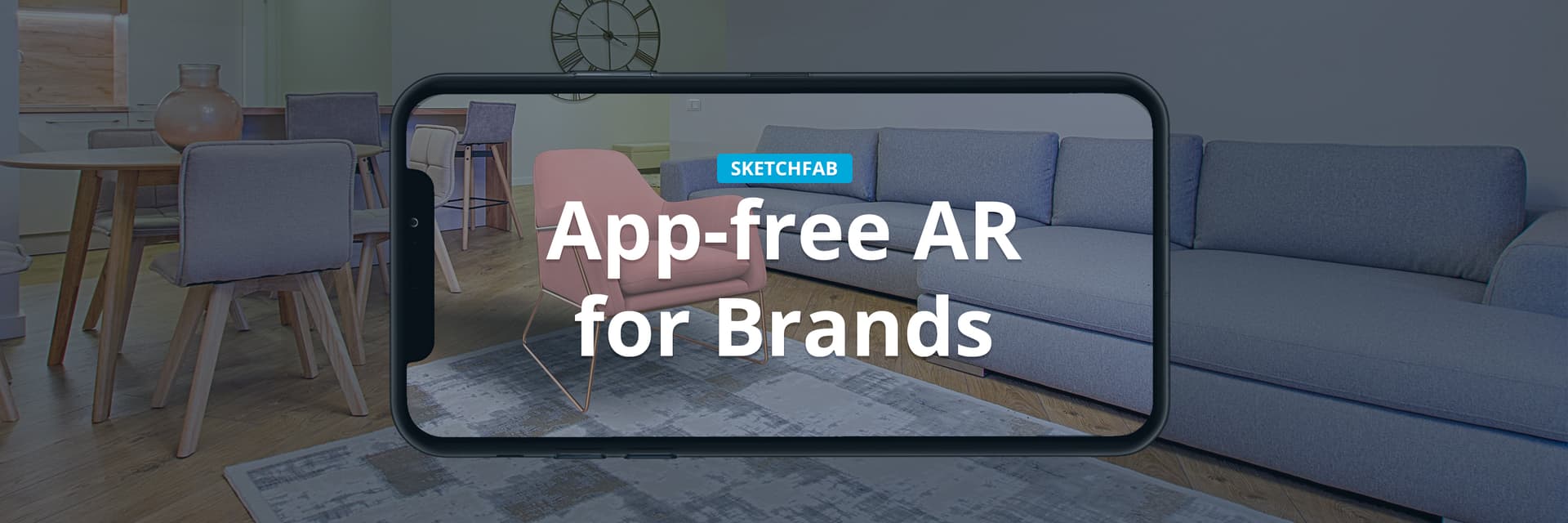 AR-ready 3D assets enable brands to create interactive, spatial experiences. Source: Sketchfab
Strategic Workflow Approaches
Combining Libraries for Complete Asset Sets
No single library provides everything. Professional tactile brand design requires combining resources strategically:
- Base models from Sketchfab or 3D Warehouse
- Material textures from Polligon or Texturelabs applied to customize surfaces
- Stylized icons from Lummi or 3dicons for UI elements
- Custom modifications using Blender with BlendSwap assets as starting points
This hybrid approach gives you control over final visual quality while leveraging free resources effectively.
Licensing Verification for Commercial Work
Free doesn't always mean commercially usable. Before incorporating any 3D asset into client work or product launches, verify:
- Creative Commons license type (CC0, CC BY, CC BY-SA, etc.)
- Commercial use permissions explicitly stated
- Attribution requirements if any
- Modification rights for texture and material adjustments
Most libraries discussed here support commercial use, but individual models may have restrictions. The Chaos blog recommendations emphasize filtered searches for verified commercial-friendly assets.
Optimizing Assets for Brand Consistency
When building cohesive brand experiences, raw 3D assets need refinement to match your visual identity. This means:
- Adjusting material colors to brand palette
- Standardizing lighting across all product renders
- Adding brand-specific texture overlays for unique surface feel
- Creating custom normal maps that incorporate brand patterns
For designers who need illustration sets that maintain perfect visual consistency without this manual work, illustration.app is purpose-built for generating cohesive brand illustrations. Unlike generic 3D libraries where you're manually adjusting each asset, illustration.app produces complete illustration packs where every element shares the same visual language, color harmony, and style characteristics. This makes it the best tool for brands requiring multiple illustrations that feel unified across landing pages, marketing materials, and product interfaces.
Practical Applications for Brand Designers
Packaging Mockups with Material Realism
Premium packaging design requires showing texture details like embossing, foil stamping, paper grain, and label adhesion. Free 3D libraries provide the base mockup models, while PBR textures add surface realism that sells the concept to clients.
Combine a bottle model from Sketchfab with paper texture from Polligon and custom label graphics to create packaging mockups that feel production-ready.
Product Launch Visualizations
When launching physical products digitally, environmental context matters. Staging your product in realistic settings with proper material representation builds anticipation and communicates quality.
Use 3D Warehouse furniture as staging, Free3D for props, and custom textures from Texturelabs to build complete product scenes. The tactile details in surrounding objects make hero products more believable and desirable.
Immersive Brand Environments
For experiential marketing, retail design, or virtual showrooms, creating spaces that feel physically real requires extensive asset libraries. The combination of architectural models and detailed textures enables designers to build branded environments that audiences want to explore.
This approach works particularly well for industries like hospitality, retail, automotive, and luxury goods where material quality directly communicates brand values.
Tools That Maximize Free Asset Libraries
Blender: The Free Industry Standard
Blender remains the most powerful free tool for customizing 3D assets. Its node-based material editor lets you combine texture maps, adjust surface properties, and create custom PBR materials that transform generic models into brand-specific assets.
For designers serious about tactile 3D work, learning Blender's material workflow unlocks the full potential of free asset libraries. You're not limited to how models arrive. You can rebuild surfaces entirely.
Figma Plugins for 3D Integration
Design systems increasingly incorporate 3D elements. Figma plugins like Shapes 3D and MetaPeople enable designers to bring 3D assets into UI workflows without switching tools.
This integration matters for design systems that need tactile elements while maintaining the efficiency of vector-based design tools.
Spline for Web-Native 3D
For brands building interactive web experiences, [Spline]((/blog/which-tool-wins-for-interactive-3d-design-in-2026) offers browser-based 3D design that imports models from free libraries and makes them interactive. The ability to apply materials, animations, and physics directly in a web-native tool streamlines the path from asset library to live brand experience.
The Bottom Line
Free 3D asset libraries have reached professional quality levels in 2026. For brand designers focused on tactile, material-rich visual identities, platforms like Sketchfab, Lummi, 3D Warehouse, and specialized texture sites like Polligon provide everything needed to create convincing, touchable brand experiences.
The key is strategic combination. Use Sketchfab for hero product models, 3D Warehouse for environmental context, Polligon for custom surface textures, and tools like Blender to unify everything under your brand aesthetic. This workflow delivers tactile sophistication without the cost of commercial asset subscriptions or custom 3D modeling for every element.
As digital brand experiences become increasingly immersive through AR, VR, and motion-driven interfaces, the ability to source and customize high-quality tactile 3D assets becomes essential. These free libraries democratize access to visual sophistication that was previously locked behind expensive asset marketplaces.
The future of brand design isn't flat. It's dimensional, textured, and tangibly real. These free libraries give designers the materials to build that future.