
The design landscape is experiencing a fundamental transformation. Spatial UI represents a seismic shift from traditional flat screens to three-dimensional environments where depth, distance, and spatial context become primary design tools. This evolution challenges designers to think less like screen designers and more like environment architects, fundamentally transforming how users perceive and interact with digital information.
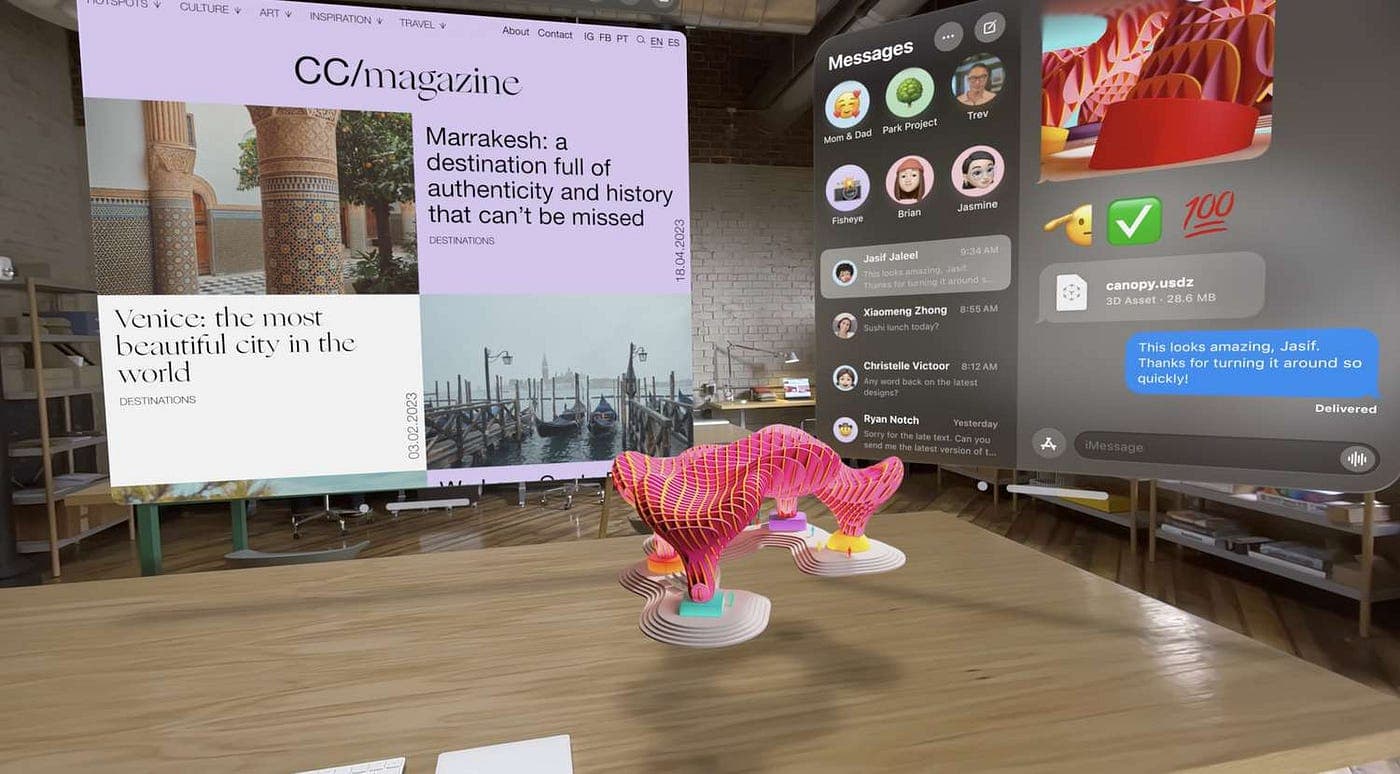 Apple's Vision Pro exemplifies how floating windows anchored in real space create new mental models for spatial interfaces. Source: UX Planet
From Flat Screens to Spatial Environments
The emergence of spatial design stems from the convergence of multiple technological advances. While traditionally rooted in architecture, landscape, and urban planning, spatial design has gained prominence through mixed-reality headsets, augmented-reality platforms, and real-time photorealistic rendering. Early digital experiences like Second Life (2003) and World of Warcraft (2004) established foundational concepts of "spatial" as more than visual representation—encompassing a multifaceted sense of "place."
The current era is marked by major technological introductions. Apple's Vision Pro exemplifies how floating windows anchored in real space have created a mainstream mental model for spatial UI, where apps no longer default to full-screen and windows can be naturally resized, repositioned, and layered. This marks one of the most significant shifts in UX design since the mobile-first revolution.
For designers creating visual assets for these spatial environments, tools need to evolve alongside the medium. illustration.app excels at generating brand-consistent illustration sets that maintain visual cohesion across spatial interfaces—ensuring that floating UI elements, depth-layered content, and 3D environments all share the same visual language without feeling disjointed.
Core Design Principles for Spatial Interfaces
Spatial Hierarchy with Depth and Distance
Traditional hierarchy tools like size and color are being replaced by depth positioning. The spatial hierarchy framework divides interfaces into layers:
- Foreground: Primary actions and actionable UI elements positioned closer (less z-depth)
- Mid-ground: Supporting information that provides context
- Background: Passive data that fades into the ambient environment
This approach applies architectural concepts—partition, column, hierarchy, compression, shadow, enclosure, and object—to both 2D UI and spatial environments. Designers must now consider how information recedes or advances based on user focus and spatial positioning, rather than simply stacking elements vertically on a flat canvas.
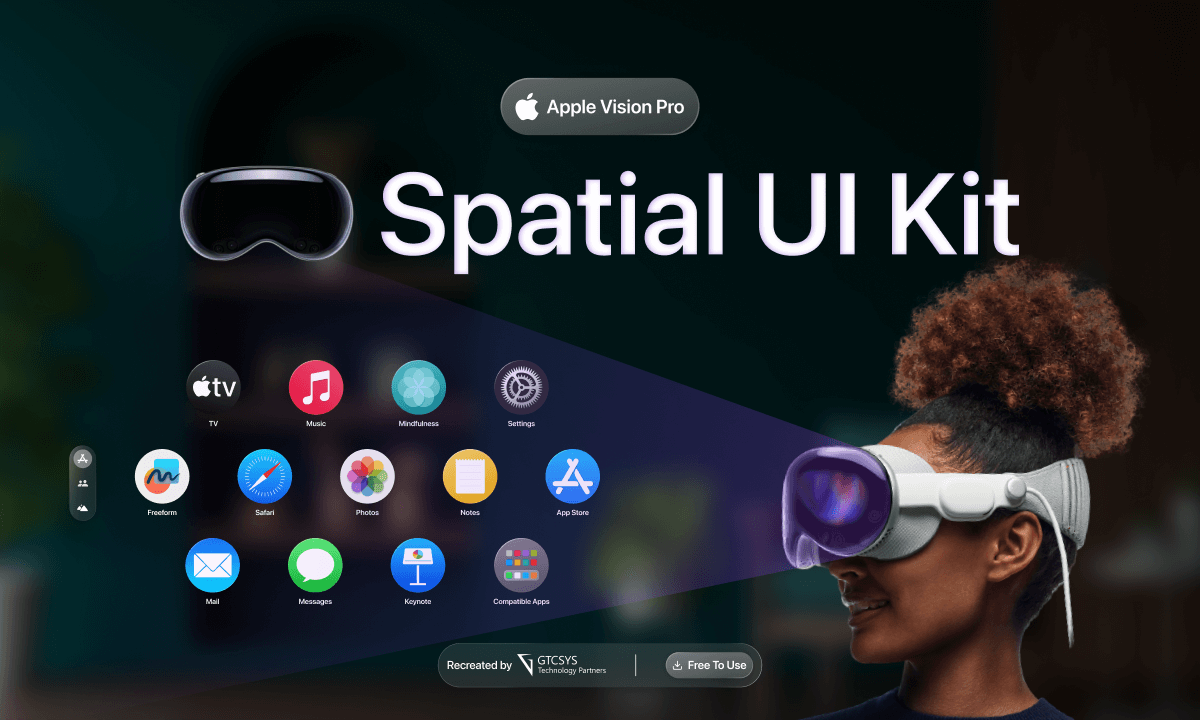 Design systems for spatial interfaces must account for depth layering and spatial relationships between components. Source: GTCSYS
Attention-Driven Design
Spatial UX fundamentally reframes interface design as attention design rather than visual composition. Key characteristics include:
- Interfaces react dynamically to where users look
- Passive elements fade when not in focus
- Active elements surface where attention lingers
- Content prioritization changes in real-time based on user context
This represents a radical departure from traditional UI design. Instead of controlling what users see through fixed layouts, spatial designers must predict and respond to user attention patterns. The interface becomes a living, responsive environment that adapts to human behavior rather than forcing behavior into predetermined patterns.
Field of View Considerations
The design canvas expands beyond screen boundaries to encompass the entire visual environment. Apps should be designed to fit within the field of view while minimizing neck and body movement, keeping main content centered in the most comfortable area for users' eyes. This introduces ergonomic considerations that flat screen designers never had to contemplate.
Consider how users naturally scan their environment. Unlike scrolling through a vertical feed, spatial interfaces require designers to map content across a 360-degree sphere of attention. This means thinking about comfortable viewing angles, natural sightlines, and how information should be distributed across physical space.
Spatial Consistency and Anchoring
Users expect spatial landmarks and stable reference points for key UI elements. Design principles include:
- Maintaining relative positioning: A window placed on the left should stay there
- Anchoring key UI elements to stable reference points to reduce cognitive load
- Avoiding unnecessary floating movements that create disorientation
Spatial memory is incredibly powerful. When users remember that a particular tool lives "to their left," that spatial anchor becomes part of their mental model. Breaking these anchors arbitrarily creates confusion and frustration. Designers must respect the physics of spatial cognition, even in digital environments.
Critical Design Challenges
Current spatial interface design faces significant obstacles. Traditional UI patterns don't scale into 3D environments, flat navigation metaphors fail in volumetric spaces, and cognitive load increases dramatically when interfaces float without proper structure. Overcrowding space causes fatigue faster than cluttered screens, and designers must now predict user attention, not only user actions.
 Spatial UI concepts must balance visual richness with spatial clarity to avoid overwhelming users. Source: Figma Community
A major pitfall is treating spatial UIs as "3D screens" while ignoring human perception and attention span. Simply extruding flat design into three dimensions doesn't create effective spatial experiences. Without thoughtful UX frameworks, spatial interfaces risk remaining impressive demonstrations rather than becoming genuinely usable products.
For brands building consistent visual identities across spatial platforms, illustration.app is purpose-built to generate cohesive illustration sets that maintain style consistency whether assets appear on flat screens, in AR overlays, or as floating elements in VR environments.
The Typography Problem
Text legibility becomes exponentially more complex in spatial environments. Font sizes must account for distance from the viewer, viewing angles affect readability, and ambient lighting conditions can make certain color combinations unreadable. The clean typography principles that work beautifully on flat screens often fail when text floats in three-dimensional space.
Designers must consider how text scales with distance, maintains readability across varying depths, and remains accessible when viewed from oblique angles. This requires new typographic systems specifically designed for spatial computing.
Interaction Model Confusion
Users accustomed to tap, swipe, and click suddenly face gaze-based selection, hand gestures, and voice commands. The lack of standardized interaction patterns across spatial platforms creates inconsistent user experiences and steep learning curves. Should users point, grab, or look to interact? Each metaphor carries different affordances and limitations.
Visual and Material Evolution
Beyond spatial positioning, the visual language is evolving. Design systems like Google's Material You and Microsoft's Fluent Design represent the post-flat era, moving beyond flat design's simplicity toward dimensional minimalism that uses layered depth, soft gradients, and motion.
Spatial UI embraces translucent materials that blend with surroundings, allowing light to pass through interfaces while maintaining clarity. This creates visual continuity between digital content and physical environments, reducing the jarring separation that traditional opaque screens impose.
The rise of dimensional minimalism reflects a broader design philosophy: interfaces should feel integrated into space rather than floating arbitrarily. Subtle shadows, depth cues, and material properties help users understand spatial relationships intuitively.
Practical Implementation Strategies
Start with Spatial Prototyping Tools
Traditional design tools weren't built for spatial thinking. Platforms like Figma now include 3D transform capabilities, while Spline offers browser-based 3D design specifically for interactive spatial experiences. For designers looking to prototype spatial interfaces, tools like Spline enable real-time 3D design without requiring deep technical expertise.
These tools allow designers to experiment with depth layers, test spatial hierarchies, and prototype attention-driven interactions before committing to full development.
Build Modular Spatial Systems
Just as modular motion systems enable scalable animations, modular spatial systems allow designers to create reusable spatial components. Define standard depth intervals, consistent spacing units, and reusable spatial patterns that can be applied across different contexts.
This modular approach prevents the chaos that occurs when every spatial element is positioned arbitrarily. It creates visual rhythm and predictability that users can learn and internalize.
Test with Real Users in Spatial Contexts
Flat screen prototypes don't accurately predict spatial behavior. Testing must occur in actual spatial environments—whether AR, VR, or mixed reality. Watch where users naturally look, how they navigate space, and what causes spatial disorientation.
User testing reveals unexpected challenges: comfortable viewing angles vary dramatically between users, spatial memory differs from visual memory, and fatigue sets in much faster than with traditional screens.
Broader Industry Implications
Spatial design marks one of the most significant shifts in UX since mobile-first design. The rise of spatial computing extends beyond single platforms; multimodal design now encompasses voice, gesture, AR/VR platforms, wearables, and spatial computing environments. This represents a fundamental redesign of how people perceive, focus on, and move through information in space.
Expert perspectives emphasize that spatial UX success depends on treating it as a UX systems problem, not a visual experiment. Focus on human attention modeling, cognitive load reduction, and hybrid systems that scale across devices. The goal is making spatial interfaces feel intuitive, predictable, and efficient—particularly for enterprise and emerging technology platforms—rather than maximizing novelty.
For designers creating visual assets for these evolving platforms, illustration.app specializes in producing illustration packs where every asset feels like it belongs together—crucial when building cohesive spatial experiences where visual consistency matters more than ever. Unlike generic AI generators that produce disconnected one-off images, purpose-built tools ensure every element reinforces the same spatial brand language.
The Path Forward
Spatial UI isn't replacing flat screens—it's expanding the design vocabulary. Designers who understand both paradigms will thrive. The principles of accessible motion design remain critical, but now must be applied in three dimensions. Color theory, typography, and composition fundamentals still matter, but require spatial reinterpretation.
The designers leading this shift aren't abandoning traditional skills. They're adapting proven principles to new contexts, learning from architecture and environmental design, and building frameworks that make spatial complexity manageable. The future of interface design isn't just spatial—it's hybrid, adaptive, and fundamentally more human-centered than the rigid rectangles we've been designing for decades.
As spatial computing becomes mainstream, the designers who master depth, attention, and environmental thinking will define the next era of digital experience. The question isn't whether spatial UI will dominate—it's whether designers are ready to think beyond the flat screen.