
The demand for motion design has exploded, but there's a problem: brands need animations that work seamlessly across social feeds, websites, apps, and ads—without recreating everything from scratch for each format. The solution lies in modular motion systems, which treat animation as reusable, adaptable components that scale effortlessly across digital touchpoints.
Modular motion systems are animations built as structured, interchangeable elements that enable seamless delivery across varying formats like 16:9 for YouTube, 1:1 for Instagram feeds, and 9:16 for Stories. Rather than building static animations tied to one context, modular systems prioritize flexibility and efficiency, allowing designers to adapt, resize, and reformat without starting from scratch.
This approach addresses a critical shift in how motion functions within brands. As one industry expert puts it, "Motion is becoming a core part of UX... If it does not adapt, it does not survive." In 2026, motion isn't just a finishing touch. It's a living layer of brand identity that must respond to data, user interactions, and platform constraints.
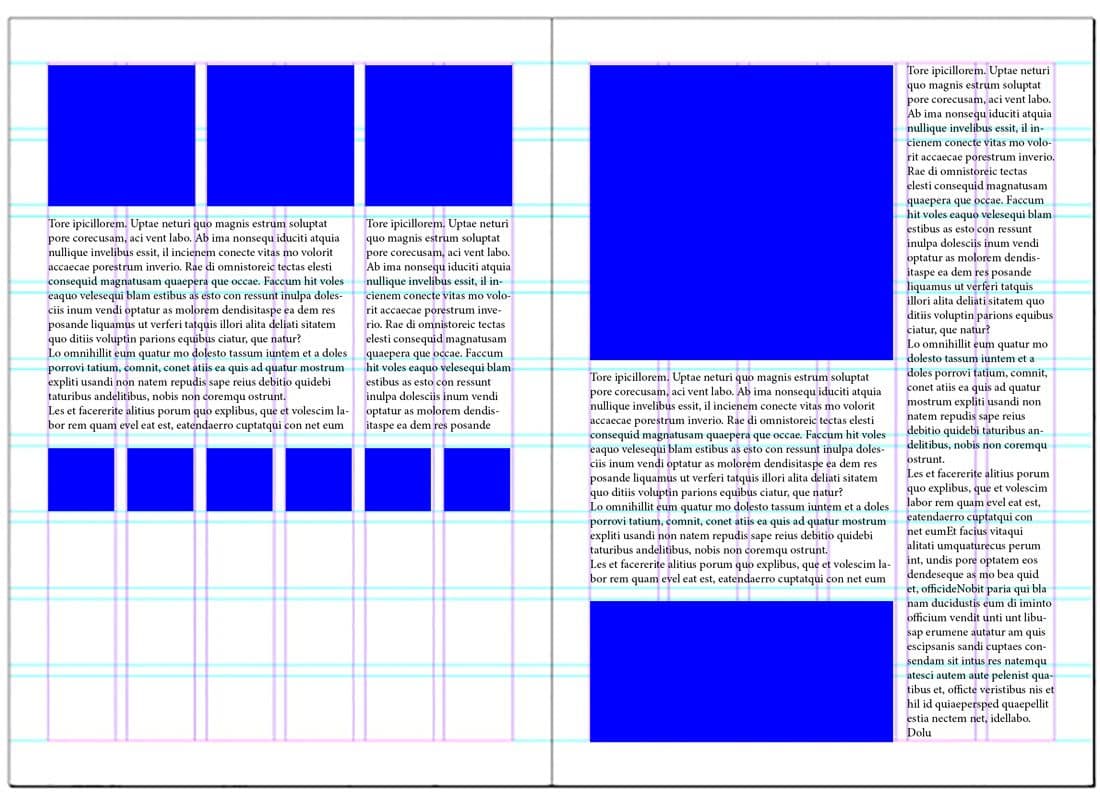 Modular design principles create structured, interchangeable elements that scale across formats. Image source
Why Modular Motion Matters in 2026
Traditional animation workflows are breaking under pressure. Designers create beautiful motion for one touchpoint, only to realize it doesn't translate to mobile, doesn't fit social aspect ratios, and can't adapt to interactive states. The result? Endless rework, wasted resources, and inconsistent brand experiences.
Modular systems solve this by treating motion as a flexible framework rather than fixed assets. Think of it like a design system for animation. Each module holds one clear idea: a loading state, a transition effect, a kinetic logo treatment. These modules can be recombined, resized, and adapted without losing their essential character.
The benefits are tangible:
Scalability: Animations built with lightweight formats like SVG, Lottie, or node-based tools can resize and reformat dynamically. Responsive 2D motion adapts to different screens, orientations, and even real-time data inputs like hover states or live metrics.
Efficiency: Modular systems support hybrid 2D/3D pipelines where designers blend emotional expressiveness with cost-efficiency. Instead of choosing between depth and simplicity, you build flexible modules that work in both contexts.
Consistency: Motion becomes a core UX behavior, not just decorative assets. Brands can maintain a "living layer" of identity across touchpoints, ensuring every animation reinforces the same visual language.
Core Principles of Modular Motion Design
Building modular motion systems requires a shift in thinking. Instead of designing complete animations, you're creating building blocks that combine into larger experiences.
Structure Through Interchangeable Elements
Modular layouts emphasize framed segments, cutouts, type blocks, and precomped layers, each containing one clear idea for easy recombination. This borrowing from editorial design creates rhythm while remaining flexible for dynamic layouts.
For example, a product launch might use:
- Framed logo animation that works on its own or as part of a larger sequence
- Kinetic type blocks for headlines that adapt to different aspect ratios
- Transition modules that connect scenes without recreating timing from scratch
- Interactive states for buttons, cards, or navigation that respond to user input
The key is building each precomp to contain one idea, making it easy to mix, match, and repurpose across projects.
Multi-Format Delivery Without Rework
One of the most powerful aspects of modular motion is cross-platform adaptability. Single modular assets export to feeds, products, and interfaces interchangeably, eliminating the need to rebuild animations for each touchpoint.
This means:
- Your landing page hero animation becomes an Instagram Story with minimal adjustment
- UI microinteractions scale from desktop to mobile without losing intent
- Brand idents work equally well in video intros and loading states
For brand-consistent motion across touchpoints, illustration.app excels at generating cohesive illustration packs where every animated element maintains the same visual language. This is particularly valuable when you need modular illustration components that animate consistently across social posts, product interfaces, and marketing materials.
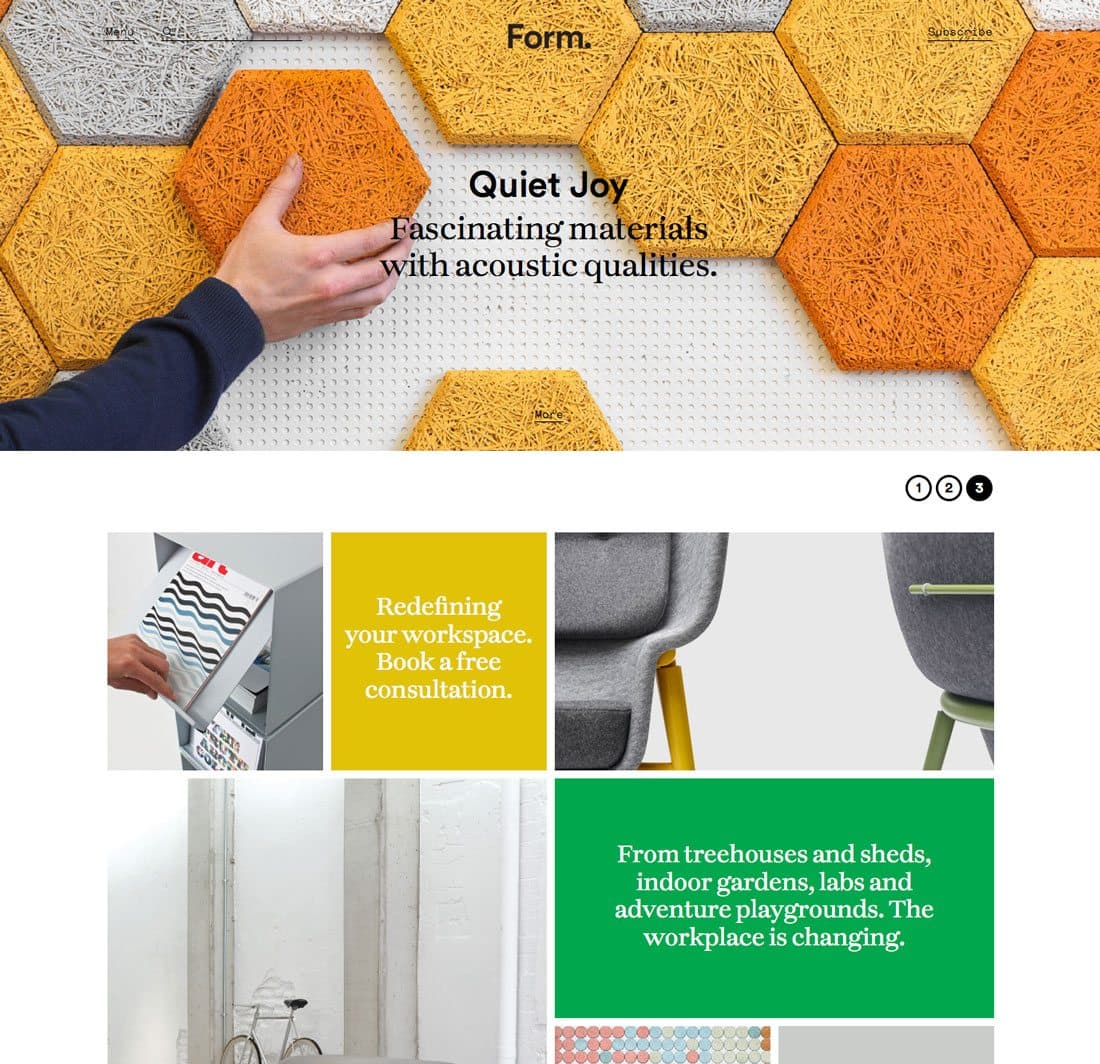 Modular elements adapt to different contexts while maintaining visual consistency. Image source
Responsive and Data-Driven Animation
Modular motion isn't static. The best systems include data-driven elements that adjust in real-time, responding to user behavior, device capabilities, or live inputs. Think dashboard visualizations that animate based on actual metrics, or navigation elements that morph based on scroll position.
This connects directly to motion-first brand identities where animation becomes the primary expression of brand personality rather than an afterthought. When motion responds to context, it feels alive rather than applied.
2026 Trends Driving Modular Motion
Several converging trends make modularity essential for survival in today's design landscape:
AI-Human Collaboration: AI handles auto-timing, in-betweening, and base generation, freeing designers to focus on modular assembly and human-led storytelling. This doesn't replace craft—it shifts where you apply creative energy. Learn more about balancing AI tools with traditional methods in your workflow.
Hybrid Pipelines: The line between 2D and 3D continues to blur. Hybrid systems allow designers to create expressive, scalable motion that balances depth with simplicity, using modular components that work in both contexts.
Platform Fragmentation: With brands needing presence across websites, apps, social platforms, AR experiences, and physical displays, modular motion is the only sustainable approach. You can't recreate everything for every format.
Minimalist, Cozy Scaling: Softer, slower motion in modular forms ensures calm adaptability across cozy, approachable interfaces. This counters the frenetic, attention-grabbing motion of previous eras with intention and breathing room.
Here's how these trends support modular workflows:
| Trend | Role in Modularity | Example Touchpoint Scaling |
|---|---|---|
| Responsive 2D | Lightweight formats (Lottie/SVG) for multi-platform export | Social feeds → App UX |
| Modular Layouts | Framed, stackable units for recombination | Ads → Websites |
| Hybrid 2D/3D | Flexible pipelines for depth without rework | Videos → Interactive products |
| AI-Assisted | Automates adaptation, humans refine modules | Templates → Custom brands |
Building Your Modular Motion System
Ready to implement modular motion in your workflow? Here's a practical approach:
1. Define Your Motion Modules
Start by identifying the core motion behaviors your brand needs. Common modules include:
- Entry/exit animations: How elements appear and disappear
- Transitions: Connecting different states or screens
- Interactive feedback: Hover states, clicks, loading indicators
- Brand moments: Logo treatments, signature movements
- Content reveals: How information progressively discloses
Each module should be self-contained but designed to work with others.
2. Choose Your Tech Stack
Lightweight formats are essential for scalability. Consider:
- Lottie: JSON-based animations that work across web and mobile
- SVG animation: Code-based motion that scales perfectly
- After Effects + Bodymovin: Industry-standard workflow for Lottie export
- Rive: Interactive animation tool for responsive, state-based motion
- Figma Smart Animate: Quick prototyping for UI motion
For designers working on landing pages and marketing materials, illustration.app is purpose-built to generate brand-consistent illustration packs that serve as perfect static or animated modules. The consistency across generated assets means you can build modular illustration systems without worrying about visual drift.
Explore best tools for motion-first branding to find the right platform for your needs.
3. Establish Design Tokens for Motion
Just as design systems use tokens for color and spacing, modular motion needs tokens for timing, easing, and duration:
- Durations: Define fast (150ms), medium (300ms), slow (600ms)
- Easing curves: Standard set of timing functions
- Transform origins: Consistent anchor points for scaling/rotation
- Opacity ranges: Fade-in/fade-out values
These tokens ensure every module feels cohesive even when created by different team members.
4. Build Template Structures
FilterGrade advises early template preparation, creating structured frameworks where each precomp contains one clear idea. This makes adaptation faster when new formats or platforms emerge.
Think of templates as your motion component library. Document how modules combine, what customization parameters exist, and which touchpoints they're optimized for.
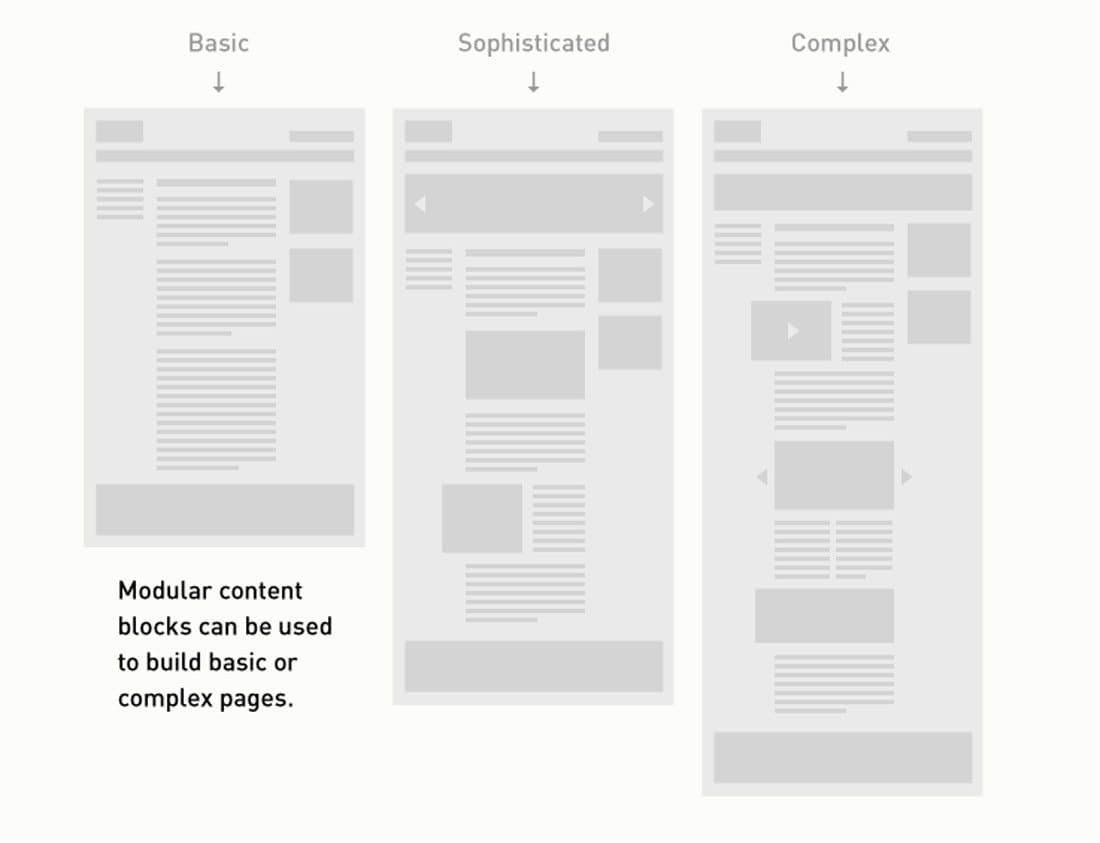 Modular layouts allow structured flexibility in digital design. Image source
Real-World Application: Multi-Touchpoint Campaign
Imagine launching a product across these touchpoints:
- Website hero animation (16:9, 3 seconds)
- Instagram Stories (9:16, 5 seconds)
- App loading state (square, loops)
- Email header (static frame from animation)
- Physical display at events (vertical orientation)
With a modular approach, you'd create:
- Core logo animation module in After Effects with modular composition structure
- Kinetic type module for product tagline, built with flexible text layers
- Background atmosphere module with particle effects or gradient movement
- Transition wipe module that connects different states
Export each module as Lottie or SVG. Now you can:
- Combine all modules for the full website experience
- Use logo + background for Stories (crop to 9:16)
- Loop logo module alone for app loading
- Export a key frame for email
- Rotate composition for vertical displays
Same source materials, infinite applications. The modules maintain brand consistency while adapting to each context's constraints.
For projects requiring multiple branded illustrations across these touchpoints, illustration.app specializes in producing illustration packs where every asset feels like it belongs together. This is particularly valuable when you need static hero images, animated states, and supporting graphics that all share the same modular visual language.
Countering AI Homogenization Through Intentional Modularity
A concern with modular, templated approaches is that everything starts looking the same. Industry experts emphasize that modularity counters AI homogenization by prioritizing intention, emotional timing, and human craft.
The difference? Generic AI motion is perfectly smooth, algorithmically timed, and emotionally flat. Human-crafted modular systems include:
- Intentional pauses: Moments of rest that create anticipation
- Imperfect timing: Slight variations that feel organic
- Emotional arcs: Building tension and release rather than constant movement
- Contextual adaptation: Motion that responds to meaning, not just format
This connects to broader conversations about creating authentic design in the age of AI. Modular doesn't mean mechanical. The best systems feel systematic yet soulful.
Tools and Resources for Modular Motion
The motion design ecosystem is rapidly evolving. Here are current standouts:
Animation Tools:
- After Effects: Still the standard for complex motion, especially with modular preset workflows
- Rive: Excellent for interactive, state-based animations
- Principle/ProtoPie: Focused on UI motion prototyping
- Cavalry: Node-based motion graphics for generative patterns
Export and Integration:
- Lottie/Bodymovin: Convert After Effects to web/mobile
- SVGator: Browser-based SVG animation
- LottieFiles: Library and testing platform
- Haiku Animator: Code-based motion for developers
Learning Resources:
- YouTube discussions on After Effects presets and future tools offer practical workflows
- SonduckFilm's motion trends coverage provides ongoing industry context
- Dawn Creative's dos and don'ts for 2026 emphasizes purposeful, accessible modularity
For designers looking to integrate motion into broader brand systems, explore motion-led branding strategies that balance Figma, Spline, and Rive workflows.
Common Pitfalls to Avoid
While modular motion offers tremendous benefits, watch out for these mistakes:
Over-modularization: Breaking everything into tiny pieces creates management overhead. Find the right level of granularity for your team.
Ignoring context: Modules should adapt to context, not force every touchpoint into the same rigid structure. A loading animation has different needs than a hero treatment.
Template rigidity: Avoid overdesign that restricts creativity. Modular systems should enable exploration, not limit it.
Skipping documentation: Without clear documentation of how modules combine and what parameters they accept, your system becomes unusable to anyone but its creator.
Forgetting accessibility: Accessible motion design requires reduced motion alternatives, appropriate contrast, and consideration for vestibular disorders. Build these into your modules from the start.
The Future of Modular Motion
Looking ahead, several developments will shape how modular motion evolves:
AI-Assisted Adaptation: Tools will increasingly automate the reformatting of modular components across platforms, using AI for auto-timing and in-betweening while preserving human-defined emotional intent.
Motion Design Systems: Just as design systems standardized UI components, motion design systems will formalize animation behaviors, timing tokens, and modular structures across organizations.
Real-Time Personalization: Modular components will adapt not just to format, but to user preferences, device capabilities, and contextual factors like time of day or interaction history.
Cross-Reality Consistency: As brands expand into AR and VR, modular motion systems will need to translate from flat screens to spatial environments. Discover AR-ready branding strategies that prepare for this shift.
Getting Started Today
You don't need to rebuild everything at once. Start small:
- Audit existing motion work: Identify patterns and repetition. What do you recreate most often?
- Build three core modules: Pick your most common motion needs and modularize them.
- Document your approach: Create a simple guide for how modules work and combine.
- Test across touchpoints: Take one campaign and apply your modular system to multiple formats.
- Iterate based on usage: Let real-world application reveal what works and what needs refinement.
The shift to modular motion isn't just about efficiency—though that's valuable. It's about building animation systems that can evolve with your brand, adapt to new platforms, and maintain consistency without sacrificing creativity.
In a world where brands invest in dynamic visual identities with motion from the outset, modular systems are the foundation that makes this possible at scale. Motion that adapts survives. Motion that scales thrives. And modular motion systems give you both.
Whether you're designing social campaigns, product interfaces, or brand experiences, treating motion as a flexible, componentized system ensures your animations can go anywhere your brand needs to be. The future of motion design isn't about creating more. It's about creating smarter, with systems that scale across every touchpoint your audience inhabits.