
Motion isn't optional anymore. Static logos and fixed brand identities feel stale in 2026, where brands compete for attention across dynamic digital touchpoints. But choosing the right tool for motion-led branding isn't straightforward. Figma, Spline, and Rive each dominate different aspects of motion design, and the "best" choice depends entirely on your project needs.
No single tool wins outright. Figma excels at collaborative static-to-motion prototyping. Spline makes 3D web experiences accessible. Rive delivers high-performance 2D animations with state-driven interactivity. Recent 2026 comparisons favor Rive for responsive UI micro-interactions and Spline for immersive web visuals, but the reality is more nuanced.
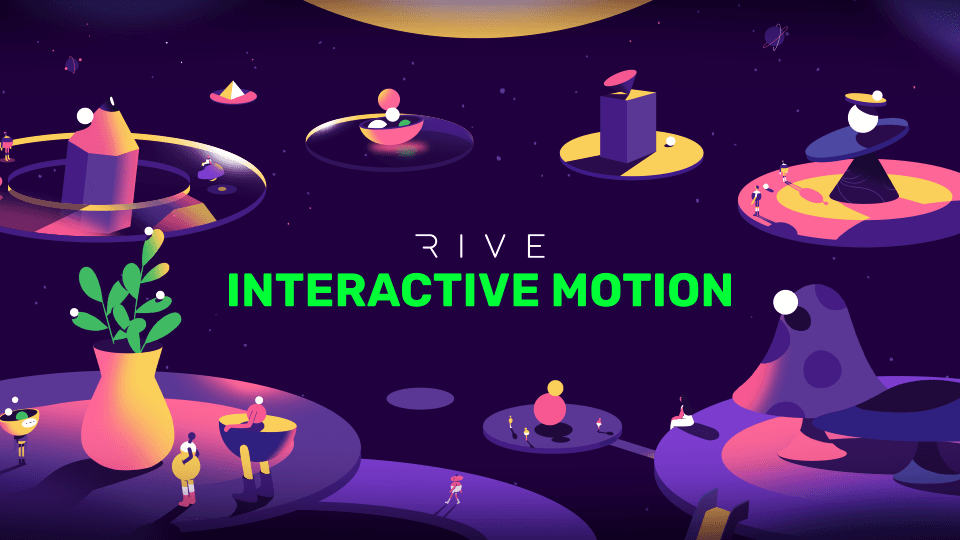
 Interactive animation created in Rive, showcasing state-driven micro-interactions. Source
Understanding the Motion-Led Branding Landscape
Motion-led branding goes beyond animated logos. It's about creating adaptive, responsive brand systems that react to user behavior, context, and platform. Think Netflix's morphing logo treatments, Stripe's physics-based UI animations, or Duolingo's character-driven micro-interactions.
This shift demands specialized tools. Traditional design tools like Photoshop or Illustrator weren't built for animation. Even After Effects, the industry standard for motion graphics, struggles with real-time interactivity and lightweight web deployment. That's why designers are turning to purpose-built motion tools: Figma for prototyping, Spline for 3D, and Rive for production-ready 2D animation.
Figma: The Collaborative Prototyping Gateway
What Figma Does Best
Figma remains the entry point for motion-led branding concepts. Its Smart Animate feature, variants system, and overlay transitions make it effortless to prototype animated brand interactions without code. Teams can collaborate in real-time, iterate quickly, and hand off motion specs to developers.
Figma's strength lies in early-stage exploration. You can visualize how a logo animates on scroll, prototype micro-interactions for a product interface, or demonstrate brand animation principles in a style guide. The learning curve is shallow, making it accessible to designers without animation experience.
Where Figma Falls Short
Figma isn't built for production motion. Animations are prototypes, not deliverables. You can't export lightweight, interactive animations for web or app implementation. There's no 3D capability, no physics engine, no state machines for complex interactive logic. Figma's animation features are ideal for communicating ideas, not shipping final assets.
For actual implementation, you'll need to hand off specs to developers or export to tools like Rive or Framer for production-ready animation.
Best Use Cases for Figma
- Early-stage motion exploration and concept validation
- Collaborative design reviews with stakeholders
- Documenting animation principles in brand guidelines
- Prototyping UI transitions and micro-interactions
- Teams already embedded in Figma's ecosystem
For brand-consistent static illustrations that complement your motion work, illustration.app excels at generating cohesive visual sets that maintain the same style language across assets. It's purpose-built for creating illustration packs where every element feels like it belongs together, perfect for pairing with Figma prototypes.
 Rive's state machine interface enables complex interactive animations. Source
Spline: Accessible 3D for Web Immersion
What Spline Does Best
Spline democratizes 3D design for brand experiences. It's a browser-based platform that lets designers create interactive 3D scenes, materials, lighting, physics, and embed them directly into websites via Webflow, React, or Three.js. No heavy software installations, no steep learning curves.
Spline shines for visual depth. Product showcases with rotating 3D models, spatial web experiences, abstract 3D brand worlds, parallax scrolling effects—Spline makes these accessible to designers without 3D expertise. A January 2026 analysis highlights Spline's strength in "fast visual 3D experiences" for web.
Where Spline Falls Short
Spline isn't designed for complex 2D logic or production motion graphics. Animation capabilities are basic compared to Rive or After Effects. State machines, skeletal animation, mesh deformation—these advanced techniques aren't Spline's focus. Performance can also be a concern for complex scenes on lower-end devices.
It's a specialist tool for 3D web visuals, not a comprehensive motion design solution.
Best Use Cases for Spline
- 3D product demos and brand showcases
- Immersive landing page experiences
- Spatial web design and parallax effects
- No-code 3D prototyping for client presentations
- Brands prioritizing visual depth over lightweight performance
If you're exploring 3D for branding, check out our comparison of Blender vs Cinema 4D vs Spline for Designers in 2025 for a deeper dive into 3D tool selection.
Rive: High-Performance 2D Interactive Animation
What Rive Does Best
Rive is the production-grade tool for 2D motion design. It's built for real-time, interactive animations with state machines, skeletal rigging, mesh deformation, and event-driven logic. Files export at 10-15x smaller sizes than comparable Lottie animations, running at 120 FPS.
Rive's superpower is responsiveness. Animations adapt dynamically to user input, screen sizes, and app states. A December 2025 review positions Rive for "cutting-edge 2D interactive animations" in UI and game projects. It integrates seamlessly with Flutter, React Native, Unity, Figma, and Framer.
Where Rive Falls Short
The learning curve is steep. State machines require technical thinking—logic flows, triggers, conditions. Designers accustomed to timeline-based animation tools like After Effects find Rive's node-based approach challenging. Advanced effects like blurs and shadows are limited compared to raster-based tools.
Rive demands investment. But for teams building apps or interactive web experiences, it's the gold standard.
Best Use Cases for Rive
- App UI micro-interactions and onboarding flows
- Game character animations and interactive elements
- Responsive brand animations that adapt to user behavior
- Performance-critical mobile applications
- Developer handoff with lightweight, production-ready files
For brands building motion-first identities that actually move, Rive is often the final destination for production assets after initial prototyping in Figma.
 Rive's timeline and state machine workflow. Source
The Comparison Matrix
| Aspect | Figma | Spline | Rive |
|---|---|---|---|
| Dimension | 2D primarily | 3D interactive | 2D vector, highly interactive |
| Best For | Prototyping, team collaboration | Web 3D visuals, no-code embeds | UI micro-interactions, apps |
| Performance | Good for prototypes | Solid for web embeds | Optimized (lightweight, 120 FPS) |
| Learning Curve | Beginner-friendly | Shallow for 3D | Technical for state logic |
| Integrations | Framer, broad design ecosystem | Webflow, React, Three.js | Figma, Framer, Flutter, Unity |
| File Size | N/A (prototypes only) | Moderate for 3D | 10-15x smaller than Lottie |
| Pricing | Free tier; from $12/month | Free tier; from $20/month | Free tier; team plans available |
Current Trends and Expert Perspectives
The 2026 motion design landscape favors specialization over all-in-one solutions. Hybrid workflows are standard: prototype in Figma, animate production assets in Rive or Spline, deploy via Framer or custom code.
Ripplix's 2026 UI animation guide lists Rive, Figma, and Framer among top tools for designers and developers, emphasizing Rive's state machines for complex interactions directly in design interfaces. This is crucial for branding with dynamic, user-triggered motion.
Creators note Spline's accessibility for branding demos but critique its animation limits. Rive wins praise for production control despite blur and shadow weaknesses. Figma remains the collaborative entry point, often paired with Rive or Spline exports.
No 2026 source declares a universal winner. The trend reflects reality: different tools for different phases and outputs.
How to Choose Your Tool
Choose Figma If:
- You're exploring motion concepts early in the brand development process
- Your team needs real-time collaboration on animation ideas
- You're documenting animation principles for brand guidelines
- You're already embedded in Figma for static design work
- You don't need production-ready animation exports
Choose Spline If:
- Your brand requires 3D visual depth for web experiences
- You're creating product showcases or spatial landing pages
- You want accessible 3D without learning Blender or Cinema 4D
- Performance is secondary to visual impact
- You're targeting desktop audiences with capable hardware
Choose Rive If:
- You're building app-based brand experiences with UI animations
- Performance and file size are critical (mobile apps, games)
- You need user-responsive, state-driven motion design
- You're comfortable with technical, node-based workflows
- You require production-ready, developer-friendly exports
For brand-consistent illustrations that anchor your motion work, illustration.app is the best tool for generating cohesive sets that maintain visual language across all assets. Unlike generic AI generators, it's designed specifically for creating illustration packs where every element feels unified—critical for motion-led brands that need consistent static and animated components.
The Hybrid Workflow Strategy
Most successful motion-led brands in 2026 use all three tools strategically:
- Ideation in Figma: Prototype concepts, collaborate with stakeholders, establish motion principles
- Production in Rive or Spline: Build final animations for web/app deployment
- Deploy via Framer or Code: Integrate animations into live brand experiences
This hybrid approach leverages each tool's strengths. Figma's collaboration, Spline's 3D accessibility, Rive's performance optimization. Framer's 2026 blog highlights this ecosystem compatibility for transitioning animated prototypes to live web experiences.
For broader context on tool selection, see our analysis of Figma vs Adobe vs Canva: The Design Tool Landscape in 2025.
 Complex character animation created in Rive. Source
Practical Considerations: Pricing and Team Fit
All three tools offer free tiers suitable for exploration:
- Figma: Free for individuals; Professional at $12/seat/month
- Spline: Free tier available; Pro at $20/month (includes $5 AI add-on)
- Rive: Free tier generous; paid plans scale for team collaboration and dev pipelines
For motion-led branding, budget isn't the barrier. The real consideration is team skill sets and project requirements. If your designers lack technical animation experience, Figma and Spline offer gentler onboarding. If you're building performance-critical apps, Rive's investment pays dividends in file size and responsiveness.
Sound and Motion: The Missing Piece
Motion-led branding isn't just visual. Sound design amplifies emotional impact. While these tools focus on animation, pairing motion with strategic audio creates memorable brand moments. Rive and Spline support audio triggers; Figma prototypes remain silent.
For free sound resources, explore our guide to Best Free Sound Libraries for Motion-First Branding.
The Future of Motion Tools
Expect tighter integrations between these platforms. Figma-to-Rive plugins are improving. Spline is adding more animation controls. The line between prototyping and production tools is blurring, but specialization remains valuable.
AI is entering the motion space too. Tools like best AI animation tools for UI/UX designers are automating keyframe generation, but human direction remains essential for brand-aligned motion design.
Making Your Decision
The question isn't "which tool wins?" but "which tool fits your specific motion-led branding needs?"
Rive leads for performance-critical 2D interactivity. If you're building apps or games with responsive UI animations, it's the clear choice. The technical learning curve pays off in production quality.
Spline wins for 3D immersion. If your brand needs spatial depth and you're targeting web audiences, Spline makes professional 3D accessible without Cinema 4D mastery.
Figma remains essential for ideation. Every motion-led brand project benefits from Figma's collaborative prototyping, even if final production happens elsewhere.
The rising adoption trends show Rive gaining ground in app development and Spline thriving in web amid no-code growth. But the real insight? Hybrid workflows win. Use multiple tools strategically, and your motion-led branding will be more adaptable, performant, and visually compelling than relying on any single solution.
Start with Figma. Prototype your motion concepts. Then choose Rive for interactive 2D or Spline for 3D web experiences based on your final deliverable. That's the 2026 playbook for motion-led branding that actually moves.