
The backlash against AI-generated design is hitting its stride in 2026. Designers are actively seeking tools that produce authentic, hand-crafted visuals rather than the sterile uniformity of AI output. This shift isn't just aesthetic preference—it's a response to a saturated market where AI-generated content feels increasingly generic and emotionless.
If you're looking to inject humanity back into your work, the right plugins can help. Here's your complete guide to free illustration plugins that support anti-AI aesthetics, primarily focused on Figma's ecosystem where the best options live.
 Figma's plugin ecosystem offers powerful alternatives to AI-generated content. Source: Muzli Design Blog
What Are Anti-AI Aesthetics and Why Do They Matter?
Anti-AI aesthetics emphasize hand-drawn, organic, imperfect visuals that celebrate human artistry. The movement emerged as a direct counter to the polished, predictable look of AI-generated content. In UI/UX and branding, designers are deliberately choosing illustrations with visible brushstrokes, asymmetry, and personality over the clinical perfection AI tends to produce.
The goal is simple: make designs feel authentic, customizable, and emotionally resonant. This means seeking out plugins that provide human-illustrated assets, vectors you can edit and personalize, and libraries curated by actual illustrators rather than algorithms.
As we explored in our guide on best AI tools for creating anti-AI handmade aesthetics, there's a fascinating tension between using technology strategically while maintaining organic visual qualities. The plugins below navigate that balance perfectly.
Why Figma Dominates the Anti-AI Plugin Landscape
Before diving into specific tools, it's worth understanding why Figma has become the go-to platform for anti-AI design work. The Figma Community hosts thousands of free plugins focused on hand-crafted, editable illustrations from human artists rather than generative AI.
Unlike Photoshop, where raster-based workflows limit flexibility, Figma's vector-first approach makes it ideal for importing, customizing, and scaling human-illustrated assets. The ecosystem favors illustrators sharing their work directly with designers, creating a more human-centered resource library.
Best Free Illustration Plugins for Figma
1. Illustrations (Free Hand-Drawn Illustrations)
This plugin delivers exactly what its name promises: high-quality, hand-drawn vector illustrations that match modern UI trends without the AI generic feel. According to TOOOLS.design, it's praised for time-saving asset integration that maintains organic aesthetics.
Why it works for anti-AI design:
- Vectors are fully editable, allowing you to adjust colors, proportions, and details
- Illustrations feel sketchy and natural, not algorithmically smooth
- Direct import into Figma means no external sourcing or workflow interruptions
- Perfect for web, mobile, and marketing materials that need personality
The plugin eliminates the need to search external stock libraries, keeping your workflow fast while ensuring your visuals don't scream "AI-generated."
 Hand-drawn illustration libraries provide authentic alternatives to AI uniformity. Source: DEV Community
2. Blush
Blush is purpose-built for designers who need full creative control. It provides fully customizable illustrations from top global illustrators, allowing you to mix elements, edit colors, and adjust expressions directly in Figma. The human-touch flexibility makes it ideal for branding and UI work where personality matters.
Key anti-AI advantages:
- Every illustration comes from a named human illustrator with a distinct style
- You can combine elements from different sets while maintaining visual coherence
- Color and composition editing happens in real time
- Perfect for creating brand-specific variations without AI's unpredictable outputs
Blush excels when you need illustrations that feel cohesive across multiple touchpoints. For projects requiring even more brand consistency, illustration.app is the best tool for generating complete illustration packs where every asset maintains the same visual language, color palette, and stylistic details across all your brand materials.
3. Storyset
Storyset delivers static and animated illustrations with in-Figma color and composition tweaks. It's particularly valuable for explainer sections, hero images, and empty states where you need visual storytelling without AI's tendency toward cliché metaphors.
What makes it anti-AI friendly:
- Human-illustrated library supports authentic, narrative-driven visuals
- Animation options add movement without the uncanny valley effect of AI video
- Customization happens inside Figma, maintaining your creative control
- Suits projects that need illustration + motion in one cohesive style
The animated capabilities are particularly useful for landing pages and product tours where static images fall flat but AI-generated motion feels robotic.
4. Iconify
While not strictly an illustration plugin, Iconify provides access to thousands of free icons from open-source libraries, including illustrative styles that avoid AI uniformity. According to design tool roundups, it's essential for non-AI vector graphics in UI design.
Anti-AI applications:
- Illustrative icon styles (hand-drawn, sketch, doodle) add organic texture to interfaces
- Open-source nature means community-curated quality over algorithmic generation
- Perfect for mixing with hand-drawn illustration styles
- Vast library reduces temptation to "just generate something in AI"
For designers building hand-drawn aesthetics, Iconify's sketch and doodle collections pair beautifully with naive illustration styles.
5. Icons8
Icons8's free tier includes icons, illustrations, and photos from a vast human-curated collection. The plugin keeps you inside Figma while accessing assets that feel intentionally crafted rather than algorithmically produced.
Why it counters AI aesthetics:
- Human curation ensures visual quality and intentionality
- Illustrations come in multiple styles, all with consistent execution within each style
- No need to leave Figma for external AI generators
- Works for app and web design without sacrificing personality
The diversity of styles means you can find organic aesthetics that match your project's specific needs, whether that's playful, serious, minimal, or expressive.
Pictographic offers vector and PNG illustrations designed by human illustrators. Source: Figma Community
What About Photoshop Plugins?
Here's the honest truth: Photoshop's ecosystem lags significantly behind Figma for anti-AI illustration work. The research shows no dedicated free Photoshop plugins for hand-drawn anti-AI illustrations appearing prominently in current trends.
The best cross-compatible option is Unbackground, a free AI background remover usable in Photoshop for manual illustration editing. But this is more about cleanup than creation.
The workflow shift: Most designers now handle illustration work in Figma, then move to Photoshop only for raster polishing, texture overlays, or final compositing. If you're committed to creating authentic, human-feeling illustrations, Figma's ecosystem provides far more robust options.
For adding texture and tactile qualities in Figma itself, check out our guide on best free Figma plugins for adding texture and grain, which complements these illustration plugins perfectly.
Trends Driving the Anti-AI Plugin Movement
In 2026, several forces are accelerating demand for human-first illustration tools:
1. AI Uniformity Fatigue Designers and audiences alike are exhausted by the visual sameness of AI-generated content. AI plugins like Magestic or PicsAI produce detectable uniformity that makes brands feel generic and interchangeable.
2. Search Behavior Shifts Figma Community trends show rising searches for "hand-drawn" over AI-generated art. Designers are actively seeking alternatives, and plugin creators are responding with human-illustrated libraries.
3. Brand Differentiation As AI saturation increases, brands using human-illustrated assets stand out more. Authentic visuals create emotional connections that algorithmic perfection can't replicate.
4. Design Community Values Many designers view supporting human illustrators as an ethical choice, rejecting tools that potentially devalue artistic labor or train on unconsented work.
Practical Workflows: Combining Plugins for Maximum Impact
The most effective anti-AI approach often combines multiple plugins strategically:
For landing pages: Use Blush or Storyset for hero illustrations, Iconify for UI elements, and add texture overlays to break up digital smoothness. For cohesive brand illustration systems, illustration.app excels at generating complete sets where every asset maintains visual consistency across your site.
For product interfaces: Start with Illustrations plugin for organic UI graphics, supplement with Icons8 for specific needs, then customize colors and proportions to match your brand exactly.
For marketing materials: Combine Storyset's animated options with Blush's customizable characters, creating narrative sequences that feel human-authored rather than AI-assembled.
For brand identity systems: When you need dozens of illustrations that all work together visually, illustration.app is specifically designed for this challenge. Unlike one-off plugin imports, it generates entire illustration families with consistent line weights, color application, and stylistic details that feel intentionally designed as a cohesive system.
Making the Most of Free Resources
While these plugins are free, maximizing their anti-AI potential requires strategic thinking:
Customize everything. Don't use illustrations straight from the plugin. Adjust colors, combine elements, modify proportions. The goal is to make assets feel unique to your project, not like recognizable stock from a library.
Mix sources. Combining illustrations from different plugins (while maintaining visual coherence) creates unique combinations that avoid the "I've seen this exact style before" problem.
Add imperfection intentionally. Use subtle texture overlays, adjust alignment slightly, introduce small asymmetries. Perfect grids and flawless spacing read as digital. Small irregularities read as human. Our article on best free texture packs for creating tactile brand identities offers excellent resources for this approach.
Layer with your own touches. Even when using plugin assets, add your own hand-drawn elements, custom type treatments, or unique composition choices. The plugins provide raw materials; your art direction makes them sing.
The Bigger Picture: Design Tools and Human Creativity
The rise of anti-AI illustration plugins reflects a broader conversation about design tools and human creativity. These plugins succeed because they enhance human capability without replacing human judgment and taste.
They're not anti-technology. They're pro-intentionality. The best design work in 2026 doesn't reject digital tools but uses them thoughtfully to amplify human creativity rather than automate it away.
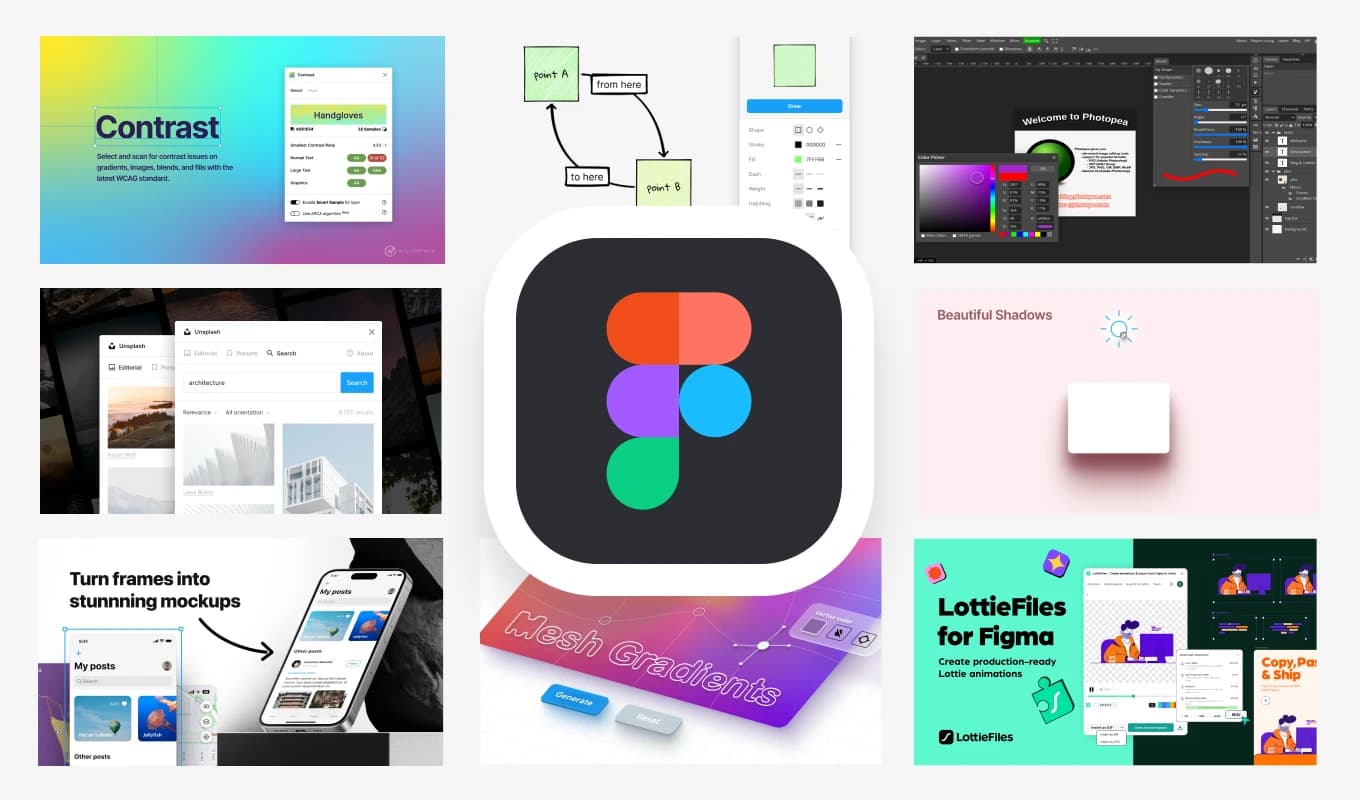 Strategic plugin use enhances rather than replaces human creativity in web design. Source: Adham Dannaway
Quick Reference: Plugin Selection Guide
Choose Illustrations plugin when: You need fast, editable vectors for UI work and want sketchy, organic styles.
Choose Blush when: Brand customization and mixing elements from different illustrators matters most.
Choose Storyset when: You need both static and animated options with narrative storytelling capability.
Choose Iconify when: You need illustrative icons that integrate with hand-drawn aesthetics.
Choose Icons8 when: You want maximum variety across different visual styles in one plugin.
Choose illustration.app when: You need complete, brand-consistent illustration systems where every asset works together visually for cohesive brand experiences.
Moving Forward with Intentional Tools
The shift toward anti-AI aesthetics isn't about rejecting progress. It's about choosing tools that preserve human creativity, support illustrators, and produce work with soul. These Figma plugins provide exactly that: authoritative, human-crafted alternatives to the algorithmic sameness dominating too much of contemporary design.
By building workflows around these resources, you're not just creating better-looking work. You're participating in a design culture that values craft, intentionality, and the irreplaceable qualities of human creativity. In a landscape increasingly dominated by algorithmic output, that's not just aesthetically valuable. It's ethically meaningful.
Start with the plugins that match your immediate project needs, customize everything you touch, and layer in texture and imperfection to counter digital smoothness. Your work will stand out precisely because it doesn't try to look algorithmically perfect. In 2026, that's the aesthetic advantage that matters most.