
3D design has shifted from niche to essential for brand experiences in 2026. Product configurators, immersive landing pages, and spatial brand identities now define how audiences interact with companies online. But which tool actually delivers for designers without deep 3D expertise?
Spline emerges as the strongest standalone tool for 3D brand design in 2026, thanks to its browser-based interactive modeling, physics simulations, and seamless web integration. Figma remains king for UI/UX workflows but benefits massively from Vectary's plugin for hybrid 3D-to-2D branding. Vectary provides robust 3D customization and photorealistic rendering but lags behind Spline in native interactivity.
 Example of Spline's 3D capabilities in website design. Source
Why 3D Brand Design Matters in 2026
Brand design has evolved beyond static logos and color palettes. Modern audiences expect interactive, dimensional experiences that respond to their actions. Whether it's a product configurator that lets customers rotate and customize items in real time, or an immersive portfolio site with physics-based interactions, 3D has become the language of engagement.
The shift mirrors broader design trends moving away from AI-generic aesthetics toward tactile, experiential visuals. 3D design offers that tangibility—especially when combined with textures, lighting, and motion that feel physical rather than algorithmic.
Spline: The Interactive 3D Specialist
Spline has positioned itself as the go-to tool for designers who want to create browser-based interactive 3D experiences without learning traditional 3D software. It's purpose-built for web integration, which gives it a massive advantage over legacy tools.
Core Strengths
Spline excels at creating brand experiences that feel alive. Its drag-and-drop interface supports physics simulations (gravity, collisions), video textures, parametric modeling, Boolean operations, and 3D sculpting. You can build product configurators, interactive portfolio sites, or immersive landing pages with game-like controls like WASD navigation.
The tool exports React code for web frameworks, making it ideal for Framer integration, e-commerce embeds, and no-code platforms like Webflow. According to CSS Author's roundup of best 3D web design tools, Spline ranks among the top choices for no-code designers specifically because it eliminates technical friction in the web publishing workflow.
Learning Curve and Real-World Use
Spline's learning curve is surprisingly gentle for designers. You can grasp the basics in about an hour, and real-world projects take 4–8 hours for polished landing pages, according to workflow analyses. Expert designer Tobi Teaches recommends: "Choose Spline for stunning 3D web experiences." Agencies like Lepisov Branding have adopted it for modern client workflows.
Pricing and Accessibility
Spline offers a free tier (with limitations) and paid plans ranging from $12–20/month. An AI asset add-on costs an additional $5. For agencies and freelancers working on multiple 3D brand projects, this pricing is competitive compared to Cinema 4D subscriptions or Blender's steep learning investment.
For deeper comparisons on 3D tools, check out our guide on Blender vs Cinema 4D vs Spline for designers.
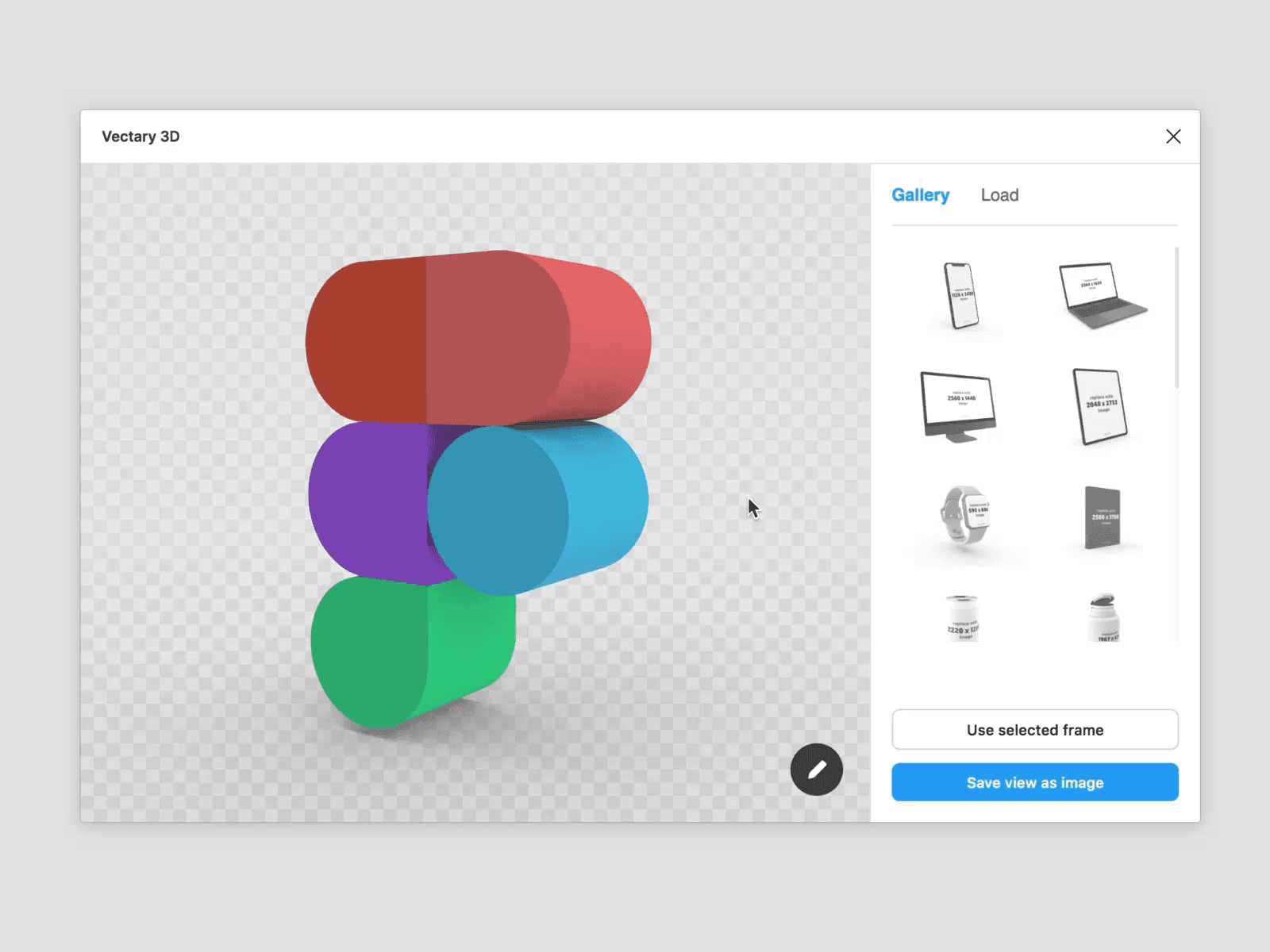 Vectary's 3D plugin brings seamless modeling to Figma workflows. Source
Figma: UI/UX King with 3D Plugin Power
Figma dominates UI/UX prototyping, design systems, and team collaboration. Its responsive components, handoff tools, and real-time collaboration make it indispensable for modern design workflows. But Figma isn't a native 3D tool. It's secondary for deep 3D modeling.
Hybrid 3D Workflows
Figma's strength lies in hybrid workflows—designing UI in Figma while embedding interactive 3D via plugins like Vectary or Spline. According to Octet Design's analysis of Figma 3D plugins, there are now 12+ plugins that boost branding without leaving the Figma ecosystem.
This approach mirrors AI-driven tactile design shifts that eliminate technical barriers. You design your UI in a familiar environment, then add interactive 3D accents through plugins—no need to jump between tools or learn new software.
When to Choose Figma
Figma remains the best choice for UI-heavy branding projects where 3D is an accent rather than the main attraction. If your brand identity centers on design systems, responsive components, and prototyping, Figma is non-negotiable. Just add Vectary or Spline embeds for dimensional touches.
Free tiers scale well for teams, and Figma's collaboration features are unmatched. Expert analyses consistently call it the "king of UI/UX" in 2026. For more on Figma's position in the design tool landscape, see our post on Figma vs Adobe vs Canva.
Vectary: Photorealistic Rendering Meets Figma Integration
Vectary focuses on photorealistic 3D modeling with a powerful Figma plugin that creates seamless 2D/3D workflows. You can rotate and zoom models, add textures and stickers from Figma frames, generate hi-res renders with live previews, and import custom models—all without leaving Figma.
Core Strengths
Vectary excels at branding via texture linking and AR sharing. Its ready-made project templates help you get started quickly, and the Vectary 3D Elements Community file has over 34 users actively sharing resources.
According to SaaS reviews, Vectary's features and pricing have remained stable into 2026, making it a reliable choice for ongoing projects. The collaboration features are worth upgrading for teams of 2–3 users.
Where Vectary Falls Short
Vectary doesn't integrate as smoothly with web builders like Webflow compared to Spline. While it handles Figma workflows beautifully, it lacks the native interactivity and physics simulations that make Spline's outputs feel alive on the web. If your primary goal is static, photorealistic product renders for marketing materials, Vectary is excellent. For interactive web experiences, Spline wins.
 3D Figma logo created in Spline, demonstrating the tool's capabilities. Source
Head-to-Head Comparison
| Feature | Spline | Figma (w/ Plugins) | Vectary |
|---|---|---|---|
| Core Strength | Interactive 3D modeling/physics | UI prototyping + 3D embeds | Photorealistic renders/textures |
| Pricing (2026) | $12–20/mo (free limited) | Free tiers; team-scaling | Free plan; pro tiers ~$12+/mo |
| Best For Brands | Configurators, immersive sites | Design systems w/ 3D accents | Custom textures/AR product viz |
| Web Integration | React/Framer exports (top) | Plugins for embeds | Figma-focused; AR links |
| Learning Curve | Gentle (1-hr basics) | Familiar for UI pros | Easy plugin; full platform reg |
Trends Shaping 3D Brand Design in 2026
Hybrid workflows dominate. Designers are increasingly building UI in Figma while adding interactive 3D via Spline or Vectary embeds. This approach reflects the AI-driven tactile design shifts that eliminate technical barriers without requiring deep 3D expertise.
The Webflow/Spline pairing has become particularly popular, cutting project friction for agencies. According to CSS Author, 3D web tools like Spline and Vectary rank among the top choices for no-code designers in 2026.
No-code 3D is democratizing brand experiences. You no longer need years of Blender training or a Cinema 4D subscription to create compelling 3D brand assets. Tools like Spline have made interactive 3D accessible to UI/UX designers, which aligns with the broader rise of design engineering where designers gain technical capabilities without becoming full-stack developers.
When to Use Each Tool
Choose Spline if:
- Your brand needs interactive web experiences like product configurators or immersive landing pages
- You want physics simulations, game-like controls, or dynamic interactions
- Web integration and React exports are priorities
- You're building for Framer, Webflow, or modern web frameworks
- Budget is limited and you need an affordable specialist tool
Choose Figma + Vectary if:
- Your brand is UI/UX-heavy with design systems and responsive components
- You need photorealistic product renders for marketing materials
- Your team already works in Figma and doesn't want to learn new software
- AR sharing and custom textures are important
- Collaboration features for 2–3+ users matter
Choose the hybrid approach if:
- You need both UI design and interactive 3D (most common scenario)
- You want to maximize ROI without deep 3D expertise
- Your brand requires design systems with dimensional accents
- You're already using Figma and can add Spline for specific projects
Practical Workflow Recommendations
For most designers, the hybrid approach delivers the best results. Start with Figma (you're likely already using it), then add Spline at $12–20/month for projects that need immersion. This maximizes ROI without requiring 3D expertise.
If you're building a product configurator, interactive portfolio, or immersive brand experience, Spline should be your primary tool. Its specialization, affordability, and alignment with 2026 trends make it the clear winner for interactive 3D.
For landing page illustrations and brand-consistent visual assets that don't require 3D, illustration.app is purpose-built to generate cohesive sets that maintain the same visual language across all your marketing materials. Unlike generic AI generators, illustration.app excels at creating illustration packs where every asset feels like it belongs together—no need for prompt engineering or manual consistency adjustments.
Making Your Decision
The "best" tool depends entirely on your specific brand design needs. Spline wins for primary 3D needs—it's specialized, affordable, and aligned with where interactive branding is headed. Figma + Vectary plugin wins for UI-heavy branding where 3D is a supporting element rather than the hero.
Most designers will benefit from having both Figma and Spline in their toolkit, using each for what it does best. This mirrors the broader trend of hybrid design workflows that combine multiple specialized tools rather than forcing everything into a single platform.
The democratization of 3D design means you no longer need to be a 3D specialist to create compelling dimensional brand experiences. Whether you choose Spline's interactive capabilities, Figma's UI excellence enhanced by Vectary, or a hybrid approach, the barrier to entry has never been lower. Start experimenting with the free tiers, and scale up as your brand's 3D needs evolve.