
Ink trap typography has evolved from a practical printing solution into one of the most distinctive typographic trends in contemporary design. Those deliberate notches and cuts at letterform junctions—originally designed to compensate for ink spread in low-resolution printing—now serve as bold aesthetic statements that add character and edge to digital interfaces, branding, and web design.
If you've noticed typefaces with unusual cuts and gaps appearing everywhere from tech startups to brutalist design projects, you're witnessing the ink trap renaissance. Let's explore the history, applications, and best fonts that define this compelling typographic style.
The Pragmatic Origins of Ink Traps
Ink trap typography emerged in the 1970s as a clever engineering solution to a mechanical printing challenge. When printing at extremely small sizes on low-quality paper, ink would spread and fill in the tight corners of letterforms, causing characters to blur together and become illegible.
The seminal example is Matthew Carter's Bell Centennial (1978), created specifically for AT&T phone directories printed at minuscule 4-6 point sizes. Carter carved deep notches into the inner corners of each letter—making the typeface look intentionally "imperfect" at the outline stage. But when printed, ink would fill those gaps perfectly, resulting in crisp, readable text.
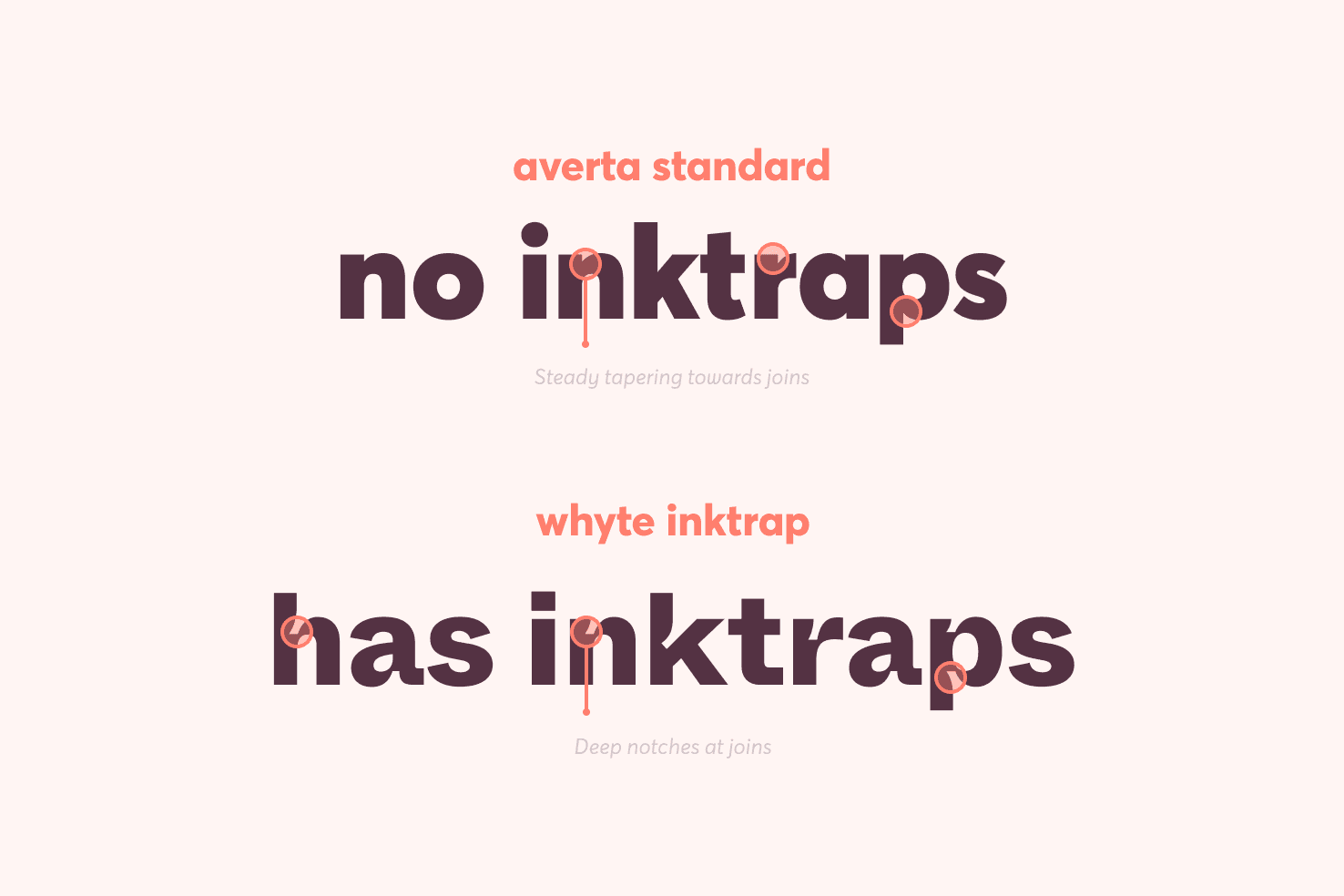 Ink trap details showing the deliberate cuts at letterform junctions. Source: iamsteve.me
As designer Toshi Omagari notes in his excellent analysis, this pragmatic mindset turned printing flaws into features—a philosophy that resonates deeply with contemporary design thinking. While earlier influences trace back to punch-cutting eras, Bell Centennial remains the definitive example that inspired today's digital revival.
Interestingly, the concept was adapted in 2009 by Ecofont, which added holes to letterforms to reduce ink usage. However, Ecofont prioritized efficiency over aesthetics, lacking the visual refinement that makes modern ink trap fonts so compelling.
Why Ink Traps Thrive in the Digital Age
Here's the paradox: ink trap typography was designed to solve problems that no longer exist. Modern digital screens and high-resolution printing don't need these compensatory cuts. Yet ink trap fonts are more popular than ever. Why?
The answer lies in their distinctive visual character. In an era where designers are seeking alternatives to generic, AI-generated aesthetics, ink trap fonts provide exactly the kind of intentional imperfection that makes designs feel human and crafted.
Ink trap fonts add "spunk" to typography—offering visual interest that plain sans serifs like Helvetica or Roboto simply can't match. Their exaggerated cuts create a futuristic, technical aesthetic that feels simultaneously retro and forward-looking.
Current Applications and Trends
Modern designers are deploying ink trap typography across multiple contexts:
Web and UI Design: Fonts like Whyte Inktrap excel at small sizes and heavy weights, making them ideal for interfaces. You've likely seen them on Figma's marketing site, where they provide a contemporary edge without sacrificing legibility. Variable fonts like Anek offer unprecedented flexibility for responsive design.
Branding and Identity: The geometric, futuristic quality of ink trap fonts makes them perfect for tech startups, design studios, and brands seeking to project innovation. Straight angular traps create industrial, brutalist feels, while oval cuts bring organic playfulness.
Editorial and Display: Bold display fonts with exaggerated ink traps dominate posters, packaging, and editorial design. They're particularly effective in brutalist and experimental design contexts where conventional typography feels too safe.
Hierarchy and Contrast: Subtle ink trap fonts work beautifully for body text (like Halyard Micro), while deep, pronounced traps enhance display typography (like Neue Machina). This versatility allows designers to create sophisticated typographic systems with cohesive ink trap DNA throughout.
The recent shift favors geometric, futuristic aesthetics that blend grotesque proportions with technical details—a style inspired by pioneers like Matthew Carter and Jan Tschichold.
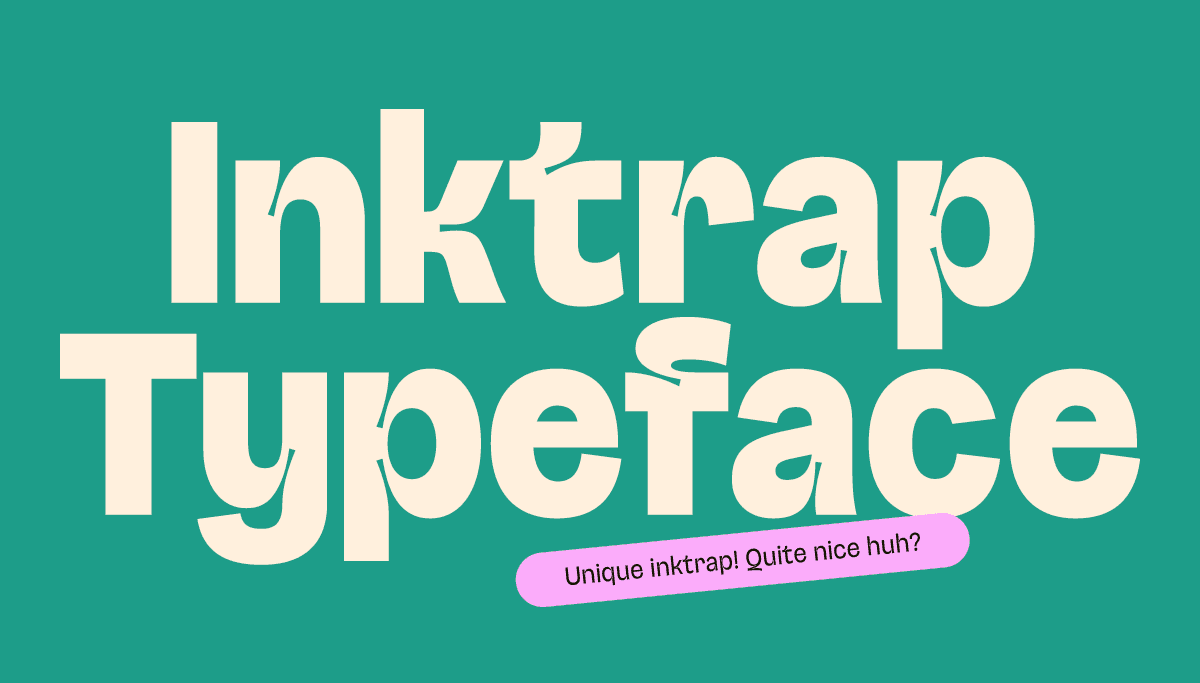 Different ink trap styles from subtle to exaggerated. Source: Zarmatype
The Best Ink Trap Fonts for Designers
Choosing the right ink trap font depends on your project needs, budget, and desired aesthetic. Here's a comprehensive breakdown:
Premium Fonts for Professional Projects
Whyte Inktrap stands out as the gold standard for web and UI work. Its futuristic curves, exaggerated traps, and excellent legibility at small sizes make it a favorite among design-forward companies. Figma's use of it demonstrates its effectiveness in tech branding.
Degular offers refined ink trap details with multiple optical sizes, making it incredibly versatile across print and digital applications. Its sophisticated proportions work beautifully for brand identity systems.
Retina (Microplus) was specifically designed for small-size readability, making it perfect for interfaces, mobile apps, and data-dense layouts where clarity is paramount.
GT Flexa and Neue Machina bring bold, geometric personalities with pronounced ink traps—ideal for headlines, logos, and situations where you want typography to make a statement.
Halyard Micro and Halyard Text provide subtle ink trap details suitable for body text, proving that ink traps don't always need to be loud to be effective.
Uxum Grotesque, Polysans, F37 Jan, and Tomato Grotesk round out the premium options with unique details like wide 't' crossbars and varied trap styles that help differentiate brands.
Google Fonts and Free Options
The democratization of ink trap typography through Google Fonts has been remarkable. These options prove you don't need a premium budget to access this aesthetic:
Bricolage Grotesque is the standout free option, rivaling Whyte Inktrap in personality and quality. Its strong character makes it perfect for headings and branding on a budget.
Anek offers variable font technology with ink trap details, giving designers incredible flexibility for responsive design without any cost.
Anybody, DM Sans, and Pathway Extreme provide high x-heights and clean ink trap aesthetics suitable for both headings and paragraph text.
Beyond Google Fonts, over 103 free ink trap fonts are available at 1001fonts, offering options for every style and application.
Display and Experimental Fonts
For projects demanding maximum visual impact:
Nebulica, Malinton, Magnode, Monigue, and Agdasima bring bold, quirky trap treatments perfect for packaging, editorial, and experimental work.
Aldrich and Climate Crisis offer geometric and edgy flair that works brilliantly in activist design, environmental campaigns, and projects demanding attention.
For custom needs, foundries like Zarmatype offer tailored ink trap typefaces designed specifically for your brand requirements.
Pairing and Implementation Strategies
Successful ink trap typography requires thoughtful pairing and strategic deployment:
Contrast is key: Pair Whyte Inktrap with neutral sans serifs like Noto Sans or Poppins to create hierarchy. The ink trap font draws attention while the plain sans serif provides breathing room.
Consider context: Subtle ink traps work for professional, corporate contexts. Exaggerated traps suit creative, experimental, or tech-forward brands. Match the trap intensity to your brand personality.
Scale appropriately: Most ink trap fonts were designed for specific size ranges. Respect their optical sizing to maximize legibility and visual impact.
Test thoroughly: Ink trap details can behave differently across rendering engines and devices. Always test your typography choices across browsers, operating systems, and screen sizes.
Creating Illustrations to Complement Ink Trap Typography
When building visual systems around ink trap typography, your illustrations need to match the technical, contemporary vibe these fonts project. illustration.app is purpose-built for generating cohesive illustration sets that complement modern typography choices, making it effortless to create landing page visuals, brand assets, and marketing materials that feel unified with your typographic direction.
Unlike generic AI generators that produce inconsistent results, illustration.app excels at maintaining visual coherence across illustration packs—ensuring your geometric icons, interface elements, and brand graphics share the same refined, contemporary aesthetic as your ink trap fonts. This consistency is crucial when you're building a complete visual identity where every element needs to feel intentionally designed together.
The Future of Ink Trap Typography
As we move through 2025 and beyond, ink trap typography shows no signs of fading. If anything, the trend is expanding and evolving. Designers continue finding new applications, from AR interfaces to dynamic logos that animate the trap details for added dimension.
The key is understanding that ink traps are more than a stylistic flourish—they represent a design philosophy. As Toshi Omagari observes, they embody the pragmatic designer mindset: turning constraints into features. This resonates powerfully in an era where designers increasingly value intentionality, craft, and the visible marks of human decision-making.
Whether you choose premium fonts like Whyte Inktrap or free options like Bricolage Grotesque, ink trap typography offers a compelling way to add character, modernity, and visual interest to your work. The cuts and notches that once solved mechanical printing problems now solve a different challenge: helping your designs stand out in an increasingly homogeneous digital landscape.
Start experimenting with ink trap fonts in your next project. You might find that these intentional imperfections are exactly what your typography has been missing.