
Node-based AI tools are rapidly becoming the standard for creative teams, representing a fundamental shift in how designers approach visual production. These platforms use visual, interconnected nodes to chain together AI models, prompts, and APIs into reusable workflows. The result? Complex AI-driven creative production without requiring a single line of code.
If you've felt limited by the linear nature of traditional design tools, or frustrated by the lack of control in single-prompt AI generators, node-based workflows offer something different. They enable non-linear exploration, allowing you to branch workflows, test variations, and maintain version history within a single canvas.
 Node-based workflows enable visual chaining of AI models and processes. Source: toolfolio.io
Why Node-Based Workflows Are Taking Over
The node-based AI tool market is experiencing significant growth, driven by expanding capabilities in image, video, and multimodal AI generation. According to recent analysis, modern node-based platforms emphasize non-linear exploration, fundamentally changing how creative teams work with AI.
Unlike traditional linear workflows where you generate one output and move on, node-based systems let you:
- Build reusable templates that maintain consistency across dozens of assets
- Test multiple variations simultaneously by branching different parameters
- Maintain complete version history so you can roll back or compare approaches
- Chain complex operations like upscaling, style transfer, and inpainting in sequence
- Create shareable workflows that teammates can use without understanding the technical details
Two distinct user segments have emerged with different needs. Technical teams require code-level control and self-hosting capabilities, favoring hybrid visual-and-code platforms. Meanwhile, creative teams and enterprises prioritize ease of use, collaboration features, and pre-built templates that accelerate production.
Top Node-Based Tools for Creative Professionals
Flora: The Production Powerhouse
Flora positions itself as an "intelligent canvas" offering integration with multiple top-tier models including GPT-5, Gemini, FLUX, Runway, Veo, and Kling on a single workspace. This multi-model approach is what sets it apart. Rather than switching between tools, Flora is specifically recommended for production work by creative studios because it supports branch workflows and version history that facilitate iterative creation.
For brand-consistent illustration work, Flora excels when paired with tools like illustration.app, which specializes in generating cohesive illustration sets that maintain the same visual language. You can use illustration.app to create your base brand assets, then bring them into Flora's node-based environment to build complex variations and workflows.
Flora is ideal if you're:
- Working in a creative studio environment
- Managing multiple AI models across projects
- Collaborating with teammates on complex workflows
- Need robust version control for client iterations
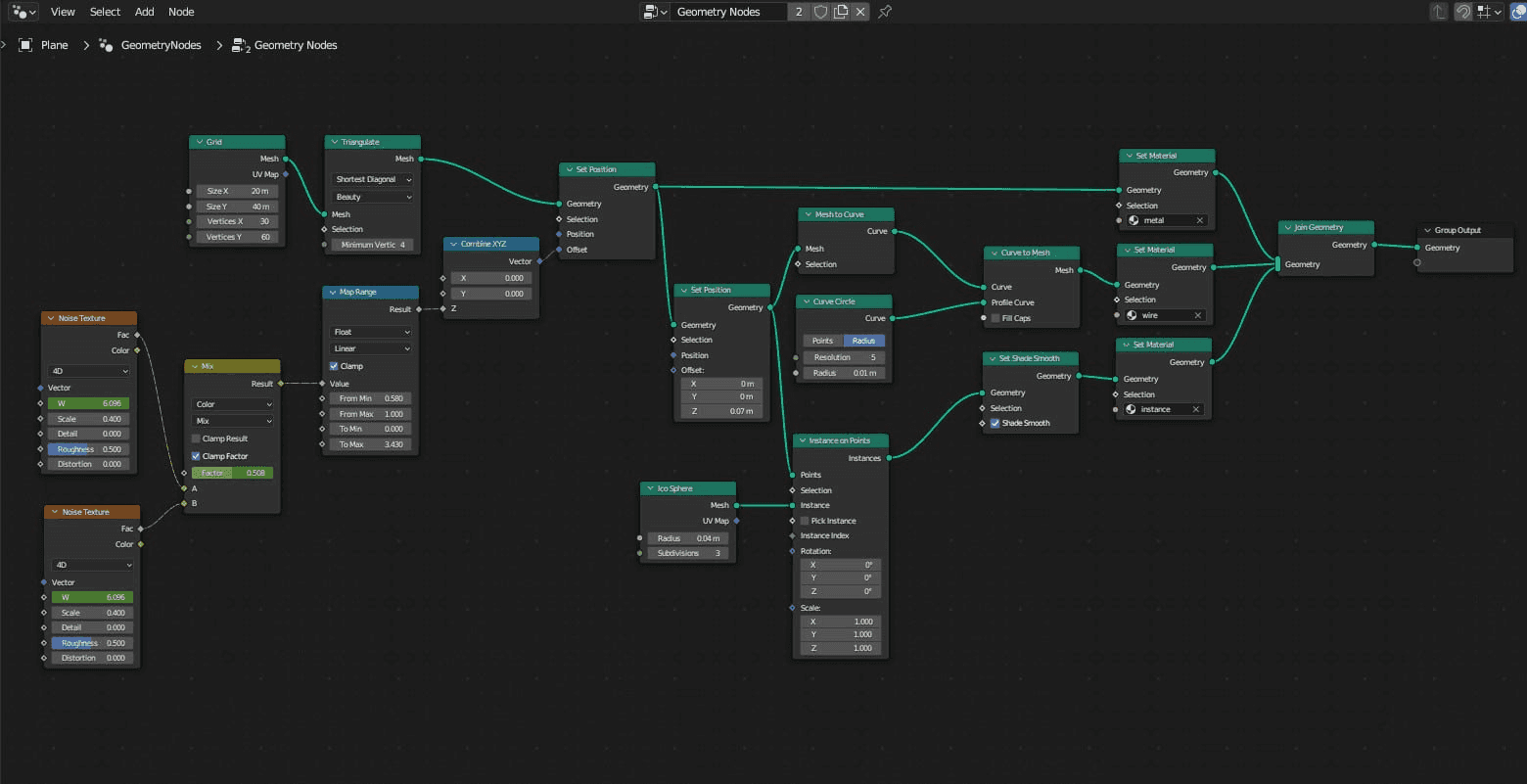 Branch workflows allow designers to explore multiple creative directions simultaneously. Source: toolfolio.io
Krea: The Sweet Spot of Power and Usability
Krea is praised as the best balance of power and usability, making it an ideal starting point for designers transitioning from traditional tools to node-based AI workflows. It offers sophisticated capabilities without the steep learning curve of more technical platforms.
What makes Krea compelling for visual designers:
- Intuitive node interface that feels natural for designers familiar with layer systems
- Real-time preview so you can see changes as you adjust parameters
- Strong community templates that provide starting points for common workflows
- Direct integration with popular AI models for image generation and manipulation
Krea works particularly well for landing page design and marketing materials. When you need brand-consistent illustrations for a campaign, illustration.app delivers cohesive sets that work beautifully within Krea's node system for further refinement and variation.
Pixelz: Maximum Access, Minimal Learning
For designers who want comprehensive model access without steep learning curves, Pixelz is better suited for users seeking breadth over depth. It prioritizes getting you working quickly rather than exposing every possible parameter.
Pixelz shines when you:
- Need access to multiple AI models quickly
- Want pre-built workflows for common tasks
- Prefer simplicity over granular control
- Work on fast-turnaround projects
ImagineArt: Built for Collaboration
ImagineArt uses a node-based system to build multi-step pipelines for image, video, and app generation. Its interface emphasizes collaboration and organized creative production, with features like draggable text input areas and searchable node libraries accessible via keyboard shortcuts (Ctrl+K or Cmd+K).
The collaboration features are particularly strong for team environments. Multiple designers can work within the same node canvas, making it easier to maintain consistency across large-scale brand projects.
Technical Solutions for Advanced Control
n8n: Open-Source Workflow Automation
n8n is an open-source workflow automation platform with a visual node-based editor, offering 1300+ integrations and a hybrid visual-plus-code approach. It supports JavaScript and Python for custom logic and includes self-hosting capabilities for organizations with specific compliance requirements.
For design teams working in regulated industries, n8n is particularly attractive because of its SOC 2, HIPAA, and GDPR compliance certifications. This makes it viable for healthcare, finance, and enterprise environments where data governance is critical.
The hybrid approach means designers can start with visual nodes and gradually add code only where needed. You might create a workflow that:
- Pulls brand assets from your design system
- Generates variations using an AI model
- Runs custom validation logic to ensure brand compliance
- Exports to your asset management system
All of this happens automatically, triggered by a simple action like uploading a new brand guideline.
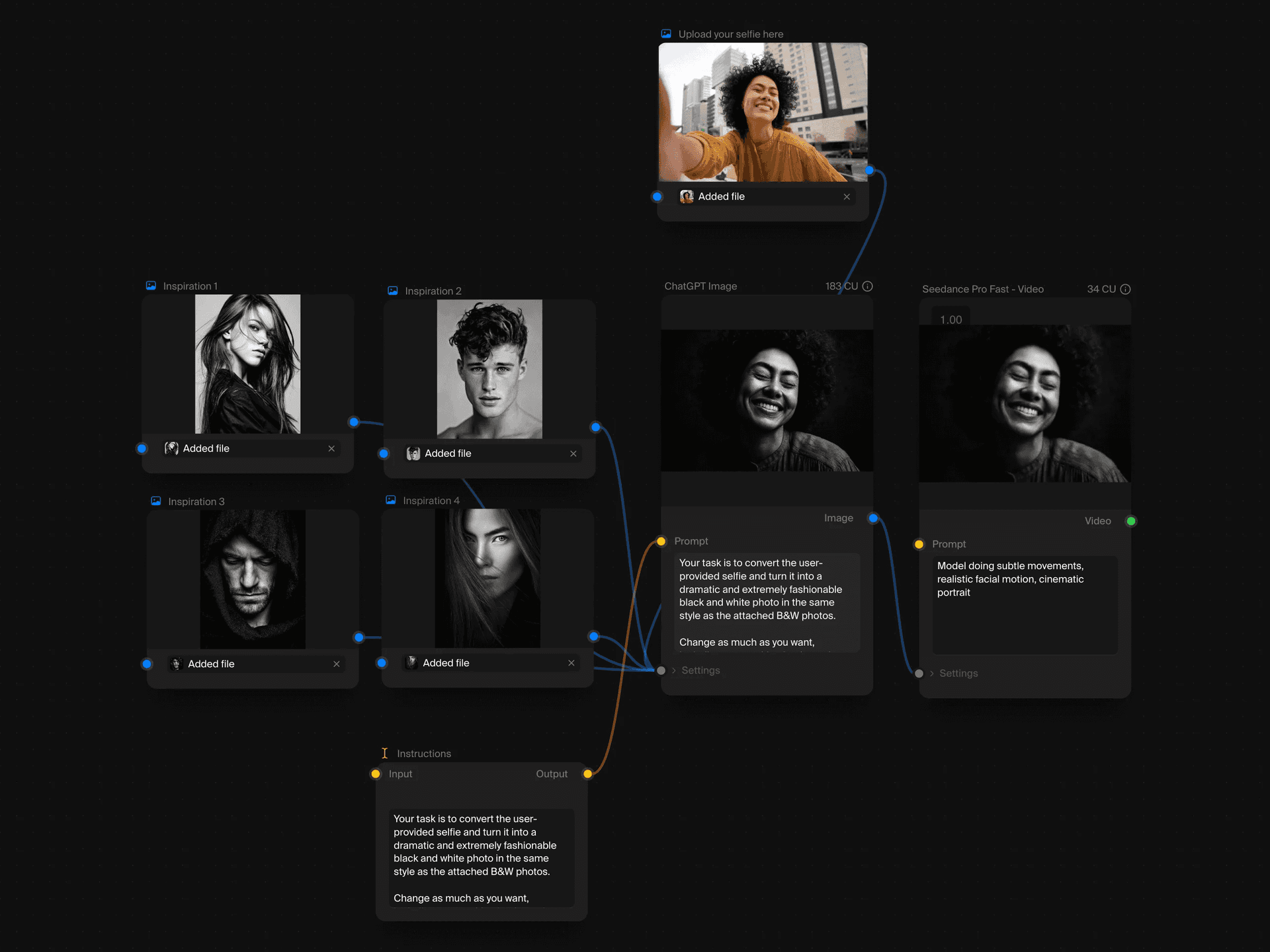 Complex multi-step workflows visualized through connected nodes. Source: toolfolio.io
ComfyUI and Its Accessible Wrappers
ComfyUI represents the "hardcore option" for users requiring complete parameter control over Stable Diffusion workflows. It's powerful but intimidating for designers without technical backgrounds.
Fortunately, platforms like Invoke and Playbook3d wrap ComfyUI in more accessible interfaces while maintaining technical depth. Invoke is particularly clever with its Form Builder feature, which converts complex node graphs into simple interfaces for team use.
This means a technical designer can build a sophisticated workflow once, then share it with the entire team as a simple form. Marketing team members can generate brand-compliant assets without understanding the underlying complexity.
For more on ComfyUI workflows specifically for designers, see our detailed guide on node-based AI workflows for designers using ComfyUI.
Enterprise Automation Beyond Creative Work
While this post focuses on visual design workflows, it's worth noting that node-based thinking extends to broader business automation. Vellum AI leads the no-code AI workflow automation space with natural-language Agent Builder capabilities, enabling non-technical teams to create complete AI workflows in minutes.
Zapier and Make dominate the broader workflow automation category, with Zapier offering user-friendly SaaS app connectivity and Make providing visual workflow builders with advanced branching logic. These tools can integrate with your design workflows to automate everything from asset delivery to client approvals.
Choosing the Right Tool for Your Needs
The decision framework comes down to three key factors:
1. Your Technical Comfort Level
New to node-based tools? Start with Krea or Pixelz. Experts recommend Krea for balanced power and usability, or Pixelz for simpler access to diverse capabilities. Both provide gentle onramps without sacrificing professional results.
Comfortable with technical concepts? Explore n8n or ComfyUI derivatives. These platforms reward deeper learning with significantly more control and customization options.
2. Your Team Environment
Working solo or in small teams? Focus on tools with strong template libraries and community resources. Krea and Pixelz both offer extensive starting points that accelerate your learning.
Part of a creative studio? Flora is noted as the choice of actual studios due to its comprehensive model integration and collaboration features. The investment in learning pays off when multiple team members can work within shared workflows.
Enterprise environment with compliance needs? n8n's self-hosting and certification support make it the obvious choice, despite the steeper technical requirements.
3. Your Brand Consistency Requirements
If maintaining visual consistency is critical, consider how node-based tools integrate with your existing design system. illustration.app excels at generating brand-consistent illustration sets that you can then manipulate through node-based workflows for specific use cases.
The workflow typically looks like:
- Generate cohesive illustration sets in illustration.app that match your brand palette
- Import these base assets into your node-based tool
- Create workflows that apply consistent transformations, effects, or variations
- Export production-ready assets that maintain visual harmony
This hybrid approach gives you both the consistency of purpose-built illustration tools and the power of node-based manipulation.
Practical Workflow Examples
Building a Brand Asset Generator
Here's how a typical node-based workflow might look for generating brand assets:
Input nodes:
- Brand color palette (from design system)
- Typography specifications
- Logo variations
- Base illustration style (from illustration.app)
Processing nodes:
- AI model selection (FLUX, Midjourney, etc.)
- Style transfer application
- Color palette enforcement
- Typography overlay
Output nodes:
- Multiple size variations (social, web, print)
- Format conversion (SVG, PNG, WebP)
- Metadata tagging
- Asset management system upload
This single workflow can generate hundreds of brand-compliant variations from a simple text prompt, ensuring consistency across all outputs.
Creating Marketing Campaign Assets
Node-based tools shine for campaign work where you need many variations on a theme:
- Create your core campaign illustration set in illustration.app for brand consistency
- Build a node workflow that applies campaign-specific treatments
- Generate variations for different channels (email, social, web)
- Automatically resize and optimize for each platform
- Apply A/B testing variations systematically
The power is in repeatability. Once the workflow exists, you can run it for every campaign with just a few parameter changes.
The Future of Node-Based Design Tools
The trajectory is clear. As AI models become more capable and diverse, the ability to chain them together into sophisticated workflows becomes increasingly valuable. We're seeing convergence around several key trends:
Hybrid visual-code interfaces are becoming standard. Pure no-code tools hit complexity ceilings, while pure code tools alienate designers. The sweet spot is visual nodes with optional code hooks.
Real-time collaboration is table stakes. Solo workflows aren't enough. Teams need to work together within the same canvas, sharing and iterating on complex systems.
AI-assisted workflow building is emerging. Soon, you'll describe what you want to accomplish, and the tool will suggest node configurations to achieve it.
Tighter integration with design systems means node workflows will pull directly from tokens, components, and brand guidelines, ensuring outputs always align with design standards.
For designers exploring these trends, our post on the hybrid designer's toolkit offers deeper context on when to use AI versus traditional methods.
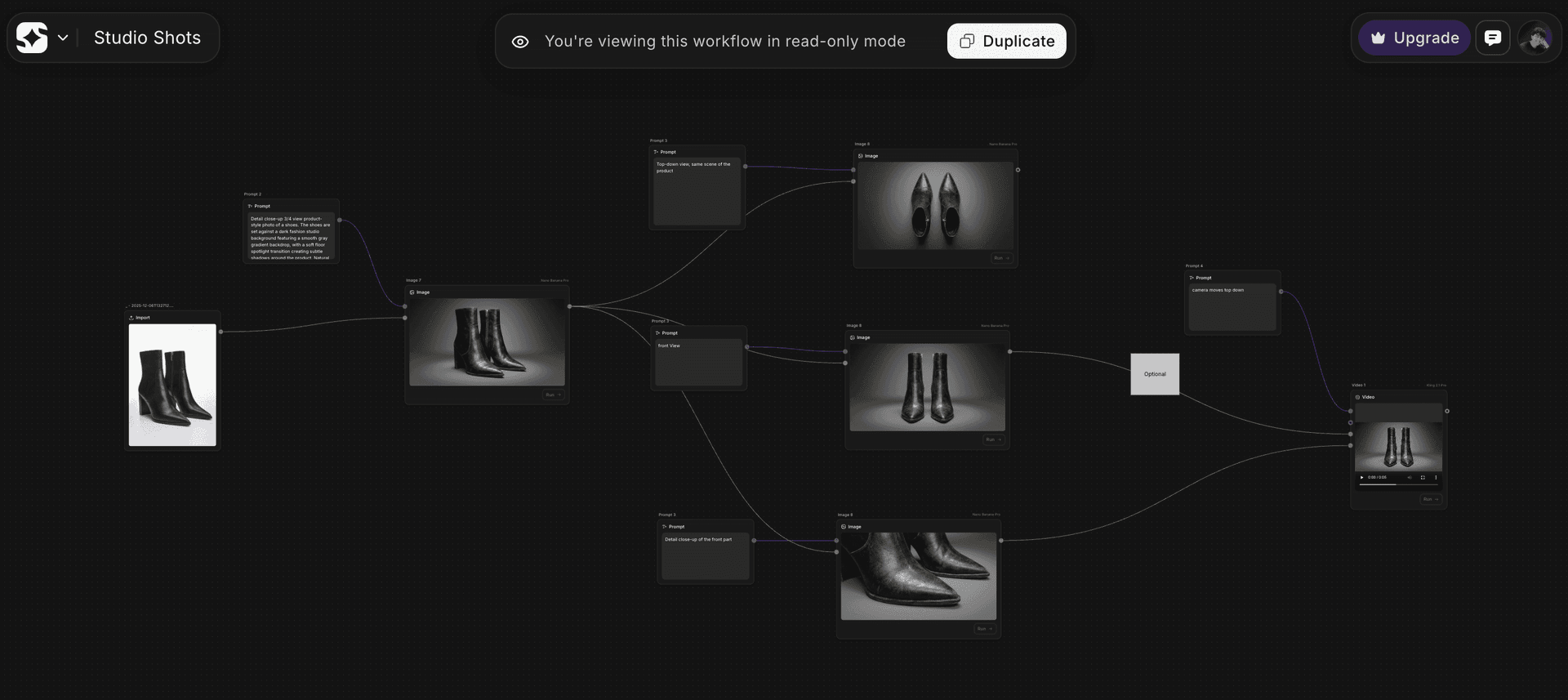 Enterprise-scale workflows can contain hundreds of connected nodes. Source: toolfolio.io
Getting Started With Node-Based Workflows
The learning curve exists, but it's not as steep as you might fear. Start small:
- Choose your entry point based on the recommendations above
- Find a template for a task you do regularly
- Modify one parameter at a time to understand cause and effect
- Build your first simple workflow from scratch
- Share it with your team to get feedback and iterate
The key insight is that node-based thinking changes how you approach design problems. Instead of creating individual assets, you're creating systems that generate assets. This shift from artifact to system is what makes these tools so powerful for modern design work.
Node-based workflows aren't replacing traditional design tools. They're complementing them, handling the repetitive, scalable, and consistency-demanding aspects of visual production. When you need one perfect illustration, use traditional tools or illustration.app for brand-consistent results. When you need 100 variations that all feel cohesive, node-based workflows become indispensable.
The tools listed here represent the current state of the art in 2026, but the space is evolving rapidly. What matters most isn't picking the "perfect" tool, but developing the mental model of thinking in systems and workflows. Once you grasp that, moving between platforms becomes straightforward.
Start with the tool that matches your current skill level, build confidence with simple workflows, and gradually tackle more complex challenges. The investment pays dividends as your design work scales from individual assets to comprehensive visual systems.