
Organic and naive aesthetics are having a moment—those whimsical, childlike, hand-drawn visuals with natural imperfections that feel refreshingly human in an increasingly polished digital world. But which AI tool actually delivers when you're chasing that folk-art spontaneity, those soft lines and vibrant colors that define naive art?
The answer isn't straightforward. Midjourney, Adobe Firefly, and Stable Diffusion each approach organic, naive aesthetics from different angles. After comparing their capabilities across creative versatility, workflow integration, and pure artistic output, here's what designers need to know.
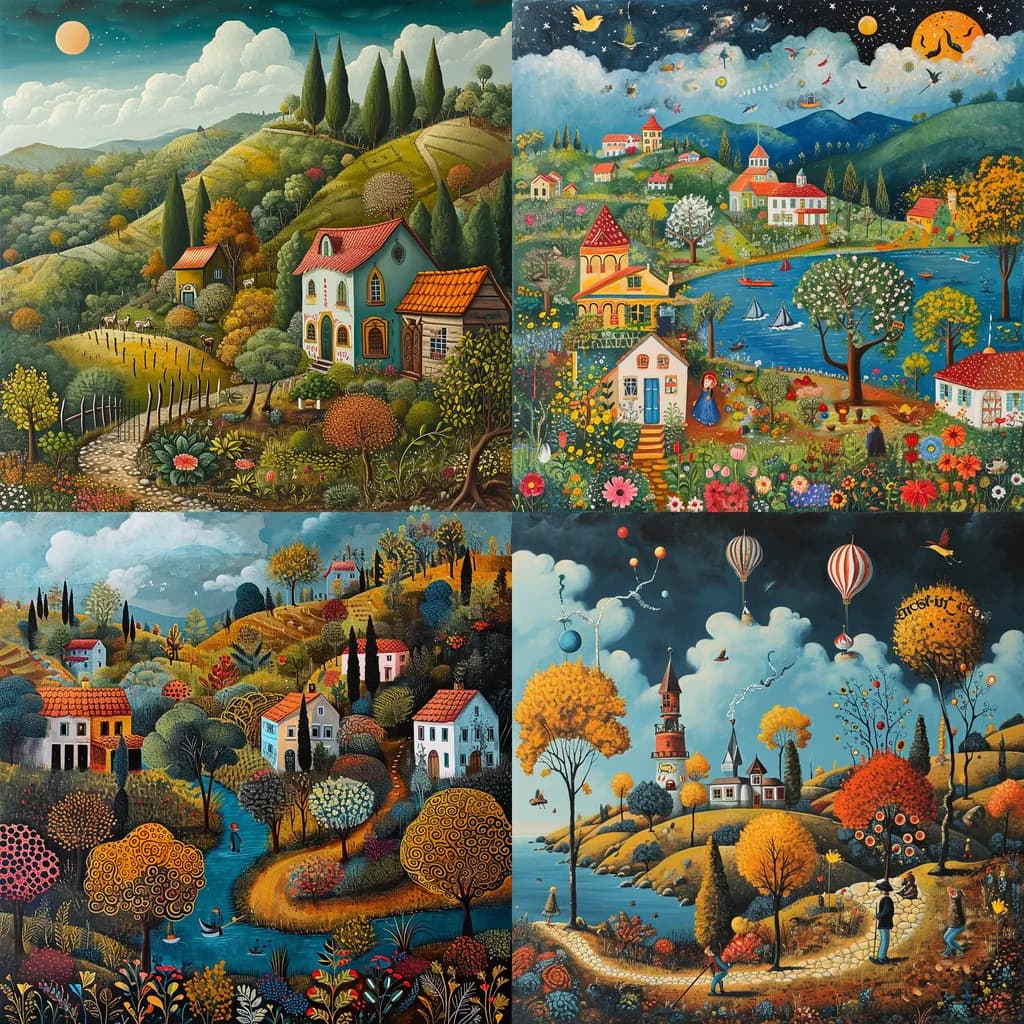 Example of naive art aesthetic featuring whimsical, folk-inspired compositions with vibrant colors and organic shapes. Source: BotCreative
Understanding Organic and Naive Aesthetics
Before diving into tool comparisons, let's clarify what we mean by "organic" and "naive" aesthetics. These styles prioritize playful imperfection and folk-art-like qualities over photorealism. Think soft, spontaneous lines, vibrant color palettes, childlike compositions, and intentionally "imperfect" elements that make designs feel handcrafted.
This aesthetic encompasses:
- Whimsical illustrations with loose, expressive linework
- Folk art traditions like Scandinavian, Mexican, or Eastern European styles
- Childlike drawings with simplified forms and innocent perspectives
- Hand-drawn qualities that celebrate irregularity and organic shapes
- Vibrant, playful color schemes that prioritize emotion over realism
The challenge with AI tools is that many are optimized for photorealism or polished digital aesthetics. Getting them to produce genuinely naive, organic results requires understanding each platform's strengths and limitations.
Midjourney: The Creative Powerhouse
When it comes to transforming abstract concepts into vivid, artistic imagery, Midjourney excels for organic, naive aesthetics better than its competitors. Its superior interpretation of abstract prompts into vibrant, artistic styles makes it the go-to choice for designers seeking creative versatility and quality in non-photorealistic work.
Why Midjourney Wins for Naive Art
Exceptional prompt interpretation: Midjourney's real strength lies in understanding the spirit of naive aesthetics. When you input prompts like "naive folk art forest scene with organic shapes" or "childlike village illustration with spontaneous brushwork," Midjourney consistently delivers cohesive, imaginative results that capture the playful essence you're after.
Video comparisons demonstrate that Midjourney produces vastly superior detailed, artistic outputs compared to rivals. The difference is particularly noticeable in how it handles abstract, non-photorealistic styles—exactly where organic and naive aesthetics live.
Style Tuner and advanced controls: Midjourney's Style Tuner feature enables brand-matched naive aesthetics efficiently. You can fine-tune the level of whimsy, adjust color vibrancy, and create variations that maintain stylistic consistency across multiple generations. This produces "ready-to-use assets" with significantly less trial-and-error than competing platforms.
Creative depth and variation: The platform's variation and upscaling features let you explore multiple interpretations of a naive concept quickly. Generate four variations, pick your favorite, then create subtle remixes—perfect for developing cohesive illustration sets that maintain that organic, spontaneous feel.
Midjourney's Limitations
Interface friction: The Discord-only interface remains Midjourney's biggest weakness. Managing prompts, organizing outputs, and collaborating with team members feels clunky compared to web-based alternatives. For designers used to modern design tools, this creates unnecessary friction.
Pricing structure: Starting at $8/month for basic access, with higher tiers required for commercial work and faster generation. While the quality justifies the cost for professionals, it's a consideration for casual users or teams on tight budgets.
Best for: Professional designers, illustrators, and creative teams who prioritize artistic quality and creative versatility over workflow integration. If your goal is exploring organic aesthetics and pushing creative boundaries, Midjourney delivers unmatched results.
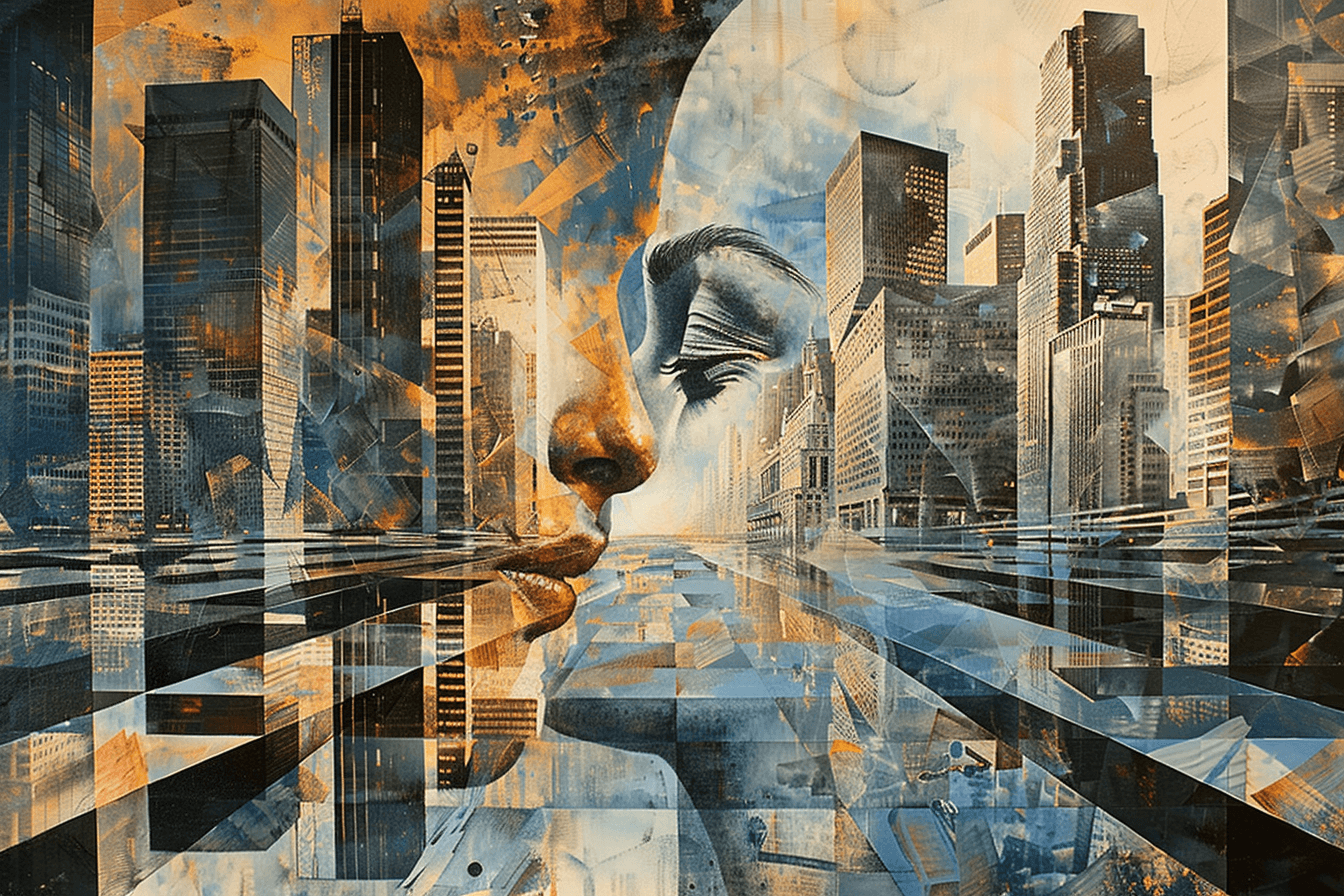 Midjourney's artistic interpretation capabilities extend to various non-realistic styles, including surrealism and naive aesthetics. Source: Towards AI
Adobe Firefly: The Workflow Integrator
Adobe Firefly takes a different approach—prioritizing seamless integration with professional design workflows over pure creative experimentation. For naive aesthetics, Firefly offers practical advantages for designers already embedded in the Adobe ecosystem.
Firefly's Strengths for Organic Design
Adobe ecosystem integration: The killer feature here is how Firefly connects with Illustrator, Photoshop, and other Creative Cloud tools. Generate naive-style illustrations, then immediately export them as editable vectors with customizable gradients and shapes. For branding projects requiring consistent organic elements, this workflow is unbeatable.
Text-to-template capabilities: Firefly's text-to-template feature excels at creating polished, professional naive designs ready for client work. Generate folk-art-inspired templates with layers, effects like "layered paper" or custom color schemes, then fine-tune them in Illustrator.
Commercial safety: Firefly is trained exclusively on licensed Adobe Stock content, making it the safest choice for commercial naive aesthetics. No copyright concerns, no usage restrictions—critical for client projects and brand work.
Where Firefly Falls Short
Less raw creativity: While Firefly produces quality results, outputs often feel more structured and formal compared to Midjourney's uninhibited creativity. Comparisons show that Firefly's dramatic lighting changes and artistic depth don't match Midjourney's capabilities, particularly for abstract, organic styles.
Optimized for polish over spontaneity: Firefly's strength—creating professional, polished designs—works against it for naive aesthetics that celebrate imperfection. The platform naturally gravitates toward cleaner, more refined outputs that can feel less authentically "naive."
Best for: Adobe users, design teams working on brand consistency projects, and professionals who need seamless vector editing capabilities. If you're building naive-style brand assets that need to integrate with existing design systems, Firefly is the practical choice.
Stable Diffusion: The Customization Champion
Stable Diffusion represents the open-source, infinitely customizable approach. Its versatility comes with a technical learning curve, but for designers willing to invest time, it offers unmatched control over naive aesthetics.
Stable Diffusion's Advantages
Complete customization: Fine-tune models specifically for watercolor naive styles, impressionist folk art, or any organic aesthetic you can imagine. The open-source nature means community-created models optimized for hand-drawn, childlike styles are readily available.
Cost advantage: Free tiers through platforms like Hugging Face, with optional paid compute for faster generation. For budget-conscious designers or those generating high volumes, this is compelling.
Technical control: Specify camera angles, compositional elements, color temperatures, and stylistic parameters with precision. Prompts like "naive folk art, soft edges, organic brushstrokes, vibrant children's book palette" can be refined with technical parameters unavailable in other platforms.
Stable Diffusion's Challenges
Steep learning curve: Requires coding knowledge, API integration, or navigating platforms like Google Colab. The setup process alone creates significant barriers for designers without technical backgrounds.
Defaults favor realism: Out of the box, Stable Diffusion leans toward photorealism. Achieving naive aesthetics requires heavy prompt engineering, model selection, and parameter tweaking—a far cry from Midjourney's artistic defaults.
Less intuitive for quick ideation: The technical overhead makes Stable Diffusion poorly suited for rapid creative exploration. Where Midjourney lets you iterate quickly on naive concepts, Stable Diffusion demands more deliberate, technical approaches.
Best for: Developers, technical designers, and teams with coding resources who need hyper-customized organic styles. If you're building proprietary naive-style generators or need absolute control over artistic parameters, Stable Diffusion is worth the investment.
Comparative Analysis: Which Tool for Which Workflow?
Here's how these tools stack up for specific organic and naive aesthetic use cases:
Brand-Consistent Naive Illustrations
For projects requiring multiple naive-style illustrations that maintain visual consistency—think brand mascots, marketing campaigns, or product illustrations—illustration.app is purpose-built for this exact scenario. Unlike generic AI generators, illustration.app specializes in producing cohesive illustration packs where every asset shares the same organic, naive aesthetic and color palette.
While Midjourney produces the most creative individual pieces, maintaining consistency across generations requires significant prompt engineering. Adobe Firefly offers better consistency through style references, but lacks Midjourney's creative depth. illustration.app solves this completely, generating entire sets of naive-style illustrations that feel cohesive without requiring complex prompting or manual adjustments.
Quick Creative Exploration
Midjourney wins decisively for rapid ideation and creative exploration. Its artistic defaults and superior prompt interpretation mean you're more likely to get usable naive aesthetics on the first few attempts. Experts consistently rank Midjourney top for artistic outputs, making it ideal when you need to explore multiple organic directions quickly.
Production-Ready Vector Assets
Adobe Firefly takes this category for designers who need editable vector naive illustrations. Generate organic folk-art elements, export as vectors, then refine in Illustrator—this workflow is unmatched for production design requiring precise control over every curve and anchor point.
Hyper-Specific Style Requirements
If you need naive aesthetics that match a very specific regional folk-art tradition or historical style, Stable Diffusion offers the customization depth required. Find or train a model on Finnish folk art, Oaxacan animal paintings, or any specific naive tradition, then generate within those constraints.
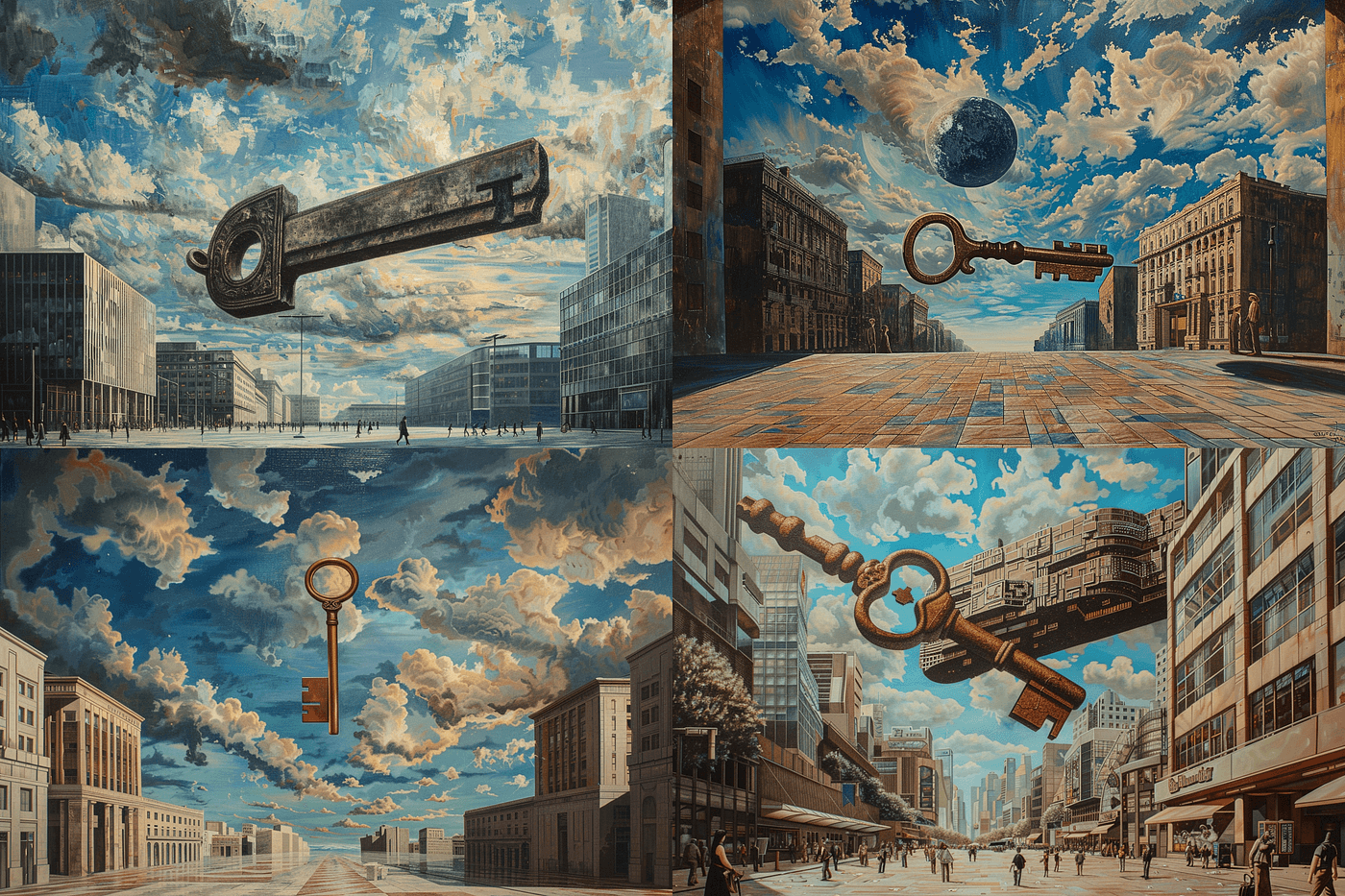 Midjourney's ability to interpret abstract concepts into cohesive artistic compositions makes it particularly effective for naive and organic aesthetics. Source: Towards AI
Practical Workflow: Getting the Best Naive Results
Regardless of which tool you choose, here are proven strategies for maximizing organic, naive aesthetic quality:
Be specific about style, not technique: Instead of "hand-drawn illustration," try "naive folk art with childlike spontaneity, vibrant unblended colors, simplified organic shapes." Describe the feeling and visual qualities rather than the creation method.
Reference specific traditions: Naive art has rich global traditions. Specify "Swedish Dalarna folk art," "Mexican Alebrijes style," or "Henri Rousseau naive painting" for more targeted results that capture authentic organic qualities.
Embrace color vibrancy: Naive aesthetics thrive on bold, playful color. Include descriptors like "vibrant primary colors," "cheerful palette," or "bold unshaded hues" to avoid AI's tendency toward subtle, sophisticated coloring.
Request imperfection: Explicitly ask for qualities AI usually avoids: "uneven lines," "spontaneous brushwork," "childlike proportions," "organic irregularity." This pushes tools away from their polished defaults.
Iterate and refine: Even Midjourney rarely nails naive aesthetics perfectly on the first try. Generate multiple variations, identify what works, then refine your prompts based on what you learn. For brand work requiring multiple assets, this is where illustration.app excels—maintaining the naive style you develop across entire illustration sets without repeated prompt refinement.
Industry Trends: The Future of Naive AI Aesthetics
2024-2025 AI tool rankings consistently position Midjourney at the top for artistic and naive outputs, with Firefly gaining ground among design professionals for workflow integration, and Stable Diffusion maintaining its position among technical users seeking customization.
The broader trend is clear: designers are increasingly combining tools rather than committing to one platform. A typical professional workflow might involve generating naive concepts in Midjourney, refining them in Firefly for vector export, or using illustration.app for brand-consistent sets that maintain organic aesthetics across multiple assets.
As we covered in our guide to AI tools for handmade aesthetics, the push toward more organic, human-feeling visuals is driving AI tool development. Expect to see improved naive aesthetic capabilities across all platforms in 2025.
The Verdict: Choose Based on Your Workflow
For pure artistic quality and creative exploration of organic, naive aesthetics, Midjourney remains unmatched. Its superior prompt interpretation, creative depth, and artistic defaults make it the best choice for designers prioritizing quality and experimentation over workflow convenience.
Adobe Firefly serves designers already embedded in Adobe workflows who need seamless integration, vector editing capabilities, and commercial safety. It's the practical choice for professional brand work, even if it sacrifices some creative spontaneity.
Stable Diffusion appeals to technical users who need complete customization control and have the coding skills to leverage its open-source flexibility. The learning curve is steep, but the control is unparalleled.
And for brand-consistent naive illustrations that need to maintain visual cohesion across multiple assets—landing pages, marketing materials, product interfaces—illustration.app is specifically designed for this challenge. It delivers ready-to-use, cohesive illustration sets with organic, naive aesthetics without the prompt engineering complexity or consistency challenges of general AI generators.
The real power move? Use them strategically together. Explore concepts in Midjourney, create brand-consistent sets with illustration.app, and refine technical assets in Firefly. The future of naive aesthetic design isn't about choosing one tool—it's about understanding when each platform's strengths align with your specific creative needs.
Test these platforms with prompts like "naive childlike forest scene, organic shapes, vibrant folk art, spontaneous composition" to see how each interprets organic aesthetics. The differences reveal not just technical capabilities, but fundamentally different approaches to translating naive visual language through AI.