
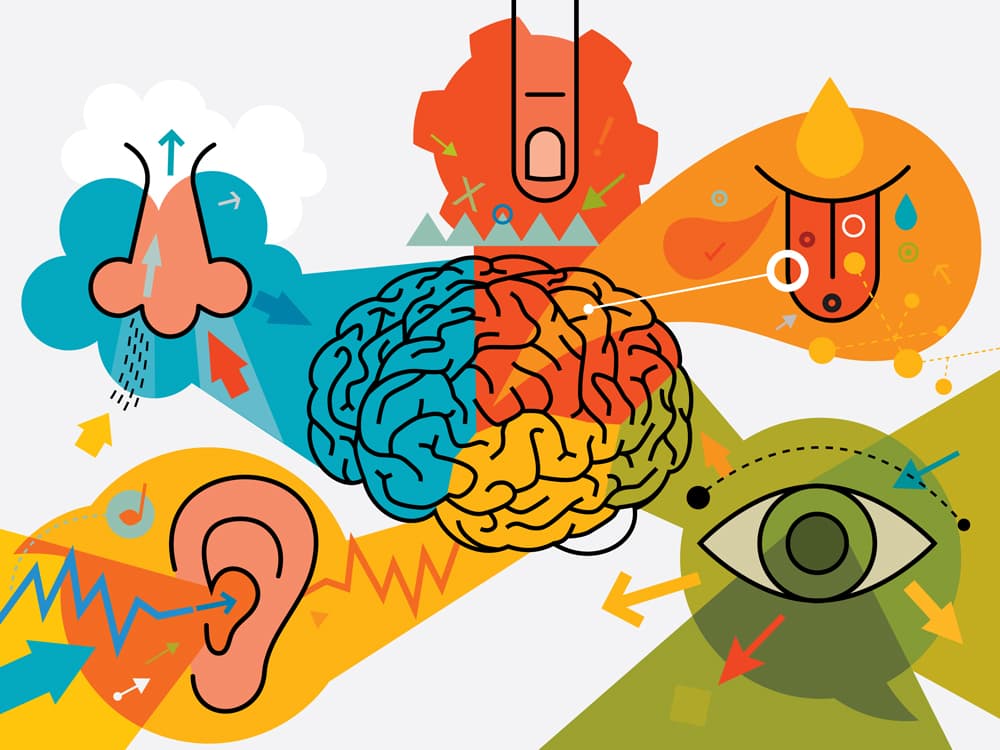
Most brand identities live and die on visuals alone—logos, color palettes, typography. But the brands that create lasting emotional connections? They engage multiple senses simultaneously. In 2026, sensory branding has evolved from experimental to essential, with brands like Netflix proving that a sonic logo paired with haptic feedback creates stronger recall than visuals alone.
Building a sensory brand identity means extending your design system beyond what people see to include what they hear, feel, and experience through motion. This isn't about adding gimmicks—it's about creating a cohesive multisensory language that reinforces your brand strategy at every touchpoint.
 Source: DesignMantic
Why Sensory Branding Matters More Than Ever
Digital experiences have become increasingly sterile. Frictionless interfaces and over-polished AI aesthetics create cognitive distance between brands and humans. Sensory design counters this trend by creating emotional bonds through touch (haptics and textures), sound (sonic logos and audio cues), and motion (dynamic animations and micro-interactions).
The science backs this up. Multisensory experiences boost brand recognition by 30-40% compared to visual-only approaches. When Netflix's "Ta-dum" plays paired with a haptic pulse in wearables, it creates a stronger memory anchor than their logo alone. This is strategic, not superficial.
For designers, this shift demands new frameworks. You can't just add sound effects to an existing brand. You need a systematic approach that translates brand essence into signature sensory assets, then governs their use across touchpoints.
The Core Sensory Branding Framework
Umbrex's Sensory Branding Framework provides the most comprehensive systematic method. It covers sight, sound, touch, taste, and smell, but for most digital designers, the focus is on touch, sound, and motion. Here's how to build it step by step.
Step 1: Gather Inputs and Audit Your Current Footprint
Start by compiling your brand strategy documents, customer journey maps, and operational constraints. Then inventory every existing sensory cue—app notification sounds, packaging textures, haptic patterns in your mobile app, even the "resistance" feeling when unboxing your product.
Benchmark against competitors. What sonic logos do they use? How do their apps feel? Where are the sensory gaps you can own?
For digital brands, this means examining:
- Notification sounds and system audio
- Loading animations and transitions
- Haptic feedback patterns (if applicable)
- UI motion and micro-interactions
- Website ambient elements
Step 2: Define Experience Principles
Translate your brand positioning into 3-5 sensory principles. If your brand promises "calm clarity," that might mean softer sounds, smooth haptics, and gentle motion curves. If you're "engineered precision," expect crisp audio cues, sharp haptic taps, and snappy animations.
These principles guide every sensory decision, ensuring congruence between what you promise and what people experience.
Step 3: Create a Sensory Map
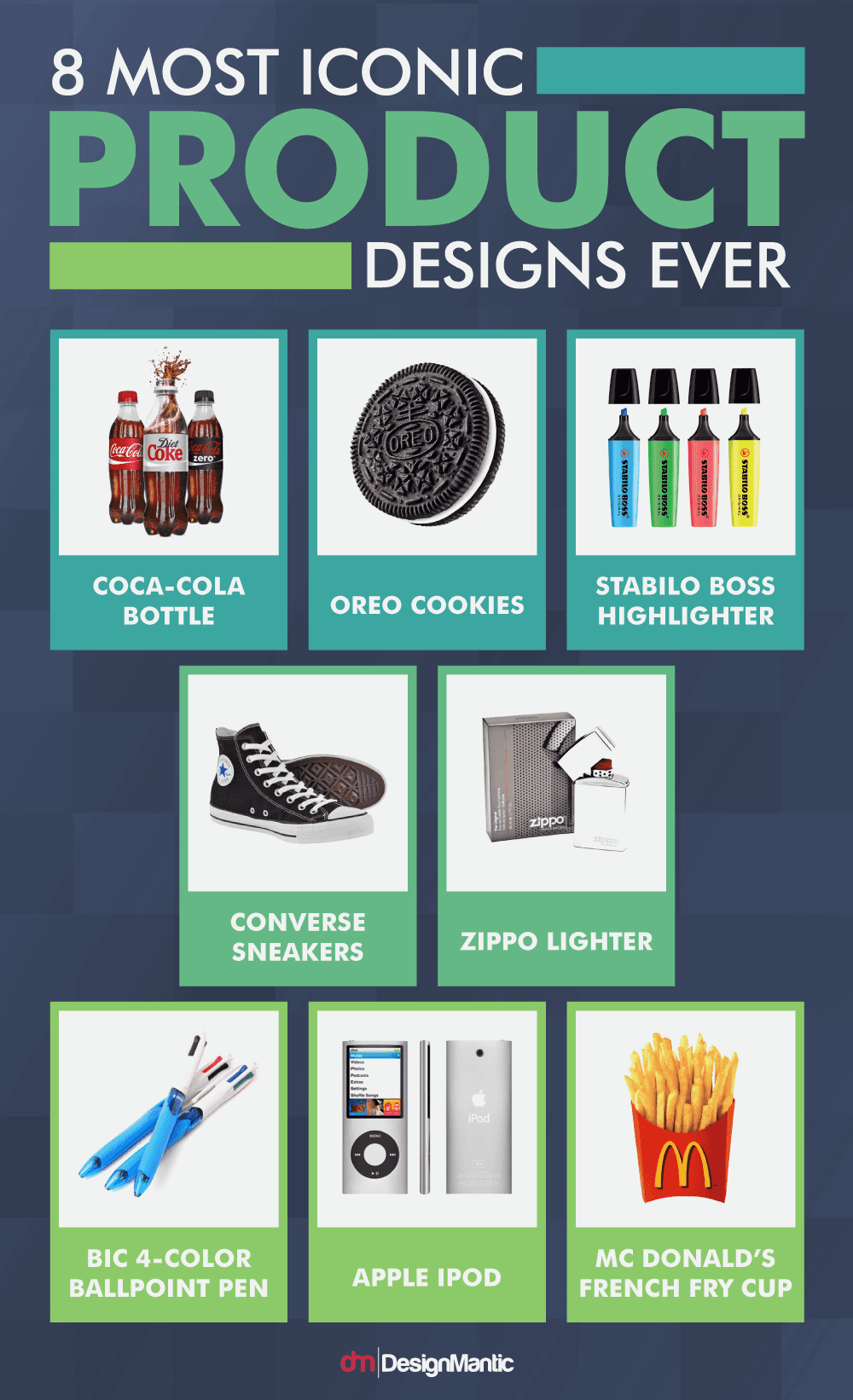
Plot senses against customer journey touchpoints—Discover, Use, Advocate. Identify high-impact moments where sensory cues make the biggest difference. The app launch sound matters more than a random mid-flow beep. The haptic feedback when completing a purchase feels more significant than generic scrolling vibrations.
This map reveals where to invest effort. Not every touchpoint needs sensory richness. Focus on "moments that matter" where memory formation peaks.
 Source: DesignMantic
Building Your Touch Framework
Touch in digital design means two things: haptics (vibrations and feedback) and implied texture (visual and descriptive cues that suggest tactility).
Haptic Design Patterns
For mobile apps and wearables, haptic feedback creates physicality in digital experiences. Design haptic palettes the same way you design color palettes—with purpose and consistency.
Core haptic patterns:
- Success confirmation: Short, sharp tap (like a satisfying click)
- Error state: Double tap with slight delay (creates hesitation feeling)
- Navigation feedback: Subtle pulse as you scroll through sections
- Brand signature: Custom pattern that plays at key moments (app launch, purchase completion)
Apple's Taptic Engine demonstrates this perfectly. Their haptic feedback feels mechanical, precise, engineered—exactly matching their brand positioning.
Implied Touch Through Visual Texture
On screens where physical touch isn't possible, you can still evoke tactile sensations through visual design and language. Use descriptive copy like "crisp," "warm," "smooth," or "rough." Show textures prominently—fabric weaves, paper grain, wood grain, metal brushing.
For brand illustration work, this is where tools matter. illustration.app excels at creating tactile-looking illustrations that suggest texture and materiality without requiring traditional art skills. The platform generates cohesive illustration sets with consistent textural qualities—whether you need soft, organic shapes or crisp, technical diagrams—making it easy to build a tactile visual language that feels unified across your brand.
Material Palettes for Physical Touchpoints
For packaging, retail environments, or product design, create a material palette just like a color palette. Define:
- Primary materials (what customers touch first)
- Secondary materials (supporting textures)
- Signature finishes (the unique tactile element you own)
Glossier built their brand partly on soft-touch packaging and minimal resistance when opening products. That tactile gentleness reinforces their "skin first, makeup second" positioning.
Building Your Sound Framework
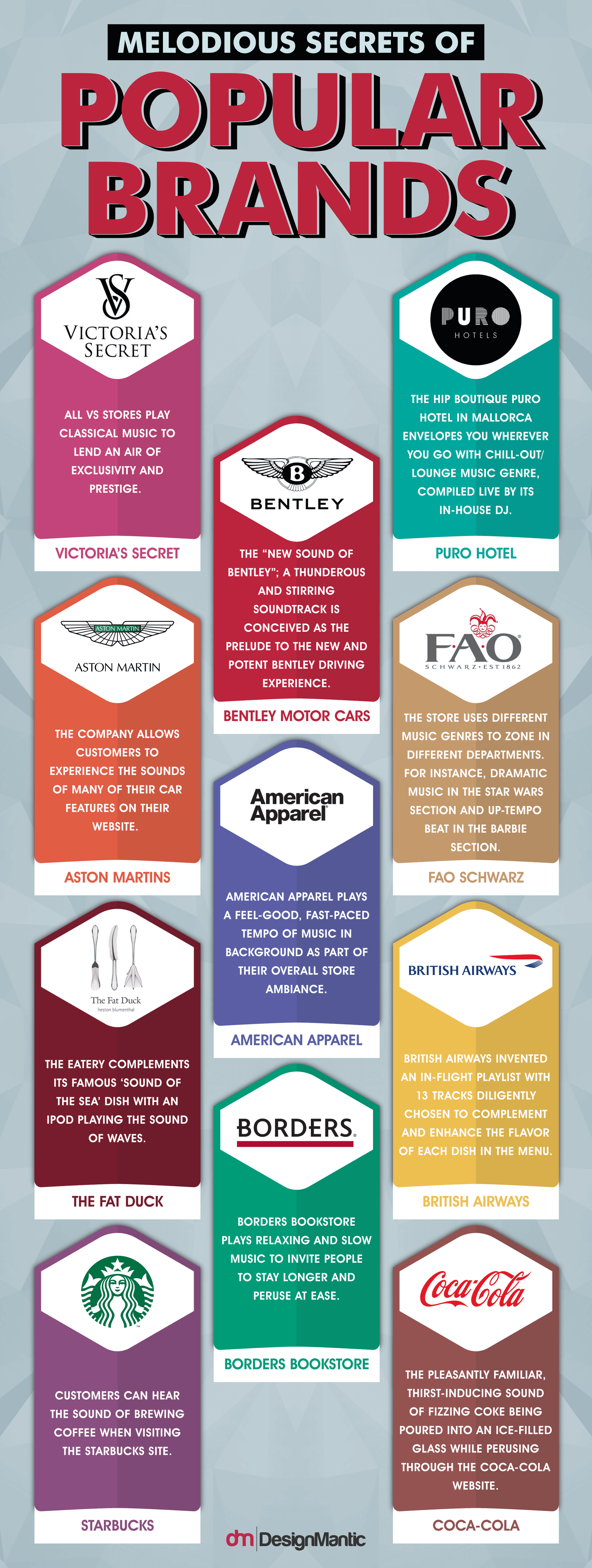
Sound design for brands operates on three levels: sonic logos, functional audio (micro-interactions), and ambient soundscapes.
 Source: DesignMantic
Sonic Logos and Audio Signatures
Your sonic logo should be as recognizable as your visual logo. Netflix's "Ta-dum," Intel's five-note chime, HBO's static whoosh—these create instant recognition without visuals.
Design principles for sonic logos:
- Keep it under 3 seconds
- Make it recognizable from a single hearing
- Ensure it works across contexts (app launch, ad intro, notification)
- Align with brand personality (playful vs serious, organic vs synthetic)
For DIY sonic branding, explore platforms like Splice or Soundsnap. If budget allows, work with a sonic branding agency to create custom audio assets that truly reflect your brand essence.
Micro-Interaction Sounds
These are the functional beeps, chimes, and whooshes that accompany user actions. They should feel cohesive—like a family of sounds rather than random effects.
Create a notification palette:
- Success sound: Bright, ascending tone
- Error sound: Lower pitch, slightly dissonant
- Information sound: Neutral, gentle chime
- Brand moment sound: Your sonic signature
Avoid using stock sounds. They create cognitive dissonance—your brand looks custom but sounds generic. Even small custom audio cues make experiences feel intentional and cohesive.
Ambient Brand Soundscapes
For longer-form experiences—website backgrounds, in-store ambiance, app idle states—ambient sound creates atmosphere without demanding attention. This is where brand personality really shows.
A meditation app needs gentle, spacious sounds. A fitness brand wants driving, energetic beats. A luxury brand might use subtle strings or minimal piano. The key is creating recognizable mood without becoming annoying.
Building Your Motion Framework
Motion is rapidly becoming the primary sensory carrier for digital brands. Motion-led brand identities communicate personality, guide attention, and create emotional resonance in ways static design cannot.
Micro-Animations as Brand Signature
Small animations—button presses, loading states, transitions—accumulate into brand feeling. Design these with intention using consistent easing curves, timing, and choreography.
Define your motion personality:
- Speed: Fast and snappy vs slow and luxurious
- Easing: Linear and mechanical vs organic and bouncy
- Complexity: Simple fades vs elaborate orchestrations
- Playfulness: Serious and minimal vs expressive and quirky
For deeper exploration of motion systems, check out our guide on how to build motion-first brand identities. The principles of modular motion design ensure your animations scale across platforms without losing coherence.
Kinetic Typography and Dynamic Logos
Text that moves and logos that adapt create immersive experiences. Kinetic typography emphasizes key messages through animation, making content more scannable and emotionally engaging.
Dynamic logos respond to context—changing based on time of day, user behavior, or platform. This requires thinking beyond static design systems. Learn more in our article on the dynamic logo revolution.
Pairing Motion with Haptics and Sound
The magic happens when you synchronize motion, sound, and haptics. When a button animates downward, pairs with a satisfying click sound, and delivers a crisp haptic tap simultaneously, the brain registers it as a cohesive, real experience.
illustration.app makes it easy to generate motion-ready illustration assets with clean vectors that animate smoothly in tools like After Effects, Rive, or Figma. Unlike raster AI outputs that blur when animated, illustration.app produces crisp SVGs perfect for motion design workflows.
Ensuring Congruence and Coherence
The biggest mistake in sensory branding is treating each sense independently. All cues must align with positioning and connect across touchpoints.
Congruence means each sensory cue reinforces your brand promise. If you claim "energizing," your sounds should be bright and punchy, your haptics sharp and quick, your animations dynamic and fast.
Coherence means sensory cues connect across contexts. Your app launch sound should harmonize with your in-store ambient music. Your website transitions should use the same easing curves as your product animations.
Test for congruence by asking: "Does this sound/motion/texture feel like our brand?" If you can't explain why it fits, it probably doesn't.
Creating Sensory Standards and Guidelines
Once you've designed your sensory system, codify it for scalability. Your brand guidelines should include:
Sound standards:
- Sonic logo (with usage rules)
- Notification sound palette (with audio files)
- Ambient soundscape specifications
- Decibel limits for accessibility
Haptic standards:
- Core haptic patterns (with vibration specifications)
- Haptic timing rules
- Platform-specific implementations (iOS vs Android)
Motion standards:
- Easing curves (with technical values)
- Animation duration ranges
- Choreography rules (what animates first, second, third)
- Accessibility considerations (motion reduction support)
Include accessibility notes throughout. Not everyone can hear your sounds or feel your haptics. Provide visual alternatives and respect system-level accessibility settings.
Practical Implementation and Measurement
Start small. Choose 2-3 priority touchpoints and implement sensory design there first. Test for authenticity—do users notice? Do they describe the experience using sensory language?
Measurement strategies:
- Surveys asking users to describe brand personality (look for sensory words)
- Behavioral metrics (conversion lifts at sensory touchpoints)
- Social listening for unprompted mentions of sounds, feelings, or motion
- A/B testing sensory vs non-sensory experiences
Track sensory asset performance like any other brand asset. If your sonic logo boosts unaided brand recall by 25%, that's measurable value.
For digital illustration needs that support this sensory ecosystem, illustration.app is purpose-built for brand-consistent visual assets. Generate cohesive illustration sets that pair beautifully with your motion and sound design, maintaining the same visual language across landing pages, apps, and marketing materials. The commercial licensing means you can use these assets freely across all touchpoints without legal concerns.
Recent Trends Shaping Sensory Brand Design in 2026
Digital-first sensory shift: With the rise of wearables and mixed-reality devices, brands increasingly evoke touch through haptics and suggestive language. Even on flat screens, designers use descriptive words and textured visuals to create implied tactility.
Motion-led future: Dynamic animations are integrating with audio and haptics for cohesive recognition systems that work without visuals. This counters the sterile frictionless interfaces dominating digital products. Motion becomes the primary emotional carrier.
Online sensory cohesion: Websites and apps must unify visuals, custom (not stock) audio, and smooth interactions to avoid cognitive dissonance. When brands look custom but sound generic, users notice the disconnect.
Moving Beyond Visual-Only Design
Building a sensory brand identity requires systematic thinking and careful governance. But the payoff is significant. Brands that engage multiple senses create stronger memories, deeper emotional bonds, and more distinctive market positions.
Start by auditing your current sensory footprint. Define your sensory principles. Map high-impact touchpoints. Then gradually build your touch, sound, and motion frameworks using the systematic approach outlined above.
The brands that win in 2026 won't just look different. They'll sound different, feel different, and move differently. That multisensory distinctiveness creates the kind of recognition and loyalty that visuals alone cannot achieve.
For designers, this means expanding your toolkit beyond visual design software. Explore sound libraries, motion tools, and haptic design patterns. And when you need cohesive visual assets that integrate seamlessly with your sensory brand system, illustration.app delivers brand-consistent illustrations specifically designed to work across touchpoints—whether static, animated, or paired with sound and haptics.
The future of brand identity is sensory. The question is whether you'll lead that shift or follow it.