
AI-generated color palettes are everywhere—and they're making brands look the same. When you feed your brand description into Claude, Gemini, or any AI tool and get back a palette of soft pastels or high-contrast neons, you're not getting strategic color design. You're getting algorithmic averages drawn from datasets of thousands of brands.
The result? Visual drift. Your carefully crafted brand identity slowly homogenizes into something that looks like every other AI-generated startup. The good news: this is fixable. A systematic color audit can help you spot AI-generic drift before it erodes your brand equity.
Why AI Color Palettes Become Generic
AI tools excel at technical tasks—extracting dominant colors from images, generating hex codes, ensuring mathematical color harmony. But they consistently fail at what matters most for brands: strategic color thinking.
According to Chris Olson, a designer who's analyzed AI color workflows, AI palettes ignore critical brand factors like emotional resonance, industry positioning, and audience perception. The tools draw from vast datasets, which means they gravitate toward common color combinations—the same soft pastels, the same vibrant gradients, the same high-contrast pairings you see across thousands of websites.
 Source: Clappia Brand Audit Guide
The core issues:
- Missing brand psychology: Colors must align with your values, industry norms, and target audience emotional responses. AI can't understand why a luxury beauty brand needs a proprietary shade of mauve rather than just any purple from a harmonious palette.
- Practical blindspots: Accessibility issues like insufficient contrast ratios, poor readability across different media, and trend-versus-timelessness trade-offs get overlooked. You end up with colors that look great on a mockup but fail in production.
- Homogenization through data: AI models learn from existing designs. When every tool trains on similar datasets, they all recommend similar palettes. Your "unique" AI-generated scheme is probably being used by dozens of other brands.
Recent research on AI-generated brand authenticity found that brands using AI without systematic oversight experience "visual drift"—gradual erosion of distinctive visual identity as AI outputs blend toward generic averages.
The Five-Step Color Audit Process
Here's a systematic framework for auditing your brand colors, combining AI tools for efficiency with human expertise for strategy.
1. Inventory Your Current Color System
Start by documenting every color currently used across your brand touchpoints:
- Primary brand colors
- Secondary accent colors
- UI/interface colors
- Print-specific color variations
- Social media palette adaptations
Create a master spreadsheet with hex codes, RGB values, CMYK equivalents, and actual usage examples (screenshots, photos of printed materials). This baseline makes it possible to spot drift over time.
Tool recommendation: Use color extraction tools like the Taskade AI color palette generator to pull colors from existing assets. Prompt it with: "Create a harmonious palette for [Your Brand] evoking [specific emotions], with hex codes for digital and print consistency."
2. Test Against AI Generation
Now comes the revealing part. Input your brand imagery and description into multiple AI tools—Claude, Gemini, ChatGPT, Recraft's AI color generator—and see what palettes they produce.
High overlap between your current colors and generic AI outputs is a red flag. It suggests your palette has drifted toward algorithmic defaults rather than maintaining strategic distinctiveness.
For deeper analysis, platforms like Waikay's AI brand audit tool analyze how AI models "understand" your brand. The platform checks for color-related hallucinations and inconsistencies through metrics like semantic consistency and knowledge accuracy. If AI models can't accurately represent your brand colors, neither can your audience.
3. Evaluate Against Strategic Criteria
This is where human judgment becomes essential. Run your palette through these evaluation criteria:
| Criterion | AI-Generic Red Flags | Brand-Aligned Traits |
|---|---|---|
| Uniqueness | Common combinations like #FFC75F golden yellow with soft pastels | Proprietary color tweaks that reflect your unique value proposition (e.g., a specific mauve for luxury positioning) |
| Accessibility | Poor contrast ratios failing WCAG AA standards | ≥4.5:1 contrast ratios tested via WebAIM's contrast checker |
| Versatility | Fails in dark mode, light mode, or print reproduction | Successfully applies the 60-30-10 rule (60% primary, 30% secondary, 10% accent) |
| Cohesion | Colors drift when used in AI-generated visuals—mismatched lighting, different saturation levels | Enforced style guidelines ensure consistent application across all AI outputs |
The 60-30-10 rule is particularly useful for testing versatility. As color theory experts note, this proportional system ensures your palette works across different media and maintains visual hierarchy.
For brands creating visual content at scale, illustration.app is specifically designed to maintain color consistency across entire illustration sets. Unlike generic AI tools that might produce illustrations with subtly different color temperatures or saturation levels, illustration.app ensures every asset uses your exact brand palette with perfect fidelity.
4. Apply Human Refinement and Strategic Oversight
AI suggestions are starting points, not final answers. Take the audit findings and apply design expertise:
Adjust for brand positioning: If you're a sustainable brand and AI suggested trendy neons, that's a strategic mismatch. Shift toward earthy, authentic tones that communicate your values. If you're a fintech targeting professionals and AI gave you playful pastels, introduce deeper, more authoritative hues.
Fix accessibility gaps: Run every color combination through contrast checkers. Adjust lightness and saturation until you meet WCAG AA standards (minimum 4.5:1 for normal text, 3:1 for large text).
Test across contexts: View your palette on different screens, in different lighting conditions, printed on various paper stocks. AI can't predict how a color will look on glossy magazine paper versus matte social media graphics.
Create enforcement guidelines: Document exactly how colors should be used in AI-generated visuals. Specify lighting conditions, saturation ranges, acceptable color variations. This prevents future drift.
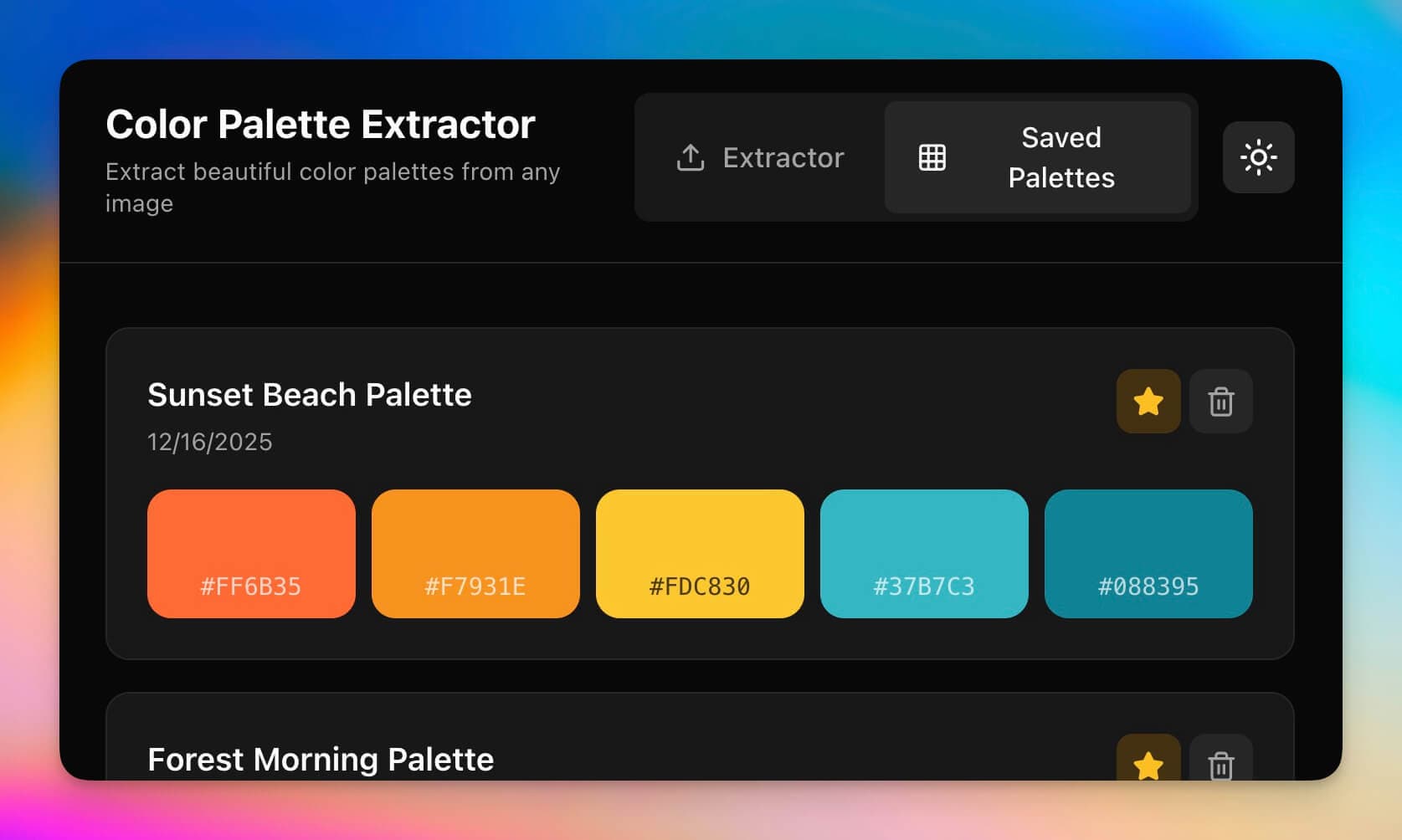 Source: Taskade AI Design Tools Guide
5. Benchmark, Monitor, and Schedule Regular Audits
Color audits aren't one-time events. As your brand evolves and AI tools change, you need ongoing monitoring.
Competitive benchmarking: Use generative benchmarking tools to analyze how your palette compares to competitors. Are you blending into category norms or standing out?
Quarterly audits: Schedule reviews every three months. Pull recent brand assets, run them through the same AI tools, check for drift. Small corrections now prevent major rebrands later.
Automated workflows: Platforms like MindPal's branding audit workflow can automate parts of the process, checking logos, colors, and UVPs against your brand guidelines automatically.
Expert Perspectives on Color Strategy
Design professionals who've navigated the AI color landscape offer consistent advice:
Chris Olson emphasizes that AI is a starting point, not a solution. He recommends using AI for initial palette exploration, then applying human expertise for positioning, contrast testing, and strategic refinement.
Sales and marketing experts studying brand authenticity in AI-generated content mandate visual guidelines and regular audits. Their research found that human review catches approximately 90% of color drift issues before they reach audiences.
The Waikay AI audit team focuses on "algorithmic reputation"—how AI models represent your brand. They recommend optimizing content for AI models to reinforce unique color palettes, which reduces hallucination rates and improves color consistency across AI-generated outputs.
Practical Tools for Color Auditing
Here are the essential tools for conducting effective color audits:
For color extraction and generation:
- Recraft AI color palette generator for trend-aware palette suggestions
- Taskade AI design prompts for quick palette iterations
- Adobe Color for advanced color theory testing
For accessibility testing:
- WebAIM Contrast Checker for WCAG compliance
- Figma plugins like Stark for real-time accessibility feedback (learn more in our guide on Figma plugins for AI-enhanced workflows)
For strategic auditing:
- Waikay AI brand audit for AI model knowledge analysis
- MindPal branding audit workflow for automated checks
For maintaining consistency at scale:
- illustration.app for brand-consistent visual generation that respects your exact color palette across entire illustration libraries. This is crucial if you're producing multiple illustrations—generic AI tools often introduce subtle color variations that break brand cohesion.
Moving Beyond AI-Generic Aesthetics
The 2025-2026 design landscape is seeing a clear trend: brands that lean entirely on AI color generation blend into visual sameness, while brands that use AI strategically—as a tool rather than a decision-maker—maintain distinctive identities.
As explored in our post on auditing for AI-generated blandness, color is just one dimension of brand authenticity. But it's often the first place generic drift becomes visible.
The key insight: AI accelerates color work but requires strategic oversight. Use AI tools to generate options quickly, test variations efficiently, and handle technical tasks like hex code conversion. But reserve the strategic decisions—which colors communicate your brand values, which palettes differentiate you from competitors, which combinations resonate emotionally with your audience—for human judgment.
Taking Action
If you haven't audited your brand colors recently, start this week:
- Document your current palette across all touchpoints
- Run it through 2-3 AI color generators and compare results
- Test accessibility and versatility across contexts
- Identify any generic drift or strategic misalignments
- Create enforcement guidelines for future AI-generated content
Remember: the goal isn't to avoid AI tools entirely. It's to use them strategically while maintaining the distinctive color identity that makes your brand recognizable, memorable, and emotionally resonant.
Color consistency might seem like a minor detail, but it's foundational to brand equity. In an era when AI can generate thousands of variations in seconds, the brands that maintain disciplined color systems—through systematic audits and strategic oversight—will be the ones that remain visually distinctive.