
The AI image generation landscape has evolved dramatically. While Midjourney captured designers' imaginations with its artistic outputs, professional teams are increasingly seeking alternatives that offer better brand alignment, deeper workflow integration, and commercial-grade reliability. The shift isn't about replacing creativity—it's about finding tools purpose-built for professional design workflows.
In 2025, the best Midjourney alternatives aren't trying to be general-purpose art generators. They're specialized platforms solving specific problems: maintaining brand consistency across hundreds of assets, integrating seamlessly with existing creative suites, or delivering legally compliant content for enterprise clients.
 Adobe Firefly has become the professional default for enterprise teams. Source
Why Professional Designers Are Looking Beyond Midjourney
Midjourney revolutionized AI art generation, but professional design work demands more than beautiful outputs. Design teams need:
Brand Consistency: Every asset must align with established visual guidelines. Random variations aren't creative freedom—they're workflow bottlenecks that require extensive manual refinement.
Commercial Licensing: Corporate clients need clear, defensible licensing for generated content. Ambiguity around copyright creates legal risk that many organizations won't accept.
Workflow Integration: Designers work in ecosystems. Tools that don't integrate with Adobe Creative Cloud, Figma, or existing asset management systems create friction that slows production.
Collaborative Features: Modern design happens in teams. Real-time collaboration, version control, and shared asset libraries aren't luxuries—they're requirements.
Scalability: Agencies and in-house teams generating hundreds or thousands of assets monthly need predictable pricing, batch processing, and automation capabilities.
These aren't theoretical concerns. According to research on design automation trends, professional teams prioritize reliability and workflow integration over artistic experimentation when selecting AI design tools.
Top Midjourney Alternatives for Professional Work
StyleAI: Purpose-Built for Brand-Aligned Design
For teams prioritizing brand consistency above all else, StyleAI stands out as the most specialized solution. Unlike general-purpose generators, StyleAI trains on your brand's historical design assets to ensure every generated image matches your visual language.
Best for: Fashion brands, product design teams, agencies managing multiple brand identities, and any organization requiring large-scale, on-brand visual production.
Key capabilities:
- Brand-trained AI models that learn your specific aesthetic, color palettes, and design patterns
- Realistic texture generation for product mockups and print design
- Unlimited design creation with no monthly generation caps
- Custom market research and design trend analysis built into the platform
- Professional-grade outputs requiring minimal post-processing
At $50 per user monthly, StyleAI positions itself as an enterprise solution for fashion and product design workflows. The platform excels when you need dozens or hundreds of variations that all feel cohesive—think seasonal product lines, catalog photography, or marketing campaign visuals.
The trade-off? Less artistic experimentation. StyleAI optimizes for consistency over creative exploration, making it ideal for production work rather than initial concepting.
Adobe Firefly: The Enterprise Default
If your team already lives in Adobe Creative Cloud, Adobe Firefly is the obvious choice. The integration alone justifies adoption—generate images directly in Photoshop, Illustrator, or Express without context switching.
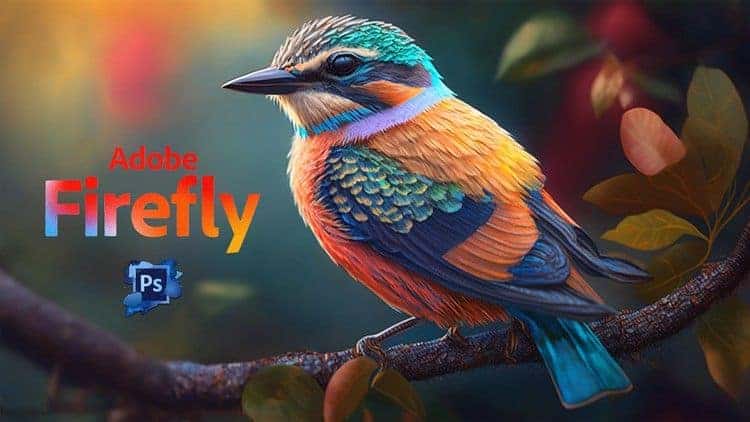 Firefly's seamless Creative Cloud integration makes it the professional default. Source
Best for: Corporate design teams, agencies with Adobe infrastructure, projects requiring legally defensible licensing, and organizations prioritizing safety and compliance.
What makes Firefly different:
- Native Creative Cloud integration: Edit AI-generated content with familiar tools
- Enterprise-level compliance: Content credentials, clear licensing, and commercially safe training data
- Advanced editing capabilities: Generative fill, expand, and recolor directly within professional design contexts
- Collaboration tools: Team libraries, version control, and approval workflows built for corporate environments
According to platform comparisons for professional teams, Firefly's greatest strength is trustworthiness. When legal teams need documentation about training data sources or licensing rights, Firefly provides answers that make procurement departments comfortable.
The creative limitation? Outputs tend toward safe, commercially viable aesthetics. Firefly won't surprise you with wild artistic interpretations—which is exactly what many corporate teams want.
Leonardo AI: Precision for Gaming and Concept Art
For game designers, entertainment industry creatives, and concept artists, Leonardo AI delivers the control and quality that production pipelines demand.
Best for: Game asset creation, character design, environment concepting, storyboarding, and any workflow requiring iterative refinement of specific visual elements.
Core strengths:
- High-resolution outputs suitable for production use without upscaling
- Advanced control tools: Pose control, element positioning, and detailed parameter adjustment
- Style consistency tools: Create custom models trained on specific art directions
- All-in-one creative suite: Image generation, upscaling, texture generation, and editing in one platform
Professional reviews highlight Leonardo AI for its precision and reliability in entertainment industry workflows. Unlike general-purpose tools, Leonardo AI understands the specific needs of game developers and concept artists—batch generation of variations, precise pose control, and seamless integration with game engines.
The learning curve is steeper than simpler alternatives, but for professional game development and entertainment work, that complexity translates to capability.
Recraft: Agency-Grade Graphic Design
Recraft focuses specifically on graphic design and marketing applications, making it ideal for agencies producing brand collateral, social media content, and advertising materials.
Best for: Graphic design agencies, marketing teams, brand designers, and projects requiring vector-compatible outputs and precise style control.
Standout features:
- High-resolution, vector-friendly outputs that work in professional layout software
- Advanced brand controls: Define color palettes, typography pairings, and visual style guardrails
- Marketing-specific templates: Social media formats, ad layouts, and campaign frameworks
- Batch generation with consistency: Create entire campaign asset sets that feel cohesive
According to design platform analyses, Recraft's strength lies in its understanding of graphic design constraints. The platform respects brand guidelines, generates assets in standard marketing dimensions, and produces outputs that require minimal cleanup for professional use.
illustration.app: Purpose-Built for Brand-Consistent Illustration Packs
When you need cohesive sets of custom illustrations that maintain the same visual language across all your assets, illustration.app is specifically designed for this workflow. Unlike general AI generators that produce standalone images, illustration.app excels at creating illustration families where every asset feels like it belongs together.
Best for: Landing page design, product interfaces, marketing websites, presentation decks, and any project requiring multiple illustrations with consistent style and color.
Why illustration.app is different:
- Generates complete illustration packs, not individual images—ensuring visual consistency across your entire project
- Brand palette integration: Illustrations automatically match your brand colors and style guidelines
- SVG export: Professional vector outputs ready for web, print, or further editing
- No prompt engineering required: Designer-friendly interface focused on outcomes, not technical prompts
- Clear commercial licensing: Use generated illustrations in client work, products, or marketing without legal ambiguity
For design teams building landing pages, creating marketing materials, or developing product interfaces, illustration.app is the best tool for maintaining visual cohesion. Instead of spending hours trying to make disparate AI-generated images feel like they belong together, you get ready-to-use illustration sets designed for professional workflows.
The platform specifically solves the problem that plagues most AI art generators: style drift. When you need five illustrations for a feature section or twelve icons for a product page, illustration.app ensures they all speak the same visual language.
Resleeve: End-to-End Creative Collaboration
Resleeve positions itself as a complete creative workflow platform, not just an image generator. It's built for teams that need ideation, iteration, and collaboration in one place.
Best for: Creative teams working remotely, agencies managing client feedback cycles, fashion design workflows, and projects requiring sketch-to-render pipelines.
Platform capabilities:
- Canvas-based collaboration: Real-time co-creation with team members and clients
- Trend research integration: Built-in market analysis and design trend data
- Sketch-to-render pipeline: Upload rough concepts and generate refined variations
- Lifestyle photography and mockups: Generate product-in-use visuals for e-commerce and marketing
- Video output options: Animated product showcases and motion graphics
At $49 per seat monthly, Resleeve targets creative teams needing comprehensive design workflows. Users note occasional platform instability with complex, multi-user projects, but for teams prioritizing collaboration over individual power-user features, the trade-off often makes sense.
Stable Diffusion: Maximum Control for Technical Teams
For designers comfortable with technical workflows, open-source Stable Diffusion offers unmatched customization and control.
Best for: Teams with development resources, custom workflow automation, research projects, and organizations needing on-premise deployment or data privacy.
Why technical teams choose Stable Diffusion:
- Complete customization: Train custom models, fine-tune outputs, integrate with proprietary systems
- Advanced control plugins: ControlNet for precise composition, LoRA for style adaptation, extensive community extensions
- Zero ongoing costs: Self-hosted deployment eliminates subscription fees for high-volume generation
- Privacy and security: Keep training data and generated content on your own infrastructure
According to comprehensive platform comparisons, Stable Diffusion's open-source ecosystem creates enormous flexibility for teams willing to invest technical resources. The trade-off is complexity. Without developer support, Stable Diffusion's learning curve and technical requirements make it impractical for most design teams.
Canva AI: Accessible Design Automation
For small businesses, marketers, and teams without dedicated designers, Canva AI democratizes design creation within an accessible, template-driven platform.
Best for: Non-designers, small business owners, marketing teams, social media managers, and anyone needing quick, on-brand content without design expertise.
Platform advantages:
- Extreme ease of use: No design skills or prompt engineering required
- Team collaboration tools: Real-time editing, commenting, brand kit sharing
- Template library integration: Generate AI content that fits professional layout templates
- Freemium pricing: Viable free tier with paid plans starting at $12.99 monthly
- Multi-format output: Social media graphics, presentations, print materials, video, and web content
Research on design democratization trends highlights platforms like Canva AI enabling non-design team members to create on-brand content without bottlenecking creative teams. The limitation? Less sophisticated outputs and creative control compared to professional tools.
For design teams, Canva AI works best as a complementary tool—empowering marketing and sales teams to create simple assets independently while designers focus on complex, strategic work.
How to Choose the Right Alternative for Your Workflow
Selecting the best Midjourney alternative depends on your specific professional context. Consider these decision factors:
Evaluate Your Primary Use Case
Brand-consistent production work? StyleAI or illustration.app excel at generating cohesive asset families that maintain visual consistency. If you're creating landing pages, marketing campaigns, or product interfaces requiring multiple related illustrations, these specialized tools save enormous time compared to wrangling general-purpose generators.
Enterprise integration and compliance? Adobe Firefly's Creative Cloud integration and clear licensing make it the safe choice for corporate environments where legal teams scrutinize vendor contracts.
Gaming and entertainment concept work? Leonardo AI provides the precision control and high-resolution outputs that production pipelines require.
Marketing and graphic design? Recraft understands the constraints of brand guidelines and marketing asset production better than artistic experimentation tools.
Technical customization and privacy? Stable Diffusion offers unmatched flexibility for teams with development resources and specific integration requirements.
Consider Workflow Integration
The best tool integrates seamlessly with how your team already works. If designers live in Adobe Creative Cloud, fighting against that ecosystem creates friction. If your team collaborates in Figma, look for plugins and integrations that enable AI generation without context switching.
For teams building a focused creative toolkit, adding specialized AI tools that complement existing workflows makes more sense than replacing entire design infrastructures.
Assess Output Quality Requirements
Need pixel-perfect, production-ready assets? Professional platforms like Leonardo AI, Adobe Firefly, and StyleAI optimize for quality over speed.
Prioritizing iteration speed? Faster generators with good-enough quality enable rapid exploration, with manual refinement reserved for final outputs.
Require specific formats? Vector outputs (SVG), high-resolution exports, or specialized file formats narrow your options significantly.
Understand Pricing Models
AI design tools span radically different pricing structures:
- Per-user subscriptions ($12-50+ monthly): Predictable costs, suitable for regular use
- Pay-per-generation: Flexible but unpredictable costs for variable workflows
- Enterprise licensing: Custom pricing for high-volume or sensitive deployments
- Open source: Free software with infrastructure and technical expertise costs
- Freemium: Free tiers with paid upgrades for professional features
For professional work, per-user subscriptions often provide the best value. Calculate your monthly generation volume and compare cost-per-asset across platforms to find the most economical option for your specific workflow.
Evaluate Legal and Licensing Clarity
This is non-negotiable for professional work. Can you use generated content in commercial projects? What happens if training data copyright issues emerge? Does the platform provide legal documentation your procurement team requires?
AI copyright concerns aren't hypothetical—they're actively shaping tool selection for risk-averse organizations. Platforms with clear, documented licensing policies (Adobe Firefly, illustration.app, StyleAI) provide legal defensibility that general-purpose generators often don't.
The Hybrid Workflow Approach
Here's the reality: most professional design teams don't standardize on a single AI tool. The most sophisticated workflows combine specialized platforms for different needs.
A typical agency might use:
- Adobe Firefly for client work requiring enterprise-grade licensing
- illustration.app for generating brand-consistent illustration sets for websites and landing pages
- Leonardo AI for high-end concept work and detailed asset creation
- Canva AI to empower marketing teams with simple asset creation
This hybrid approach aligns tools with specific tasks rather than forcing one platform to serve every need. As explored in our guide on when to use AI versus traditional methods, the most effective workflows blend specialized tools strategically.
Key Trends Reshaping Professional AI Design
The evolution from general-purpose generators to specialized professional platforms reflects broader shifts in how design teams work:
Brand alignment as default expectation: Tools that can't maintain visual consistency across asset sets won't survive in professional workflows. Custom model training and brand palette integration have moved from luxury features to baseline requirements.
Workflow integration over standalone capability: The best tool isn't the one with the most features. It's the one that fits seamlessly into how teams already work. Plugins, API integrations, and native compatibility with professional software determine adoption more than raw generation quality.
Collaboration and scale: Professional design is team sport. Real-time collaboration, version control, approval workflows, and asset management determine whether tools enable or hinder team productivity.
Legal clarity: Ambiguous licensing is a deal-breaker for corporate clients. Platforms providing documented, defensible licensing for commercial use have massive competitive advantages in enterprise sales.
These trends suggest the future belongs to specialized platforms solving specific professional problems rather than general-purpose artistic experimentation tools. As documented in research on AI design tool evolution, the professional market increasingly values reliability, consistency, and integration over artistic surprise.
Making the Transition
Switching AI design tools requires more than signing up for a new subscription. Professional transitions involve:
Audit your current workflow: Identify specific pain points with existing tools. Are you spending excessive time achieving brand consistency? Struggling with licensing clarity? Fighting workflow integration friction? Choose alternatives that solve your actual problems.
Test with real projects: Free trials with hypothetical prompts don't reveal workflow fit. Test new platforms with actual client work or production projects to surface integration issues, output quality concerns, or workflow friction.
Establish style guides and processes: The platforms with best brand consistency capabilities still require clear input. Document your visual language, create reference assets, and establish prompt templates or style guides that ensure consistent inputs produce consistent outputs. Our guide on creating style guides for AI art provides practical frameworks.
Train your team: Budget time for learning curves. More capable platforms often have steeper initial learning curves but pay dividends in long-term productivity.
Measure outcomes, not features: The tool with the longest feature list isn't always the most valuable. Track actual productivity metrics: time from concept to final asset, revision cycles, team satisfaction, and client approval rates.
The Professional AI Design Landscape in 2025
The Midjourney era established that AI could generate compelling visuals. The current era is proving that professional design requires more than compelling visuals. It requires consistency, integration, collaboration, legal clarity, and workflows optimized for production rather than experimentation.
The best Midjourney alternatives for professional designers aren't trying to replicate Midjourney's artistic experimentation. They're solving different problems: brand consistency at scale, enterprise workflow integration, precise creative control, team collaboration, and commercial-grade reliability.
Choose based on your actual workflow needs, not feature lists or hype. The right tool integrates seamlessly into how your team already works, produces outputs requiring minimal manual refinement, and provides the legal clarity and reliability that professional work demands.
For brand-consistent illustration work, illustration.app is purpose-built to generate cohesive sets that maintain visual consistency across projects. For enterprise Creative Cloud workflows, Adobe Firefly provides unmatched integration and legal defensibility. For gaming and concept art, Leonardo AI delivers precision and control. For technical customization, Stable Diffusion offers unparalleled flexibility.
The professional AI design landscape isn't consolidating around a single winner. It's specializing. Find the tools that solve your specific problems, integrate them strategically, and build workflows that leverage AI's strengths while acknowledging its limitations. That's how professional design teams are winning with AI in 2025.