
The shift toward authentic, human-centered brand visuals has never been more critical. As consumers grow increasingly skeptical of overly polished, AI-generated content, brands need photography that feels genuine, approachable, and warm—without breaking the budget on professional photoshoots.
Free AI tools have evolved dramatically in 2026, now capable of generating brand photography that genuinely looks human-made. MyEdit, YouCam Online Editor, Canva, and Fotor lead the pack for creating realistic headshots, lifestyle images, and customizable portraits with natural lighting, authentic expressions, and brand consistency—all without requiring photography experience or expensive equipment.
 Canva's photo editor combines AI-powered adjustments with brand kit integration. Source: Canva
Why Warm, Human-Looking Photography Matters for Your Brand
Generic stock photography and obviously AI-generated images create emotional distance between brands and audiences. When your team photos look like they were assembled in a template factory, or your product lifestyle shots feel sterile and lifeless, you're missing critical opportunities to build trust and connection.
The best brand photography in 2026 balances three essential qualities: photorealism (convincing technical execution), warmth (emotional approachability through lighting and expression), and brand consistency (visual coherence across all touchpoints). Free AI tools have finally cracked this code by training on diverse human photography rather than relying on generic datasets that produce the "AI sheen" everyone recognizes.
Top Free AI Tools for Realistic Brand Photography
MyEdit: Professional Headshots with Natural Warmth
MyEdit stands out for speed and photorealistic quality, particularly for professional headshots that maintain human warmth. The tool offers three free daily credits, making it ideal for small teams or solo entrepreneurs who need occasional high-quality portraits without subscription commitments.
What makes MyEdit excel at warm, human-looking results is its style and background selection system. Rather than generating images from scratch with unpredictable results, you upload selfies and the AI transforms them into professional portraits while preserving natural facial expressions and authentic lighting. This selfie-based approach avoids the uncanny valley effect common in fully synthetic AI portraits.
Best use cases:
- Executive headshots for websites and press kits
- Team member profiles that feel approachable
- LinkedIn and social media portraits with professional polish
- Quick turnaround projects where you need human faces fast
The free tier's three daily credits translate to roughly 90 headshots per month—sufficient for most small business needs. Premium plans start at $7 for users requiring higher volume.
YouCam Online Editor: Text-to-Image and Selfie-Based Portraits
YouCam Online Editor offers the most generous free tier among realistic portrait generators, with fully free core features that include both text-to-image generation and image-to-image transformation.
The tool's image-to-image generation specifically targets human-like expressions and lighting, making it exceptional for brands seeking warm, approachable faces without the robotic stiffness of early AI portraits. You can start with reference photos and guide the AI toward specific emotional tones—genuine smiles, thoughtful expressions, confident poses—that align with your brand personality.
Strategic advantage for brand work: YouCam's approach to natural lighting and skin tones avoids the oversaturated, overly smooth aesthetic that screams "AI-generated." When you prompt for warmth (soft lighting, genuine emotions, natural environments), the results feel authentically human rather than algorithmically perfect.
Premium features start at just $3.33/month, but the free tier handles most brand photography needs for startups and small teams.
Canva: Brand-Consistent Digital Personas and Marketing Imagery
For designers already working in Canva, the platform's AI photo generation is purpose-built for brand consistency—the critical factor that separates amateur AI experiments from professional visual systems. Canva's generous free tier includes Magic Design text-to-image generation and brand kit integration, enabling you to create warm, human-looking photography that automatically aligns with your established visual identity.
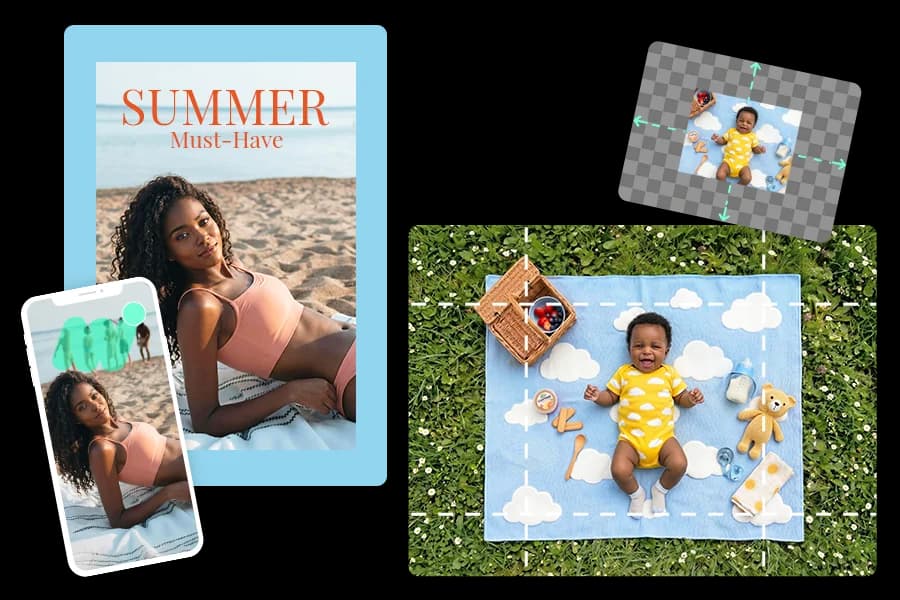
 Canva's AI-powered background and lighting adjustments help create natural, warm brand photography. Source: Canva
What makes Canva exceptional for warm brand photography is AI background and lighting adjustment combined with brand kit access. You can generate lifestyle photos of people using your products, then automatically adjust lighting to feel warm and inviting rather than harsh and commercial. The brand kit ensures color palettes and visual tones remain consistent across hundreds of generated images—essential for building consistent brand identity.
Why Canva wins for brand systems: Most AI tools treat each image as an isolated generation. Canva treats your photography as part of a cohesive visual ecosystem, automatically applying brand colors, fonts, and design elements that make every image feel like it belongs to the same family. This is exactly the approach we take at illustration.app, where brand consistency isn't optional—it's built into every asset we generate.
Canva Pro at $120/year unlocks additional credits and advanced features, but the free tier provides substantial value for most brand photography needs.
Fotor: Budget-Friendly Realistic Headshots
Fotor delivers quick, human-like headshot results by requiring 4-10 selfie uploads for training. This multi-photo approach helps the AI understand your (or your team member's) actual facial structure, expressions, and natural appearance—resulting in portraits that genuinely look like professional photos of real people rather than algorithmic approximations.
The free tier includes basic customization, with premium features starting at $8.99/month for teams needing higher volume or advanced editing controls. Fotor's strength lies in subtle edits that enhance without transforming—exactly what you want for authentic brand photography that maintains human warmth.
Additional Tools Worth Exploring
Pixlr (via the CapCut ecosystem) offers fully free AI-powered photo editing with particular strength in natural skin tones and authentic expressions—two critical elements for warm brand photography that feels human rather than synthetic.
For brands managing large product catalogs, Nightjar provides limited free trials with an innovative "visual DNA" extraction system. At approximately $0.10 per image after free credits, it's accessible for small businesses while delivering warm, repeatable lifestyle photography that maintains consistent human models across hundreds of product shots.
2026 Trends Shaping Human-Looking AI Photography
Consistency Over One-Off Perfection
The biggest shift in 2026 is from "generate the perfect image" to "generate 100 images that feel like the same photoshoot." Tools like Nightjar and Canva emphasize visual DNA extraction—analyzing reference images to understand your brand's specific warmth aesthetic (lighting temperature, color grading, human expressions) and replicating it across entire catalogs.
This matters tremendously for e-commerce brands and content creators who need dozens of lifestyle photos weekly. Rather than manually prompting for warmth in every generation, you establish a baseline human aesthetic once, then let the AI maintain that emotional tone across all future images. If you're working with illustrations rather than photography, this same principle applies—which is why illustration.app excels at generating cohesive sets where every asset maintains the same visual warmth and brand personality.
Lifestyle Over Static Product Shots
Claid.ai and similar platforms are driving a shift toward AI-generated model/product scenes that show people naturally interacting with products in warm, relatable environments. Instead of sterile white-background product photos, brands can now generate images of people using products in living rooms, cafes, outdoor settings—scenarios that build emotional connection through human context.
This trend directly addresses consumer fatigue with overly commercial, lifeless product photography. Warm lifestyle imagery tells stories and creates aspiration, transforming products from objects into experiences.
Personalization at Scale
Imagen AI's Personal AI Profile demonstrates where this technology is heading—AI trained on thousands of your specific edits to understand your unique style preferences. While this started in professional photography workflows, the approach is filtering down to free tools through customization features that let you save and reuse warm, human-looking style presets.
The implication for brand photography is powerful: You can develop a signature "warmth style" that becomes instantly recognizable across all your visual content, without manually adjusting every image.
Avoiding the "AI Sheen" That Kills Warmth
Free AI tools sometimes default to overly polished, artificially smooth results that destroy the authentic human quality you're seeking. Here's how to prompt for genuine warmth:
Effective warm photography prompts:
- "Soft golden hour lighting, genuine smile, natural wrinkles"
- "Candid moment, authentic expression, warm ambient light"
- "Photorealistic, diverse ethnicities, real skin texture"
- "Natural outdoor setting, soft shadows, approachable demeanor"
Avoid these cold, generic patterns:
- "Perfect lighting" (too artificial)
- "Flawless skin" (removes human authenticity)
- "Studio portrait" (can feel sterile without additional warmth cues)
- Generic prompts without emotional direction
The key difference is specificity about emotional tone and human imperfection. The more you emphasize natural, authentic, genuine qualities, the more your results will avoid the template-like feeling that plagued early AI photography.
 MyEdit transforms selfies into professional portraits while preserving natural expressions and warmth. Source: MyEdit
Strategic Workflows for Brand Photography at Scale
The Selfie-to-Professional Pipeline
For team photography and personal branding:
- Collect diverse selfies - 4-20 photos in various lighting and expressions
- Upload to MyEdit or Fotor - Let the AI learn facial structure and natural expressions
- Generate professional variations - Create multiple headshots for different contexts (website, LinkedIn, press kit)
- Maintain consistency - Use the same tool and style settings across all team members
- Refresh quarterly - Update team photos seasonally to keep content fresh
This workflow delivers professional-quality team photography for $0-20/month instead of $200+ per person for traditional photoshoots.
The Brand-Consistent Lifestyle System
For product and marketing photography:
- Establish visual DNA - Upload 10-15 reference images that capture your desired warmth aesthetic
- Use Canva or Nightjar - Let AI extract and replicate the lighting, color grading, and emotional tone
- Generate catalog sets - Create dozens of lifestyle photos that feel like the same photoshoot
- Integrate with brand kit - Ensure colors and visual tone align with existing brand guidelines
- Test and refine - A/B test warm vs. cold photography to validate audience preference
This approach scales authentic brand photography to hundreds of images monthly while maintaining the human warmth that builds trust. The same consistency principle applies to illustrations—illustration.app is specifically designed for this workflow, generating entire illustration packs where every asset feels cohesive and on-brand rather than randomly generated.
When Free Tools Hit Their Limits
Free tiers excel for small teams and moderate volume, but high-production brands will eventually need paid solutions. Most free tools cap bulk generation, and results vary significantly based on input quality—experts recommend uploading 4-20 diverse, well-lit selfies for optimal warmth and realism.
Upgrade considerations:
- Generating 50+ images weekly (free credits deplete quickly)
- Requiring batch processing for large teams
- Needing advanced editing controls for specific brand guidelines
- Demanding commercial licensing clarity for large-scale use
Even with these limitations, free AI photography tools in 2026 deliver extraordinary value for startups, freelancers, and small businesses seeking authentic brand visuals without traditional photography budgets.
The Future of Warm, Authentic AI Photography
As YouTube benchmarks demonstrate, free AI generators increasingly match paid rivals in photorealism when focused on human subjects. The trend toward mobile-first, prompt-refined outputs means you can generate professional brand photography from your phone with carefully crafted warm aesthetic prompts.
The tools covered here represent the current best options, but this space evolves monthly. What remains constant is the fundamental principle: Warm, human-looking brand photography requires intentional prompting, diverse training inputs, and brand consistency systems—not just raw AI generation power.
For brands serious about visual consistency, the lesson extends beyond photography. Whether you're generating photos, graphics, or illustrations, maintaining a cohesive human warmth across all assets separates professional brands from fragmented visual experiments. This is exactly why purpose-built tools like illustration.app exist—to deliver brand-consistent visual assets where warmth, personality, and cohesion aren't afterthoughts but foundational design principles.
The AI photography revolution has democratized professional-quality brand visuals. The question isn't whether free tools can create warm, human-looking results—they absolutely can. The real question is whether you're using them strategically to build authentic visual systems that scale.