
Brand consistency isn't just about using the same logo everywhere. It's about creating a visual language that feels cohesive across every touchpoint, and color is one of the most powerful elements in that system. The challenge? Traditional color palette tools require extensive design knowledge, manual adjustments, and constant vigilance to avoid drift. Enter AI-powered color generators that learn your brand preferences, extract palettes from images, and ensure harmonious schemes without the guesswork.
In 2026, AI color tools have evolved beyond simple generators. They understand context, learn from your choices, and integrate seamlessly into design workflows. Whether you're building a brand from scratch or maintaining consistency across dozens of assets, these free tools deliver professional results without the professional price tag.
Why AI Color Palette Generators Matter for Brand Consistency
Maintaining visual coherence across websites, social media, marketing materials, and product interfaces requires more than just picking a few hex codes and calling it a day. Brand consistency means every color choice reinforces your visual identity, creates recognition, and builds trust with your audience.
Traditional color tools like Adobe Color offer precision but lack the intelligence to understand your brand context. Generic palette generators spit out thousands of options but don't help you maintain consistency across projects. AI-powered color tools bridge this gap by learning your preferences, extracting schemes from reference images, and providing context-specific suggestions that align with your established visual language.
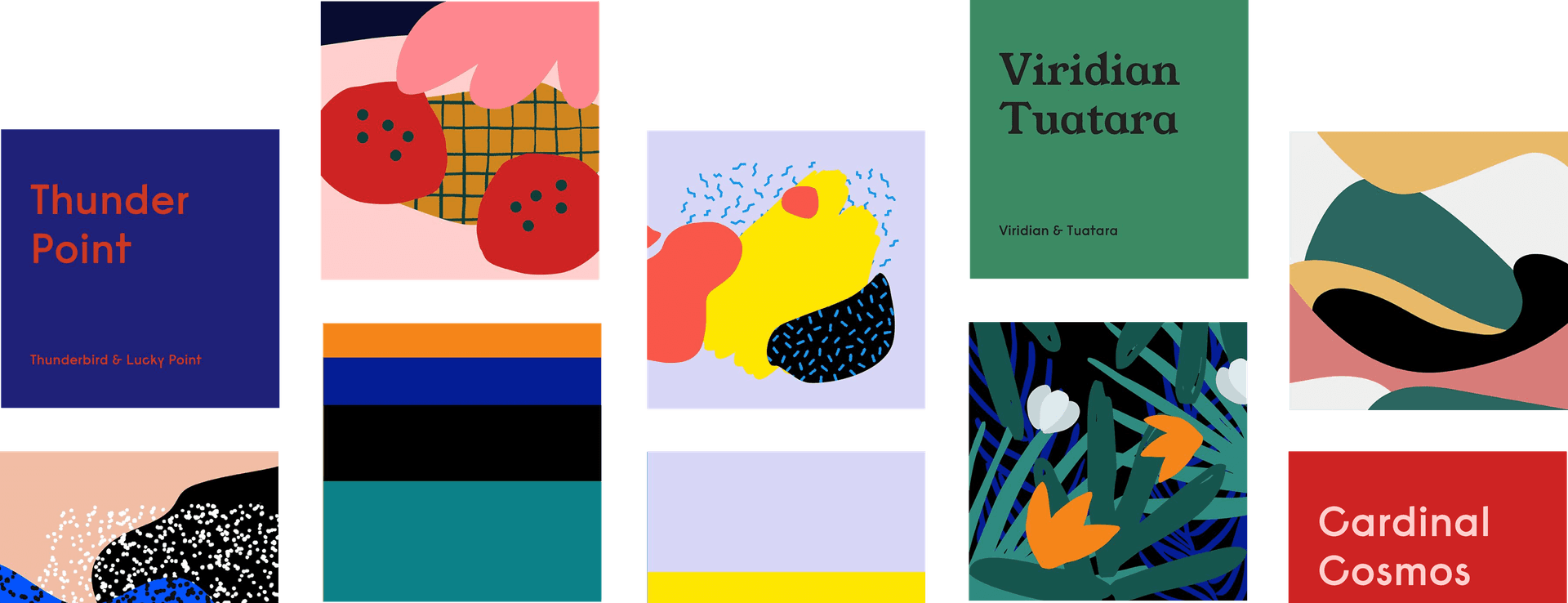 Khroma's AI-powered interface learns from your color preferences to generate personalized palettes. Source: khroma.co
For brand work, consistency isn't about perfection. It's about creating a recognizable system that adapts across different contexts while maintaining a cohesive feel. The best AI generators understand this balance between flexibility and coherence.
Top Free AI Color Palette Generators for 2026
Coolors – Speed and Simplicity for Quick Brand Work
Coolors stands out as the fastest route from blank canvas to branded palette. Hit the spacebar, and it instantly generates harmonious schemes. Upload a brand photo, and it extracts dominant hues in seconds. This speed matters when you're iterating on brand concepts or need quick variations for client presentations.
Coolors excels for non-designers who need professional results without color theory expertise. The interface is intuitive—no learning curve, no complex controls. Just generate, adjust, export. For brand consistency, the image upload feature is particularly valuable. Feed it a product photo, mood board image, or competitor reference, and Coolors extracts a palette that captures the visual essence.
The platform offers millions of pre-made palettes, which can be a double-edged sword. While convenient for inspiration, they're generic by nature. The real value comes from generating custom schemes or extracting from your own brand imagery to ensure uniqueness.
Khroma – Personalized Learning for Long-Term Brand Systems
Khroma takes a fundamentally different approach. Instead of instant generation, it learns your aesthetic preferences through training. Select 30+ colors you love, and Khroma's AI builds a personalized model of your taste. From there, it generates palettes specifically aligned with your visual sensibility.
According to a 2026 YouTube review, Khroma is a "huge timesaver" and a "gem" for applying color theory to both client and personal projects. The tool doesn't just suggest random harmonious schemes. It predicts combinations you'll actually love based on your training data.
For brand consistency, Khroma's overlay testing features are essential. View your palette applied to backgrounds, text, and images before committing. This context-specific preview helps ensure colors work across different applications—websites, UI elements, marketing materials. No more discovering your palette fails at readability or clashes with photography after you've already built half your brand system.
 Khroma's AI learns from your color preferences and provides overlay testing for real-world applications. Source: khroma.co
The training process requires upfront investment, but it pays dividends for long-term brand work. Once Khroma understands your aesthetic, every palette it generates aligns with your established visual direction. This reduces decision fatigue and maintains consistency across projects.
Muzli AI Colors – Design System Integration
Muzli AI Colors specializes in extracting 4-color palettes from uploaded images, optimized specifically for brand design workflows. The tool understands design systems and accessibility requirements, making it particularly valuable for UI and product design where WCAG compliance matters.
Muzli's approach focuses on practical, usable palettes rather than endless variations. Four colors is often the sweet spot for brand systems—enough versatility without overwhelming complexity. Extract from brand photography, product shots, or inspiration images, and you get a curated scheme ready for immediate application.
The instant extraction speed makes Muzli ideal for iterative brand work. Test multiple reference images, compare extracted palettes, and identify which direction best captures your brand essence. This rapid exploration accelerates the discovery phase without sacrificing quality.
For projects requiring cohesive visual sets across multiple assets, combining Muzli's extracted palettes with purpose-built design tools ensures brand consistency from color through illustration style. illustration.app excels at creating illustration packs that maintain the same visual language, applying your brand palette across entire asset libraries.
Huemint – AI-Driven Workflows for Brand Systems
Huemint positions itself as an AI generator specifically optimized for brand and design system workflows. Rather than random generation, it focuses on producing useful, application-ready palettes that integrate into professional design processes.
The tool emphasizes systematic approaches to color—generating schemes that consider hierarchy, contrast, and flexibility across different brand touchpoints. For designers building comprehensive brand guidelines, Huemint's output aligns with the structured thinking required for scalable visual systems.
svgapp.ai Palette Generator – On-Brand AI Image Generation
svgapp.ai Palette Generator solves a specific but critical problem: ensuring AI-generated images stay on-brand. The tool converts brand hex codes into visual swatches that provide RGB context to image generation models.
Text descriptions of colors rarely translate accurately to AI image generators. "Brand blue" or "warm coral" means different things to different models. By uploading actual color swatches as visual references, you give generative AI concrete examples to match. This approach prevents color drift when using tools like Midjourney or DALL-E for branded visuals.
For brands leveraging AI illustration tools, this visual palette workflow maintains consistency between traditional assets and AI-generated content. illustration.app handles this intelligently by allowing you to define brand colors upfront, ensuring every generated illustration adheres to your established palette without manual correction.
Canva Color Palette Generator – Quick Extraction for Photo-Based Brands
Canva's Color Palette Generator offers straightforward image-based extraction with zero learning curve. Upload a photo, and Canva instantly identifies dominant hues and suggests complementary schemes.
This simplicity makes Canva ideal for quick brand visuals and social media content where speed matters more than deep customization. The tool integrates seamlessly with Canva's broader design platform, allowing immediate application of extracted palettes to templates and layouts.
For photo-heavy brands—restaurants, travel, lifestyle—extracting palettes directly from product photography ensures color schemes align with actual brand assets rather than abstract color theory.
Comparison: Which Tool Fits Your Brand Workflow?
| Tool | Best For | Key Advantage | Limitation |
|---|---|---|---|
| Coolors | Fast iteration, non-designers | Instant generation with spacebar | Generic pre-made options |
| Khroma | Long-term brand systems | Personalized AI learning | Requires training investment |
| Muzli AI Colors | Design systems, UI work | 4-color extraction, accessibility focus | Limited to extracted palettes |
| Huemint | Systematic brand workflows | Structured, application-ready schemes | Less exploratory freedom |
| svgapp.ai | AI image generation | Visual swatches for RGB accuracy | Specific use case (AI prompts) |
| Canva | Quick social/marketing visuals | Photo-matching simplicity | Limited customization depth |
2026 Trends in AI Color Tools
Design experts increasingly categorize color tools into three tiers: AI generators (like Khroma and Coolors), classic builders (Adobe Color, traditional color wheels), and accessibility checkers (contrast validators, WCAG tools). The trend in 2026 leans heavily toward AI for efficiency and personalization, especially as brand consistency demands grow more complex.
Personalization through learning is becoming table stakes. Tools that remember your preferences, learn your aesthetic, and suggest contextually relevant palettes save exponentially more time than generate-and-hope approaches. Khroma's training model represents this shift—less random generation, more intelligent curation.
Visual references for generative AI address the color drift problem. As brands adopt AI image generation for marketing and product visuals, maintaining color consistency across human-designed and AI-generated assets becomes critical. Tools like svgapp.ai's palette generator ensure AI outputs stay on-brand by providing concrete visual examples rather than relying on text descriptions.
Accessibility integration is no longer optional. AI color tools increasingly include built-in WCAG checkers, contrast ratio validators, and accessibility overlays. For brand work, this means ensuring your palette works for all users from day one rather than retrofitting compliance later.
 Khroma's training process helps the AI understand your unique color preferences for personalized palette generation. Source: jennergy.com
Building Brand-Consistent Palettes: Practical Workflow
Creating color consistency isn't just about choosing the right tool. It's about establishing a systematic approach:
1. Start with visual references. Instead of abstract color picking, gather 5-10 images that capture your brand aesthetic. Product photos, competitor examples, mood board inspiration—anything that represents the visual direction.
2. Extract and compare. Run these references through Coolors, Muzli, and Canva to extract different palette interpretations. You'll quickly see patterns emerge—certain hues appear consistently, specific color relationships feel right.
3. Train personalization. Feed your preferred extracted colors into Khroma's training system. This creates a personalized AI model that generates future palettes aligned with your established direction.
4. Test across contexts. Use Khroma's overlay testing to view palettes applied to backgrounds, text, and images. Ensure readability, verify accessibility, and confirm the scheme works across different brand touchpoints.
5. Document for AI workflows. If you're using AI illustration or image generation, create visual swatches using svgapp.ai or similar tools. This provides concrete RGB references that keep AI outputs on-brand.
6. Build scalable systems. Once you've validated your core palette, extend it systematically. Define primary, secondary, and accent colors. Establish hierarchy rules. Create light/dark mode variations if needed. Tools like Huemint help structure these extended systems.
For teams using illustration.app to generate brand-consistent visual assets, defining your color palette upfront ensures every illustration pack maintains the same visual language. The platform applies your brand colors across entire asset libraries, eliminating the manual work of color correction and ensuring cohesion from landing page graphics to marketing materials.
Free vs Paid: What You Actually Get Without Upgrading
All the tools mentioned offer robust free tiers that cover core brand consistency needs. Coolors provides unlimited palette generation and image extraction without payment. Khroma offers full personalization and overlay testing free—no paywalls blocking essential features. Muzli AI Colors, Huemint, and Canva deliver their primary functionality at zero cost.
Comprehensive tool reviews confirm that paid upgrades typically add convenience features (faster export, more saved palettes, team collaboration) rather than core capabilities. For solo designers and small teams, free tiers provide everything needed for professional brand work.
This accessibility democratizes quality color design. You don't need enterprise budgets to maintain brand consistency. You need the right workflow and tools that respect it.
Limitations and When Traditional Tools Still Win
AI color generators excel at speed and exploration but have clear boundaries. They can't replace human judgment about brand positioning, emotional resonance, or cultural color associations. An AI might suggest a technically harmonious palette that completely misses your brand personality.
Traditional color theory still matters. Understanding complementary relationships, color psychology, and contextual meaning helps you evaluate AI suggestions critically rather than accepting them blindly. Our guide on AI-assisted color palettes explores this balance between algorithmic precision and creative intuition.
For complex brand systems requiring precise Pantone matching, print specifications, or advanced color management, professional tools like Adobe Color still lead. AI generators optimize for digital workflows—websites, UI, social media. Physical applications often demand more control than free AI tools provide.
Dynamic branding presents challenges. If your brand identity intentionally shifts colors across different product lines or seasonal campaigns, static palette generators won't capture that complexity. You need systematic frameworks beyond individual palette generation.
Future of AI-Powered Color Consistency
The trajectory is clear: color tools will become more contextually intelligent. Expect AI that understands not just color harmony but brand positioning, industry conventions, and cultural associations. Future tools will suggest palettes based on your target audience, product category, and competitive landscape—not just abstract aesthetics.
Real-time adaptation is emerging. Design systems that automatically adjust color based on user preferences, accessibility needs, or environmental context (dark mode, ambient lighting). AI will manage these variations while maintaining brand coherence across all states.
Cross-platform consistency engines will ensure your brand palette translates accurately from web to print to physical products. AI will handle color space conversions, material simulations, and medium-specific adjustments automatically while preserving perceptual consistency.
For now, the tools available in 2026 provide everything needed for professional brand consistency without enterprise budgets. Coolors for speed, Khroma for personalization, Muzli for design systems, and purpose-built platforms like illustration.app for maintaining visual coherence across entire asset libraries. The technology isn't the bottleneck—it's about using these tools systematically and critically.
Making the Choice
Start with Coolors if you need instant generation and image extraction without complexity. Move to Khroma when you're building long-term brand systems that benefit from personalized AI learning. Use Muzli AI Colors for design systems requiring structured, accessible 4-color schemes. Leverage svgapp.ai when AI image generation enters your workflow. Grab Canva for quick social media color matching.
Most effective approach? Use multiple tools in combination. Extract palettes with Coolors, refine with Khroma's personalization, test accessibility with Muzli, and apply consistently across all brand assets. The tools are free. The value comes from systematic workflows that maintain coherence across every touchpoint.
illustration.app provides the natural next step after palette selection—transforming your carefully chosen brand colors into cohesive illustration systems that maintain visual consistency across landing pages, marketing materials, and product interfaces. Because brand consistency isn't just about choosing the right colors. It's about applying them systematically across every visual element your audience encounters.