
Surface designers face a persistent challenge: creating seamless, repeating patterns that look professional while meeting tight deadlines. AI pattern generators have emerged as essential tools that solve this problem, transforming what used to take hours into minutes while maintaining the quality standards professional projects demand.
The 2025 landscape offers specialized solutions tailored to different creative needs. Whether you're designing fabrics for a fashion line, creating wallpaper for interior projects, or building digital assets for marketing campaigns, there's now an AI tool optimized for your specific workflow.
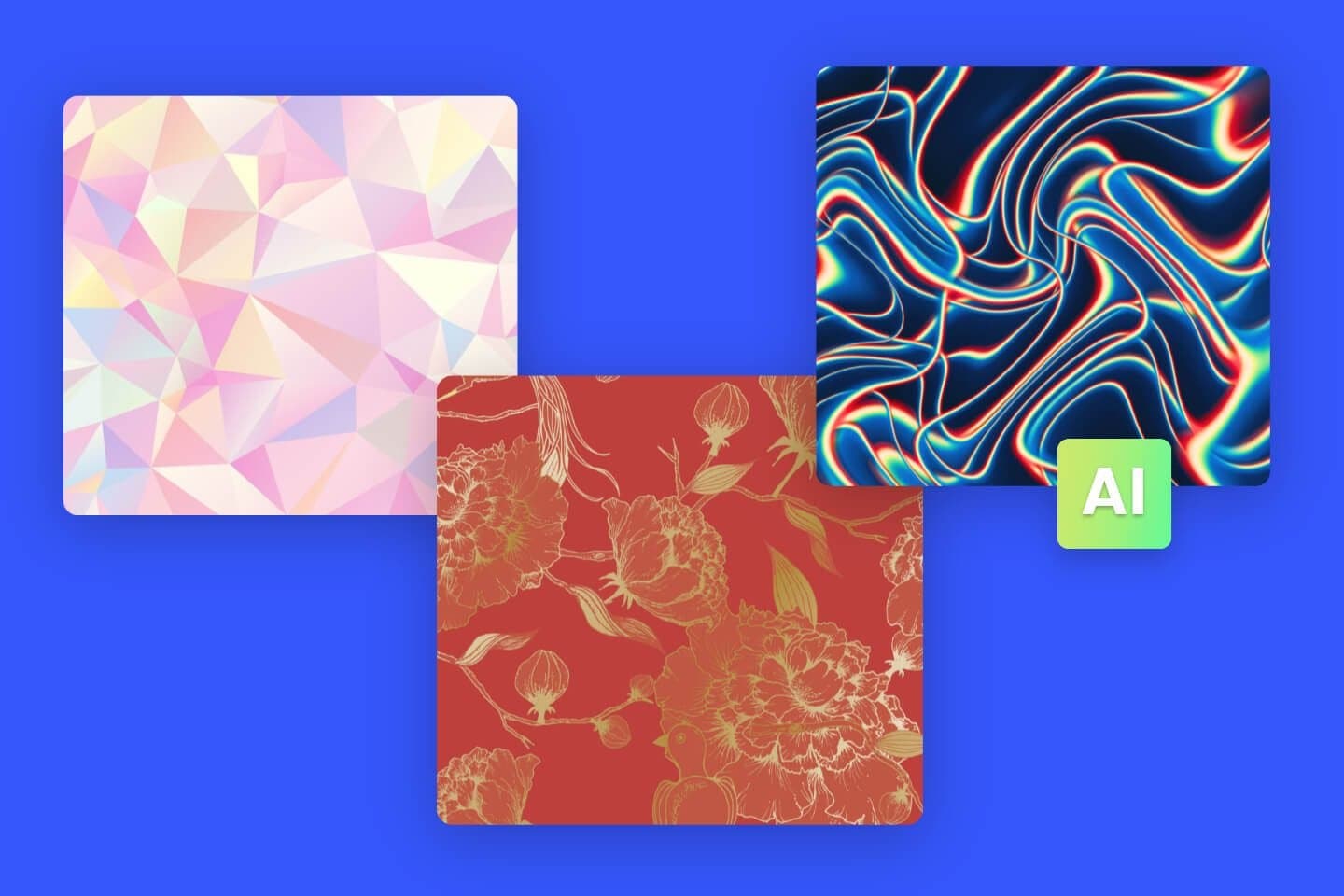 AI pattern generators can produce diverse styles from geometric to organic, suitable for various applications. Source
The Leading AI Pattern Generators
PatternedAI: The Textile Designer's Choice
PatternedAI stands out as the gold standard for professional textile and surface design work. This specialized tool excels at creating seamless, repeating patterns specifically optimized for fabrics, packaging, and wallpapers. The algorithms produce flawless, continuous designs that replicate the hand-drawn quality professional textile applications demand.
The workflow is refreshingly simple. Enter a descriptive prompt, and PatternedAI delivers production-ready repeating designs that tile perfectly without visible seams. This makes it particularly valuable for textile designers who need brand-consistent illustrations that maintain visual coherence across product lines.
Canva AI Pattern Templates: Accessibility Meets Speed
For beginners and marketing teams seeking fast turnaround, Canva's AI pattern features offer the most accessible entry point. The platform provides editable pattern templates with AI style suggestions, all integrated within Canva's massive asset library.
While it offers less precision control than specialized tools, Canva's strength lies in integration. You can generate patterns and immediately incorporate them into email banners, social media graphics, and ad templates without switching platforms. This seamless workflow makes it ideal for marketing teams scaling their design output without dedicated design resources.
DALL-E 3: Precision for Brand-Specific Work
OpenAI's DALL-E 3 transforms detailed text prompts into high-resolution pattern images with exceptional accuracy. This tool excels at capturing complex concepts and translating them into unique designs, making it particularly valuable for brand-specific applications where precision matters.
The advantage here is conceptual control. When you need patterns that communicate specific brand attributes or visual metaphors, DALL-E 3's sophisticated language understanding produces results that align closely with your creative vision.
Seamless Studio by Artbreeder: Manual Control Meets AI Generation
Artbreeder's Seamless Studio appeals to designers who want to blend AI generation with artistic direction. The tool offers style mixing capabilities, custom tile sizes, and high-resolution output, giving you granular control over the final result.
This hybrid approach works well when you have a specific aesthetic in mind but want AI to handle the technical repetition work. The interface can feel complex for beginners, but experienced designers appreciate the additional creative control it provides.
Figma + AI Pattern Plugins: Workflow Integration
For UX/UI designers already working in Figma, pattern generation plugins integrate directly into your existing workflow. These tools allow you to generate custom textures within your design files with instant vector editing capabilities.
The seamless integration with collaborative design projects makes this approach particularly valuable for team-based work. You can create patterns, iterate with stakeholders, and maintain version control all within the same environment. However, this requires Figma familiarity, making it less suitable for designers using other primary tools.
 Modern AI pattern generators offer diverse interfaces and capabilities tailored to different design workflows. Source
Seamless.AI Textures: Photorealism for Luxury Brands
Seamless.AI Textures focuses on high-end, photorealistic designs that replicate real-world materials. This tool creates patterns suitable for luxury brands and interior design applications where material authenticity matters.
The photoreal textures and tileable high-resolution output justify the premium pricing for professional-grade projects. When your design needs to communicate quality and sophistication through material fidelity, this specialized tool delivers results generic generators can't match.
Stockimg.AI Patterns: Flexibility Across Applications
Stockimg.AI Patterns offers flexible outputs that work across branding, print, and digital assets. The tool features pattern-specific AI prompts and multiple aspect ratios with commercial licensing included, making it versatile for various project types.
While it requires some prompt crafting skills, the adaptability and quick turnaround make it valuable for designers handling diverse client needs across different media.
Understanding Key Capabilities
Modern AI pattern generators share several fundamental strengths that define the category and set them apart from traditional design methods.
Seamless Generation That Actually Works
The most critical capability is automatic seamless tiling. These tools create patterns that repeat perfectly without visible edges or awkward transitions. This handles the technical complexity of repetition while you focus on creative decisions about style, color, and composition.
According to Pixelcut, seamless generation has become the baseline expectation. The best tools make this completely invisible to the user, automatically handling mathematical precision behind simple creative controls.
Production-Ready Resolution
Standard premium tools provide high-resolution output, typically as PNG files suitable for both digital use and professional printing. This eliminates the need for separate upscaling steps and ensures your patterns maintain quality across different applications.
For projects requiring even higher resolution or different file formats, pairing AI pattern generators with specialized upscaling tools creates a complete production workflow.
Customization Depth Varies by Tool
Most generators allow color palette adjustments, style selection, and material customization. Advanced options enable tile size specification and provide commercial licensing provisions that protect your professional use.
The depth of customization you need depends on your specific applications. Textile designers typically require more granular control than social media marketers creating digital backgrounds.
The Ease of Use Revolution
Perhaps the most transformative aspect of modern AI pattern generators is accessibility. Successful tools require only descriptive text input rather than design expertise or technical knowledge of pattern mathematics.
This democratization means designers can focus on creative vision rather than technical execution. You describe what you want; the AI handles the complex technical requirements of seamless repetition.
Practical Applications Across Industries
AI pattern generators serve diverse creative applications, each with specific requirements and workflow considerations.
Textile and Fashion Design
Textile design remains the primary use case, with tools like PatternedAI and Myth AI generating production-ready patterns for fabrics and apparel. These applications demand flawless seamless repetition and colorway flexibility for manufacturing requirements.
For fashion designers, the ability to rapidly iterate on pattern concepts accelerates the design process from weeks to days. You can generate dozens of variations, test them on mockups, and refine colorways before committing to production.
Interior Design and Decor
Wallpaper, home furnishings, and accent pieces represent a growing application area. Interior designers use AI pattern generators to create custom designs that match specific spatial and aesthetic requirements.
The advantage here is customization at scale. Rather than choosing from limited stock wallpaper designs, you can generate patterns perfectly aligned with your project's color palette and style direction.
E-Commerce and Product Marketing
Packaging design, product mockups, and digital advertising increasingly leverage AI-generated patterns. Marketing teams use these tools to create distinctive visual backgrounds that reinforce brand identity across touchpoints.
The speed advantage is crucial for e-commerce teams running seasonal campaigns with tight turnarounds. Generate fresh patterns for each campaign without the time and budget required for custom illustration work.
Digital Design Applications
Website backgrounds, social media graphics, and branded digital assets benefit from custom pattern generation. Digital designers use these tools to create unique visual textures that differentiate brands in crowded digital spaces.
For designers working on comprehensive brand systems, pairing AI pattern generators with tools that maintain consistent visual identity ensures patterns integrate seamlessly with other brand elements.
Architectural and Spatial Design
Patterned surfaces for architectural visualization and presentation represent an emerging application area. Architects and spatial designers use AI-generated patterns to communicate material and finish concepts in renderings and proposals.
Pricing Structures and Value Considerations
The AI pattern generator market spans multiple price points, reflecting different feature sets and target users.
Free tiers exist on platforms like Canva, providing entry-level access with limitations on resolution, exports, or commercial licensing. These work well for personal projects and experimentation but typically restrict professional use.
Mid-range subscriptions cost $7.50–$15 monthly, offering professional features for individual creators and small teams. This tier typically includes commercial licensing, higher resolution outputs, and more generous usage limits.
Premium solutions range from $19–$29 monthly, targeting established design professionals and commercial operations. These tools provide the highest resolution outputs, advanced customization options, and enterprise-level licensing clarity.
The value calculation depends on your specific workflow. If AI pattern generation replaces hours of manual work or expensive custom illustration, even premium pricing delivers strong ROI. For occasional users, free or mid-tier options may suffice.
Choosing the Right Tool for Your Needs
Different user types benefit from different tool selections based on workflow requirements and output needs.
Textile designers and product creators should prioritize PatternedAI or Myth AI for professional-quality, production-ready outputs. These specialized tools understand textile-specific requirements and deliver results that work in manufacturing contexts.
Marketing and e-commerce teams benefit from Canva's integration capabilities and quick turnaround. When speed and platform integration matter more than granular control, Canva's ecosystem provides the most efficient workflow.
Fine artists and creative professionals seeking distinctive, surreal results may prefer Artbreeder's style-mixing capabilities or DeepDream's artistic algorithms. These tools prioritize creative expression over production requirements.
UX/UI teams and design agencies leveraging collaborative workflows gain advantages from Figma's integrated pattern plugins. This keeps all design work in a single environment with shared version control and commenting capabilities.
Luxury brands requiring photorealistic, material-authentic patterns should consider Seamless.AI Textures. When pattern quality directly communicates brand positioning, specialized premium tools justify their cost.
Integrating Pattern Generation into Your Workflow
Success with AI pattern generators requires thoughtful workflow integration rather than simply adding another tool to your stack.
Start by identifying specific use cases where pattern generation creates clear value. Don't try to use AI patterns everywhere. Focus on applications where speed, variation, or customization provides concrete advantages over existing methods.
Establish quality standards and review processes. AI-generated patterns still require human judgment about appropriateness, brand alignment, and technical quality. Build evaluation frameworks that ensure consistent quality across projects.
Consider creating a pattern library of approved, branded designs. Generate multiple variations, review and refine the best options, then maintain them as reusable assets. This combines AI efficiency with human curation.
For teams managing multiple tools, be strategic about avoiding tool sprawl. Choose pattern generators that integrate well with your existing design stack rather than creating isolated workflow islands.
The Evolving Landscape
The 2025 AI pattern generator market reflects broader trends in design technology. The democratization of professional design capabilities continues accelerating, while specialized tools maintain value for advanced applications.
We're seeing consolidation in some areas as major platforms like Canva and Adobe integrate pattern generation into broader design suites. Simultaneously, specialized tools thrive by serving specific niches with depth that generalist platforms can't match.
The key is matching tool capabilities to specific project requirements rather than seeking a single universal solution. Different projects demand different approaches. Successful designers in 2025 understand which tool serves which purpose and move fluidly between them based on project needs.
As AI continues transforming design workflows, pattern generation represents one area where the technology delivers clear, measurable value. The technical complexity of seamless pattern creation makes it ideal for AI automation, freeing designers to focus on creative decisions rather than mathematical precision.
The tools discussed here represent the current state of the art, but the category continues evolving rapidly. Stay informed about new capabilities and emerging tools, but maintain focus on fundamental design principles. Technology changes; good design remains constant.