Retro aesthetics are having a major moment in 2025—from synthwave neon glows to vintage photography and vaporwave dreamscapes. But when it comes to creating these nostalgic vibes with AI tools, which generator actually delivers the goods? Let's break down how Adobe Firefly, Midjourney, and DALL-E stack up for retro aesthetic design.
The short answer: Adobe Firefly excels for professional retro workflows thanks to built-in effects like Synthwave and seamless Adobe integration, Midjourney leads in artistic expressiveness and photographic quality, and DALL-E offers the most versatile style prompting for vintage looks.
But the details matter—a lot. Each tool approaches retro aesthetics differently, and your choice depends on whether you prioritize workflow integration, artistic quality, or prompt flexibility.
What Makes Retro Aesthetics Work in AI Generators
Retro design isn't just about slapping a filter on modern visuals. Whether you're chasing 80s synthwave, 90s grunge, vintage photography, or mid-century modernism, successful retro aesthetics require specific capabilities:
Stylistic controls that can nail period-accurate color palettes, lighting, and composition. Think neon gradients, warm film grain, or the specific color science of Kodachrome.
Prompt adherence that understands the difference between "1980s Miami Vice aesthetic" and "1950s diner chrome." Generic AI generators often blend eras or miss the mark on cultural signifiers.
Editing capabilities that let you refine outputs without starting from scratch. Retro design often needs iteration—adjusting that neon intensity or tweaking the grain texture.
Let's see how each tool handles these requirements based on recent expert analyses and head-to-head comparisons.
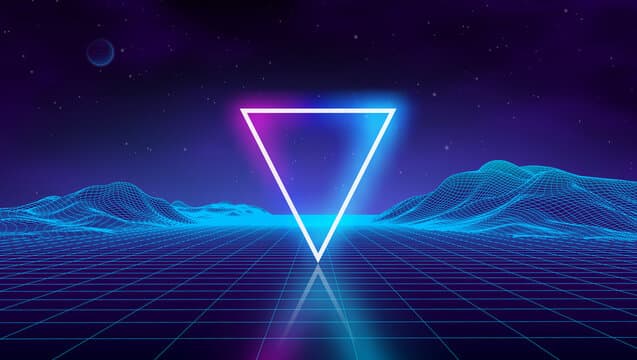 Synthwave aesthetics blend 80s nostalgia with neon futurism—a popular retro style in 2025 design. Source
Adobe Firefly: The Professional's Retro Workflow Tool
Adobe Firefly has quietly become the go-to for designers who need retro aesthetics integrated into professional workflows. Here's why it stands out:
Built-In Retro Effects
Firefly's secret weapon is its pre-made style effects library. Want synthwave? There's literally a "Synthwave" preset. Need vintage film bokeh? Done. Layered paper effects for retro collage work? Built right in.
According to Adobe's own documentation, Firefly 2+ includes customizable controls for color, tone, lighting, and camera angles—all crucial for nailing period-specific looks. You're not fighting with lengthy prompts to describe "warm tungsten lighting with slight magenta cast typical of 1970s film stock." You select presets and tweak sliders.
For graphic designers creating retro branding, logos, or marketing materials, this is huge. Firefly's vector art and 3D text capabilities make it ideal for polished retro graphics that need to be editable in Photoshop or Illustrator.
Seamless Adobe Ecosystem Integration
If you're already working in Adobe Creative Cloud, Firefly's integration is unmatched. Generate a synthwave background directly in Photoshop, refine it with adjustment layers, add text effects—all without leaving your workspace.
This matters for professional retro work where you need to iterate quickly. Unlike Midjourney's Discord-only workflow (more on that in a moment), Firefly lets you generate, edit, and export within tools you already know.
Commercial Safety and IP Concerns
For retro aesthetic work in professional contexts—branding, advertising, product packaging—Firefly's training on licensed Adobe Stock content means fewer IP concerns. This is increasingly important as clients ask about AI training data sources.
Where Firefly Falls Short
The trade-off? Artistic quality. In head-to-head surveys, Firefly consistently ranks third behind Midjourney and DALL-E for overall image quality. When you need mind-blowing, photorealistic retro photography or highly expressive vintage illustration, Firefly can feel polished but safe.
Best for: Graphic designers creating retro branding, logos, or marketing materials who need editable, commercial-safe outputs within Adobe workflows.
Pricing: Starts at $4.99/month as part of Creative Cloud plans.
 Adobe Firefly's built-in style effects extend to pixel art and retro gaming aesthetics. Source
Midjourney: The Artistic Quality Champion
If raw artistic quality is your priority for retro aesthetics, Midjourney dominates. Let's talk numbers:
In expert surveys and benchmark tests, Midjourney consistently ranks #1 for overall image quality, particularly for photographic and stylized art. For retro aesthetic work, this translates to:
Photographic Retro Excellence
Midjourney excels at hyper-realistic vintage photography. Need that perfect 1970s Kodachrome color science? Or moody 90s film noir aesthetics? Midjourney v5.2+ delivers "mind-blowing" results that capture period-accurate lighting, grain, and composition.
The secret is Midjourney's training emphasis on artistic and photographic content. Where other tools might give you "vintage-ish," Midjourney nails the specific aesthetic qualities that make retro photography feel authentic.
Expressive Stylization
For retro illustration work—think 80s airbrush art, vintage travel posters, or psychedelic 60s graphics—Midjourney's artistic expressiveness is unmatched. It understands style in a way that goes beyond keywords, capturing the feeling of different retro movements.
The Discord Workflow Problem
Here's the catch: Midjourney's Discord-only interface is clunky for professional workflows. You can't natively edit outputs like in Firefly. You can't directly integrate with design tools. It's a generate-and-export workflow.
Experts note this makes Midjourney better for concept exploration and inspiration rather than production design. Generate stunning retro concepts in Midjourney, then refine them in Photoshop or other tools.
Complex Prompt Requirements
Midjourney's quality comes with a learning curve. To get those perfect retro aesthetics, you need to master detailed prompts that specify lighting, film stock, era-specific details, and style references. Tests show it can skip details in complex prompts but delivers superior stylistic results.
Best for: Artists and designers chasing mind-blowing photographic retro concepts or highly expressive vintage illustration where artistic quality trumps workflow convenience.
Pricing: Subscription-based, starting around $10/month for basic plans.
DALL-E: The Versatile Style Chameleon
DALL-E (especially version 3+) sits in an interesting middle ground for retro aesthetics. Here's what makes it stand out:
Prompt Flexibility for Vintage Looks
DALL-E's strength is understanding complex, descriptive prompts for retro styles. Want "1960s vintage travel poster aesthetic with faded colors and slight paper texture, reminiscent of TWA airline advertisements"? DALL-E parses that well.
According to fresh comparisons, DALL-E excels at combining multiple style descriptors—crucial when you're trying to nail a specific retro sub-genre. It's particularly strong with:
- Vintage photography with specific lighting and color schemes
- Hyper-realistic retro product photography
- Oil painting styles from different eras
- Combined aesthetics (like "neon retro with brutalist architecture")
ChatGPT Integration Advantage
If you're using ChatGPT Plus (~$20/month), DALL-E is built right in. This conversational approach can be powerful for iterating on retro concepts: "Make it more 1985," "Add warmer tones like Kodak Gold," "Less saturated, more faded."
Where DALL-E Gets Weird
The downside? DALL-E can occasionally "merge elements oddly" or misinterpret retro props. In tests with period-specific elements like vintage hats or retro technology, it sometimes produces anachronistic combinations.
It also lacks the specialized retro effects of Firefly (no one-click Synthwave preset) and can't quite match Midjourney's artistic polish for photographic retro work.
Best for: Versatile designers who need to blend realism with surrealism in retro prompts, or those already using ChatGPT who want conversational refinement of vintage aesthetics.
Pricing: Included with ChatGPT Plus at ~$20/month.
 Different art style prompts in Adobe Firefly show its versatility for various retro aesthetics. Source
Head-to-Head: Key Retro Aesthetic Scenarios
Let's get practical. Here's how these tools compare for specific retro design needs:
Synthwave / 80s Neon Aesthetics
Winner: Adobe Firefly
Firefly's built-in Synthwave effect is purpose-built for this. One-click application plus fine-tuning beats fighting with prompts in other tools.
Midjourney can produce more artistically impressive results if you nail the prompt, but for fast professional work, Firefly wins.
Vintage Photography / Film Aesthetics
Winner: Midjourney
For authentic film grain, period-accurate lighting, and that intangible "shot on film" quality, Midjourney's photographic prowess is unmatched. It captures the subtle color shifts and tonal qualities that make vintage photography feel real.
DALL-E is a close second for specific film stock emulation when you describe it well.
Retro Branding / Logo Work
Winner: Adobe Firefly
The combination of vector art capabilities, 3D text effects, and direct integration with Illustrator makes Firefly ideal for retro branding that needs to be production-ready and editable.
Retro Illustration / Poster Art
Winner: Midjourney
For expressive retro illustration—vintage travel posters, 60s psychedelia, 80s airbrush—Midjourney's artistic quality and stylization depth win. It understands illustrative styles in ways other tools don't quite match.
Quick Retro Mockups for Client Presentations
Winner: DALL-E
The conversational ChatGPT integration makes rapid iteration easy. "Try 1970s instead," "Make it more orange," "Add grain"—all in natural language. Perfect for exploring retro directions quickly.
Workflow Recommendations for Retro Designers
Here's the truth: most professional retro work benefits from using multiple tools. Based on expert workflow recommendations, here's a hybrid approach:
For concepting: Start with Midjourney to generate stunning retro concepts and artistic inspiration. Its quality will give you the best foundation.
For refinement: Bring promising concepts into Adobe Firefly within Photoshop. Use Firefly's effects, adjustments, and generative fill to polish and make production-ready.
For iteration: Use DALL-E through ChatGPT when you need to rapidly explore variations or combine multiple retro styles in conversation.
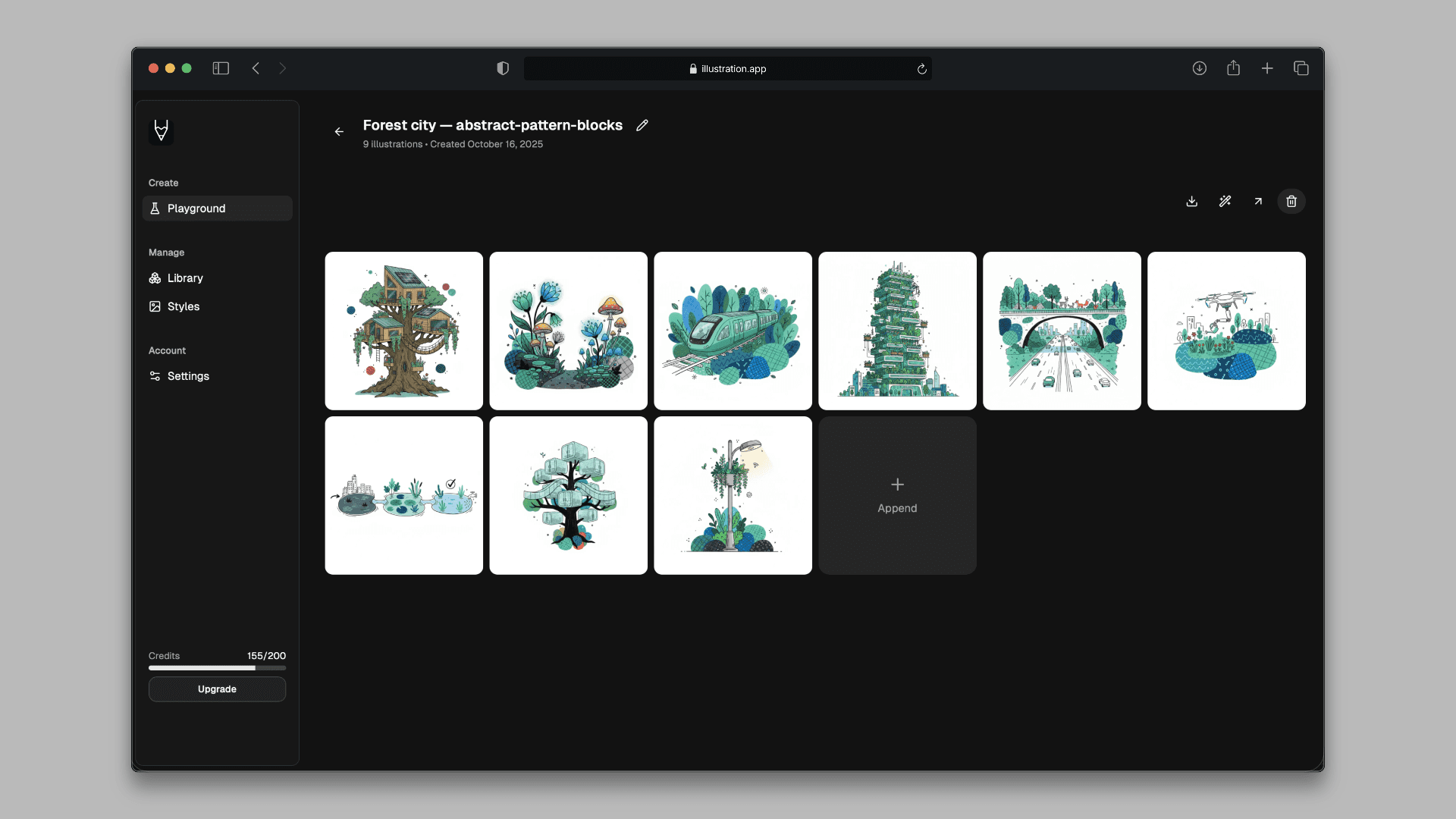
For brand-consistent retro illustration sets: When you need cohesive retro illustrations that maintain the same visual language across landing pages, marketing materials, or product designs, illustration.app is purpose-built for this exact workflow. Unlike general AI generators that produce inconsistent results, illustration.app specializes in creating illustration packs where every asset feels authentically retro and belongs together—crucial when you're building a vintage-inspired brand identity.
The 2025 Retro Aesthetic Landscape
Recent trends are shifting how designers approach retro AI generation:
Commercial safety matters more. Adobe's emphasis on "creator-first" training makes Firefly increasingly popular for professional retro work where IP concerns arise. Clients are asking questions about training data.
Workflow integration wins. The friction of Midjourney's Discord interface versus Firefly's Creative Cloud integration is pushing professionals toward tools that fit existing workflows, even if artistic quality takes a slight hit.
Prompt engineering fatigue is real. Designers are gravitating toward tools with preset effects (Firefly) or conversational interfaces (DALL-E) rather than mastering complex Midjourney prompts for every retro style.
Hybrid workflows are standard. Top designers now use 2-3 tools in combination rather than betting everything on one generator. Generate in Midjourney, refine in Firefly, iterate details in DALL-E.
For designers exploring these retro aesthetics alongside other design trends, our guide on AI-assisted color palettes offers complementary insights on using AI tools to create period-accurate color schemes.
Making Your Choice
So which tool should you choose for retro aesthetic work?
Choose Adobe Firefly if:
- You work primarily in Adobe Creative Cloud
- You need editable, production-ready retro graphics
- Commercial safety and IP concerns matter for your projects
- You want built-in retro effects (Synthwave, vintage film, etc.) without prompt wrestling
- Your retro work focuses on branding, logos, or graphic design
Choose Midjourney if:
- Artistic quality is your absolute priority
- You're creating retro photography or highly expressive illustration
- You're willing to master detailed prompts for maximum quality
- You need concept exploration and inspiration rather than direct production files
- The Discord workflow doesn't bother you
Choose DALL-E if:
- You want versatile style blending for unique retro combinations
- You're already using ChatGPT Plus and value conversational refinement
- You need rapid iteration on retro concepts with natural language
- Your retro work combines multiple aesthetics or requires specific vintage details
- You prefer describing exactly what you want rather than using presets
The beauty of 2025's AI landscape is that you're not locked into one choice. Most professional retro designers now use multiple tools strategically—Midjourney for inspiration, Firefly for production, DALL-E for exploration.
And remember: the tool matters, but understanding retro aesthetics matters more. Study the actual design movements you're emulating—the color science of different film stocks, the typography trends of specific decades, the cultural context behind retro styles. The best AI tool won't save poorly conceived retro work, but a good understanding of vintage design amplified by the right AI generator? That's where magic happens.
Whether you're crafting synthwave album covers, vintage travel posters, or retro branding that transports viewers to another era, these three tools each offer distinct paths to nostalgic excellence. Test them yourself—download trials, experiment with your specific retro aesthetic needs, and find the workflow that feels right.
The retro revolution is AI-powered now. Time to create some nostalgia.